
BILL.com Review: Is It Best Financial Operations Platform?
Are you looking to streamline your financial operations? 💼
Do you need a solution that automates tasks like invoicing, bill payments, and expense management? 🤔
Many small and medium-sized businesses struggle with manual processes that drain time and energy.
It’s no surprise that business owners are seeking smarter, more efficient ways to handle financial tasks.
That’s where Bill.com steps in, offering an all-in-one platform designed to automate your AP, AR, and spend management processes.
With Bill.com Review, you can focus on growing your business so leave the complex financial tasks to an intelligent, seamless solution.
Bill Overview💡
BILL.com is an AI-powered financial operations platform.
It is designed to help businesses automate their accounts payable (AP), accounts receivable (AR), procurement, and spend management.
The platform simplifies financial workflows, saves time, and reduces errors.

For small and medium-sized businesses (SMBs), accounting firms, and large enterprises, BILL.com offers a complete solution to manage financial tasks.
With its AI-powered features, it helps you automate routine tasks and optimize your operations.

The system integrates with popular accounting software, so your data flows smoothly across platforms.
Let’s dive into the key features, pricing, pros and cons, and who would benefit most from using BILL.com.
Key Features of BILL.com 🛠️
1️⃣ Accounts Payable (AP) Automation
BILL.com automates the entire accounts payable process.
From bill creation to approval and payment, the platform handles it all.
It uses AI to reduce errors and streamline workflows.
This saves businesses time and minimizes manual tasks.

Benefit: Bill payments are processed faster, reducing the need for manual approval and entry.
2️⃣ Spend & Expense Management
BILL Spend & Expense lets businesses manage their cash flow, track spending, and set budgets.
You can also access credit lines between $1,000 and $5 million (subject to approval).
This feature is especially useful for businesses that need to control their expenses and optimize their spending.
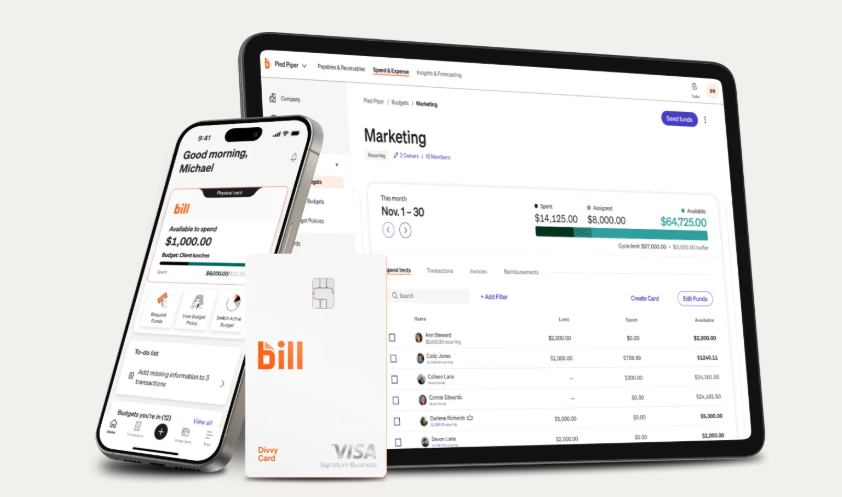
Benefit: AI-driven accuracy helps businesses control their budget and spend smarter.
3️⃣ AI-Powered Insights
BILL AI analyzes your financial data and provides actionable insights.
Instead of manually searching for reports, you can ask Square AI questions about your data.
It also helps businesses identify trends and make informed decisions based on real-time data.

Benefit: Get instant insights and data-driven answers to help optimize your financial strategy.
4️⃣ Integration with Accounting Software
BILL.com integrates seamlessly with accounting platforms like QuickBooks, Xero, and Oracle Netsuite.
The integration automates data entry, reducing errors and improving efficiency.
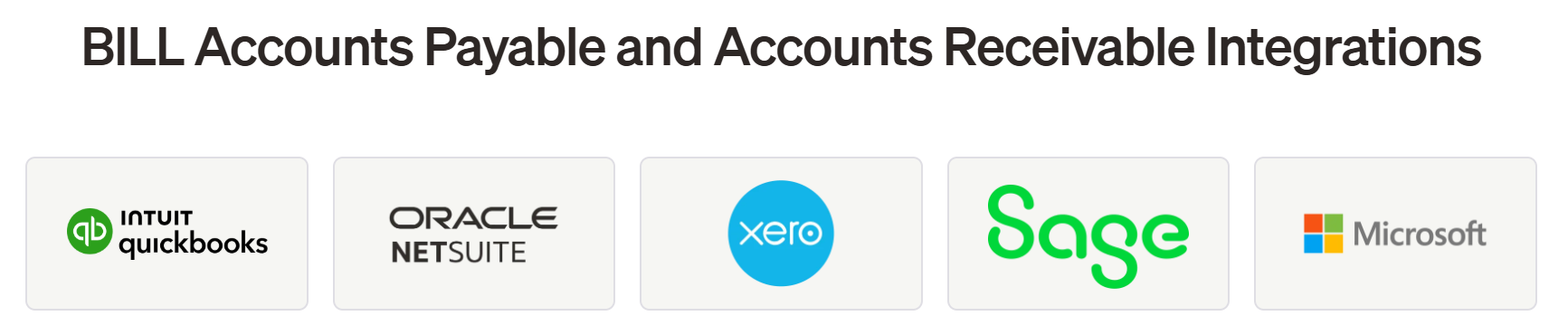
Benefit: Sync your financial data across platforms for a smoother workflow and less manual work.
5️⃣ Procurement & Invoicing
BILL.com simplifies procurement and invoicing.
Businesses can manage purchase orders, vendor invoices, and payments all in one place.
The system automates approvals and makes the entire procurement process more efficient.

Benefit: Streamline procurement and invoicing, saving time and improving accuracy.
6️⃣ AI-Powered Content Creation
BILL AI can help businesses generate content quickly. This includes item descriptions, marketing materials, product images, and more.
This content can be used for invoicing, marketing campaigns, and website updates.
Benefit: Save time by creating professional content in seconds, powered by AI tools.
Also Read: Sage vs Quickbooks: Which Accounting Software Best?
How to Get Started with BILL.com? 📝
Getting started with BILL.com is easy. Here’s a simple step-by-step guide
Step 1: Visit official website of Bill – bill.com
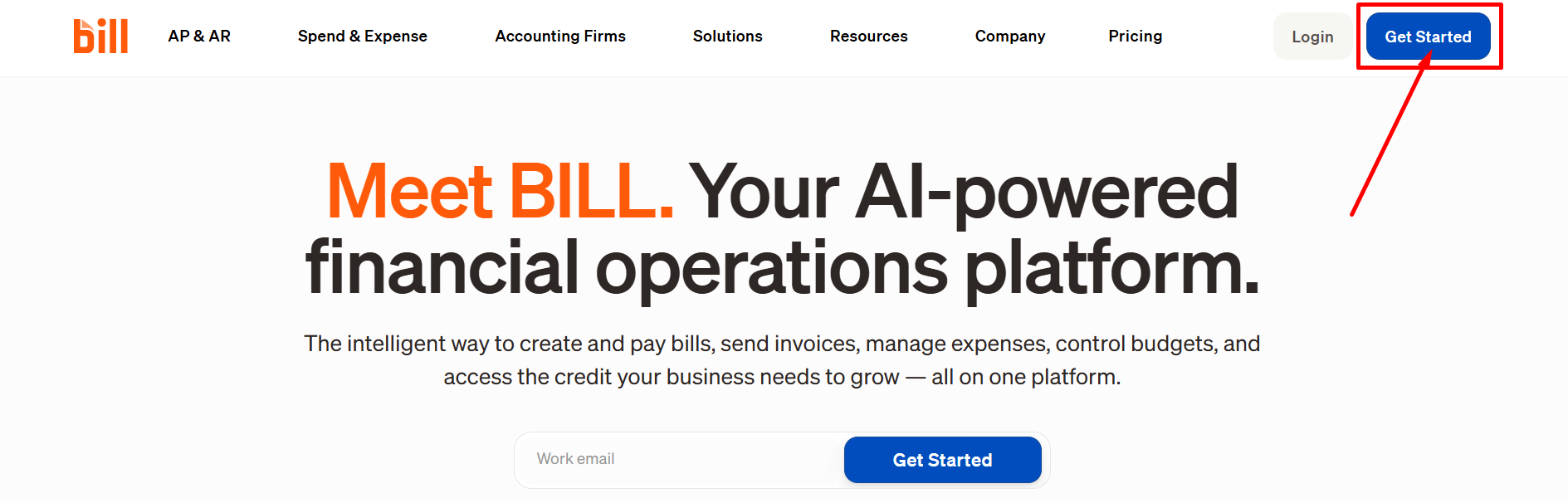
Step 2: Sign Up – Create your account.
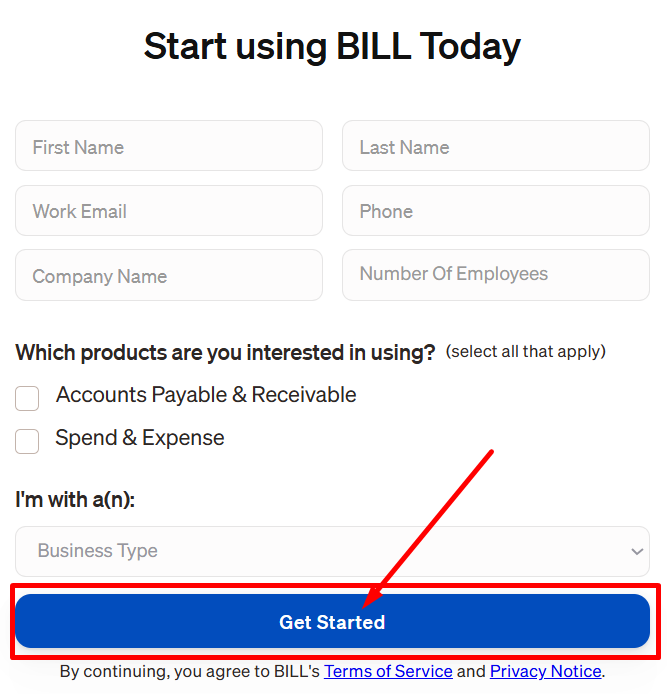
Step 3: Connect Accounting Software.
Integrate your existing accounting software, such as QuickBooks, with BILL.com.
Step 4: Set Up Payment and Invoicing Workflows.
Customize your payment schedules, invoicing templates, and approvals.
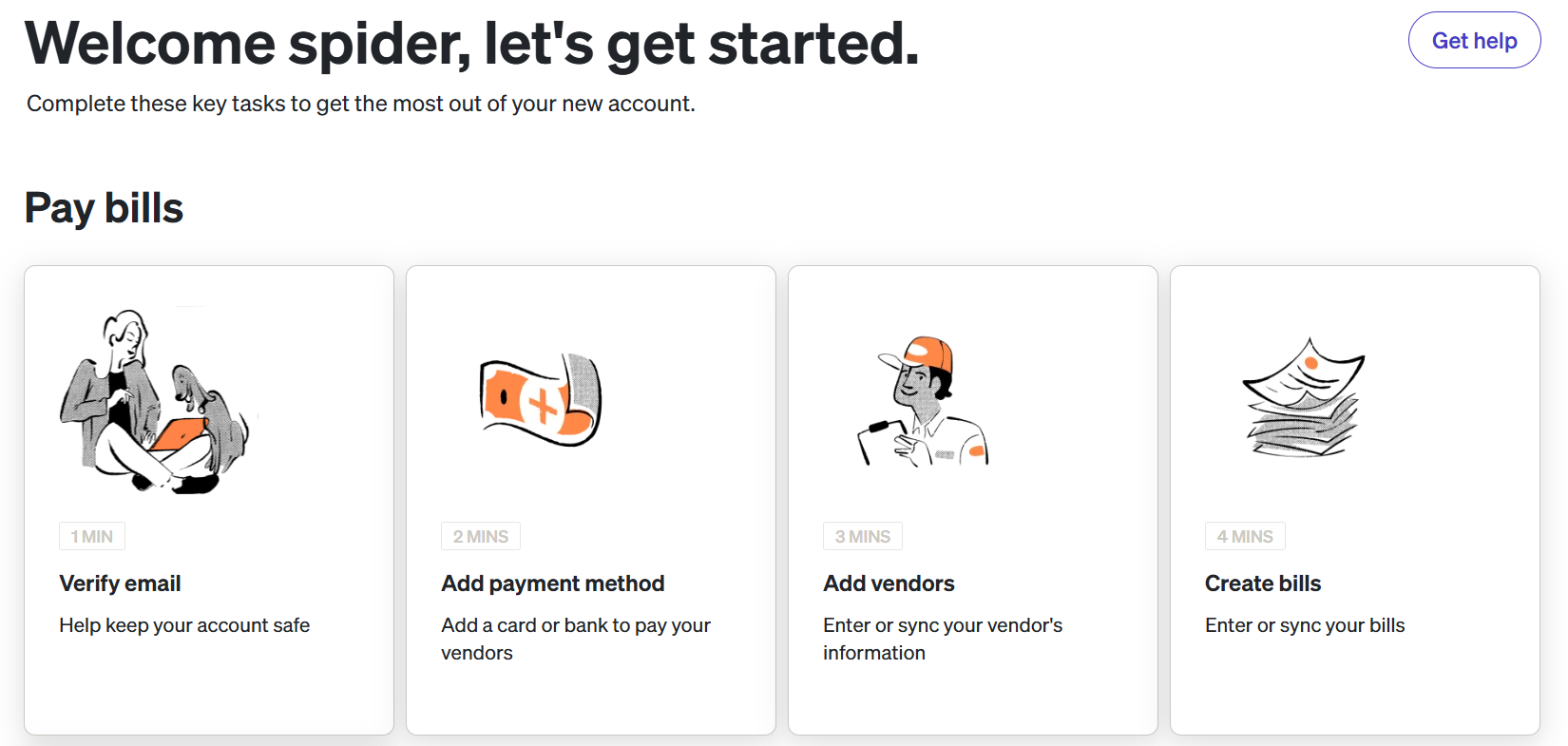
Start 5: Start automating with Bill.com. Begin automating your accounts payable, receivable, and expense management.
So, once you’re set up, you can take advantage of all the automation features that BILL.com offers.
BILL.com Pricing Model 💰
BILL.com offers flexible pricing plans to fit businesses of different sizes and needs.
Here’s a breakdown of the available plans:

1. Essentials Plan – $45/user/month
- Streamline AP with automated invoicing and get paid twice as fast.
- Save 50% more time on accounts payable and automate processes.
2. Team Plan – $55/user/month
- Access more granular controls with automatic two-way sync to accounting software.
- Ideal for teams that need advanced spend and invoice management.
3. Corporate Plan – $89/user/month
- Customization and full management for AP, AR, and procurement in one place.
- Best suited for businesses needing comprehensive financial operations.
4. Enterprise Plan – Custom Pricing
- Unlock premium support, multi-location accounting, and enhanced security.
- Tailored for large organizations with specific needs in financial management.
BILL.com Pros & Cons✅❌
| Pros ✅ | Cons ❌ |
|---|---|
| AI-powered automation: Saves time and reduces errors. | Higher pricing compared to other tools. |
| Seamless integration with QuickBooks, Xero, and Oracle Netsuite. | Some advanced features are in higher-tier plans. |
| Customizable workflows for approvals and payment schedules. | Limited customization for small businesses. |
| Real-time insights for better decision-making. | Credit lines are subject to approval, not guaranteed. |
| Access to credit lines from $1,000 to $5 million (subject to approval). | |
| 24/7 customer support for assistance. |
BILL.com vs QuickBooks vs Ramp 💪
| Feature | BILL.com | QuickBooks | Ramp |
|---|---|---|---|
| Accounts Payable | Fully automated | Manual and automated options | Automated with card payments |
| Spend Management | AI-powered spend controls | Limited spend management | Real-time spend insights |
| Invoicing | Automated invoicing, approval workflows | Limited automation | Custom invoicing with card payments |
| Integrations | QuickBooks, Xero, Oracle Netsuite, and more | QuickBooks integration | Limited to Ramp’s ecosystem |
| AI Features | Yes, real-time insights | Limited AI features | AI-driven spend management |
Who Should Use BILL.com? 🔁
BILL.com is ideal for:
- Small to medium businesses: Those looking to automate financial operations and streamline accounts payable and receivable.
- Accounting firms: Firms that want to automate bookkeeping and offer financial services to clients.
- Large enterprises: Companies that require advanced reporting, multi-entity support, and custom solutions.
- Businesses needing procurement automation: Companies looking to automate the procurement process and improve invoice approvals.
What Bill.com Offers in Customer Support?📞
1. 24/7 Access to Support:
Whether you’re in the middle of a workday or after hours, Bill.com offers round-the-clock customer support.
Users can reach out via live chat or phone to get immediate assistance.

2. Dedicated Support Channels:
Bill.com ensures that businesses receive the right kind of support.
Whether you’re a startup or a large enterprise, there are different channels and teams to assist you with your specific needs.
3. Help Center & Resources:
For those who prefer self-service options, Bill.com provides a comprehensive help center, FAQs, and video tutorials to guide users through common issues.
4. Personalized Assistance for Enterprise Accounts:
Businesses on the Enterprise plan benefit from personalized support with a dedicated account manager to handle complex issues, offering a more tailored experience to larger organizations.
5. Efficient Issue Resolution:
Bill.com is known for its efficient problem-solving approach.
Their customer support team is trained to understand your issue deeply and provide quick resolutions, minimizing downtime and keeping your operations running smoothly.
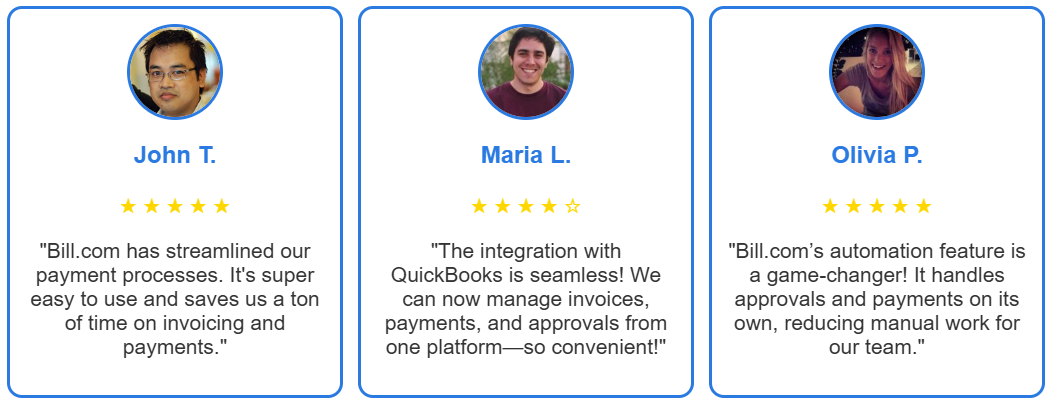
What Customers Are Saying About BILL.com?🤝
Is It Worth It? 🔍
Yes — BILL.com is worth it, If you want an AI-powered platform to automate your financial operations.
Whether you run a small business or a large enterprise, it offers the features needed to streamline AP, AR, spend management, and invoicing.
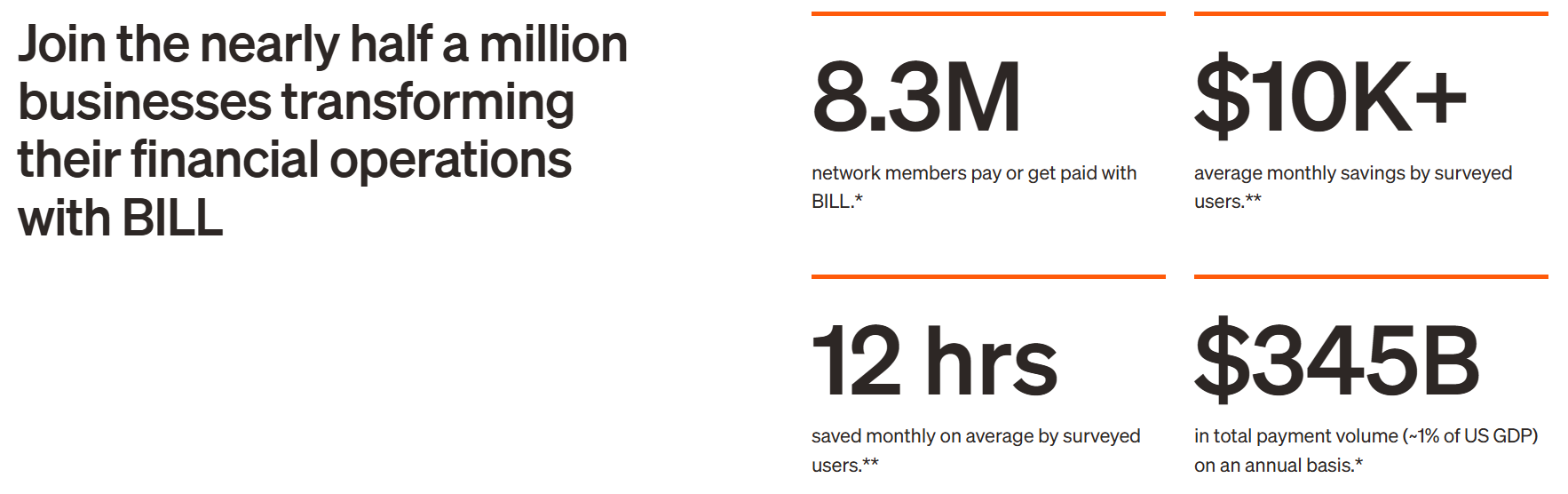
The platform’s flexibility, automation capabilities, and integrations with accounting software make it a top choice for businesses of all sizes.
Unlike other financial management tools, BILL.com focuses on reducing manual tasks and improving efficiency through AI-powered features.
It’s an excellent choice for businesses looking to optimize their financial workflows.
FAQs💬
Bill.com is a cloud-based financial operations platform that helps businesses automate and streamline their accounts payable (AP), accounts receivable (AR), and spend management processes.
Yes, Bill.com uses encryption and complies with SOC 1, SOC 2, and SOC 3 standards for data security.
Yes, Bill.com integrates with QuickBooks, Xero, NetSuite, and more.
Yes, Bill.com has a mobile app for iOS and Android for managing invoices and payments on the go.
Bill.com provides 24/7 support through email, live chat, and phone for premium users.
