Xero Review 2026: Why Choose Xero for Your Business?
Looking for accounting software that actually makes managing your finances simple?
💡 You’re in the right place! Xero has become a favorite for businesses worldwide, thanks to its smart features, automation, and ease of use. 📊
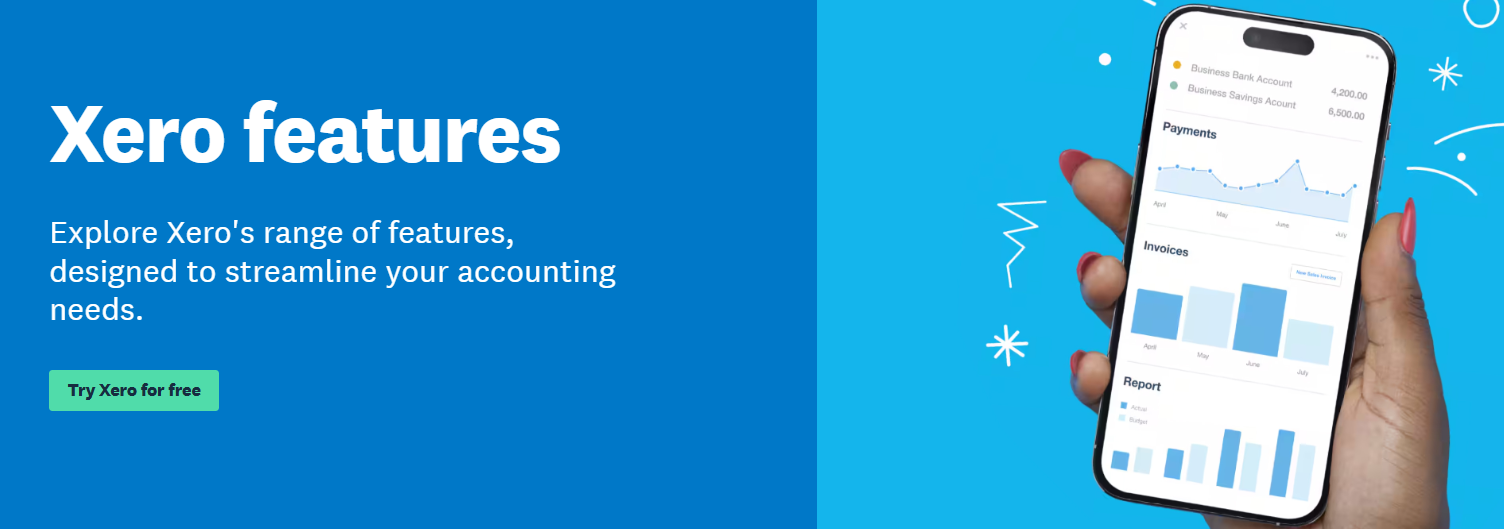
In this review, we’ll dive into everything you need to know pricing, features, pros, and even how it compares to competitors so you can decide if Xero is the right choice for your business. 🚀
What is Xero?
Xero is a cloud-based accounting software designed for small to medium-sized businesses. It helps streamline financial tasks like invoicing, payroll, bank reconciliation, and reporting, all from a centralized platform.
Accessible from any device with an internet connection, Xero allows business owners and accountants to manage their finances on the go.
Xero is widely recognized as a top-tier accounting solution for businesses, particularly those with substantial operations. While its powerful features are built for scalability, it may not be the easiest platform for newcomers to navigate. Here’s a breakdown of what sets Xero apart:
- Comprehensive Accounting Tools:
Xero delivers a wide range of essential tools, from invoicing and time tracking to seamless payment processing. Its intuitive design allows users to handle financial tasks with minimal effort, even though it’s packed with advanced features. - Affordable and Flexible Pricing:
With plans starting at $20/month, Xero’s pricing structure caters to various business sizes. While it doesn’t offer a free plan, the 30-day free trial provides ample time to explore its features before deciding if it fits your needs.
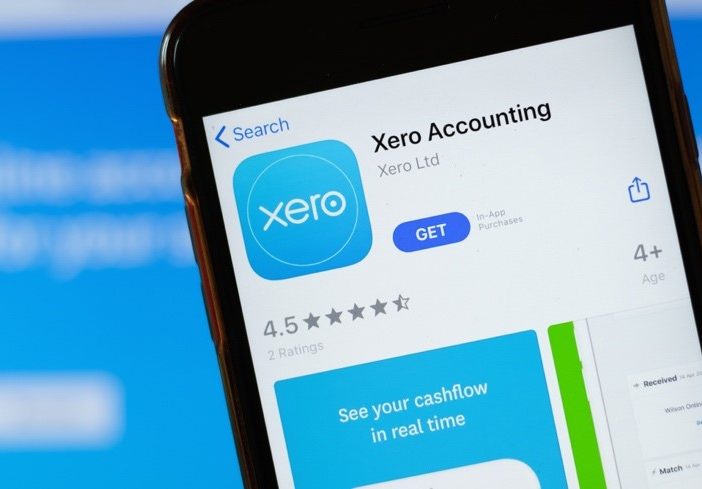
- Powerful Financial Planning Features:
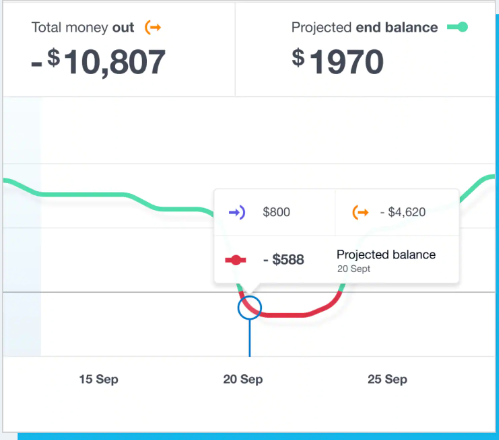
Xero goes beyond basic accounting by offering expense tracking and budget management, alongside AI-powered tools for cash flow forecasting. These features give businesses a clear view of their financial future, allowing for more informed decision-making. - Ideal for Teams:
Xero’s unlimited user access on all plans makes it an excellent choice for larger teams. You won’t need to worry about extra fees for adding team members, making it scalable as your business grows. - Seamless Integration:
With over 1,000 integrations, Xero easily connects with a wide array of third-party apps, from CRM tools to payment processors. This ensures you can streamline your workflows and keep everything connected without manual effort.

Key Features of Xero
Xero offers a wide range of core accounting tools that can meet the needs of both small businesses and growing enterprises. Here’s a breakdown of the key features that make Xero stand out:
1. Invoicing
Xero revolutionizes the invoicing process for businesses, making it simpler and more efficient.
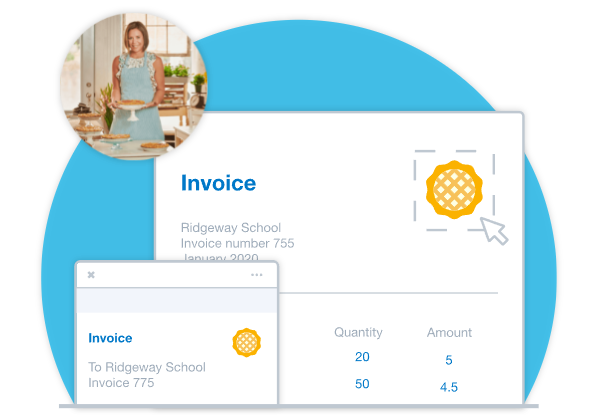
- Customizable Templates: Xero gives you the flexibility to create invoices that reflect your brand’s identity.
Choose from a variety of professionally designed templates and customize them with your logo, colors, and preferred layout. This makes your invoices look professional and consistent, boosting your brand’s credibility.
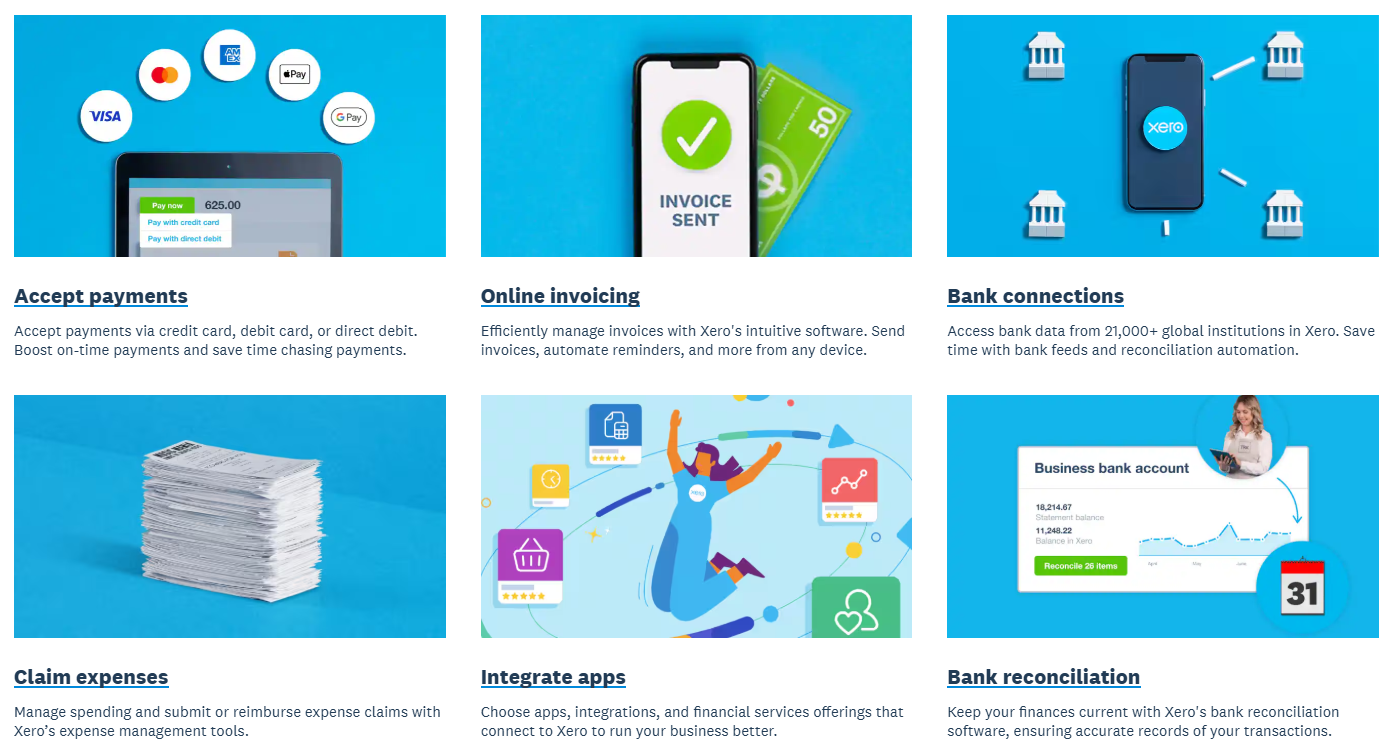
- Automated Reminders: One of the major pain points for businesses is chasing payments. Xero eliminates this by allowing you to set up automated invoice reminders.
When a customer’s payment is overdue, they’ll automatically receive a polite reminder email, ensuring your cash flow remains consistent without manual intervention. - Online Payments: Xero integrates with online payment gateways, such as PayPal and Stripe, allowing your clients to pay directly from their invoices.
This smoothens the payment process and helps you get paid faster, as clients can quickly pay from their desktop or mobile devices.
2. Bank Reconciliation
Bank reconciliation is a crucial accounting task, and Xero makes it efficient and error-free.
- Automatic Bank Feeds: Xero automatically imports your bank transactions, so you no longer have to manually input each payment or deposit.
This saves you time and reduces the chances of errors. Xero also ensures your transactions are up-to-date by syncing with your bank account regularly.
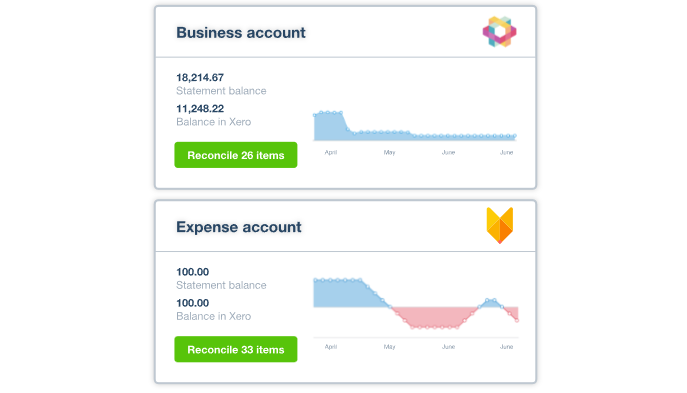
- Automatic Matching: As bank transactions are imported, Xero automatically matches them to your accounting records (such as invoices or bills).
This feature helps reconcile your books faster and more accurately, making sure your bank balance matches your accounts. - Error Reduction: Because of its automated nature, Xero reduces human error.
There’s less risk of manual data entry mistakes, ensuring your financial records are precise. If discrepancies arise, Xero flags them for easy identification.
3. Payroll
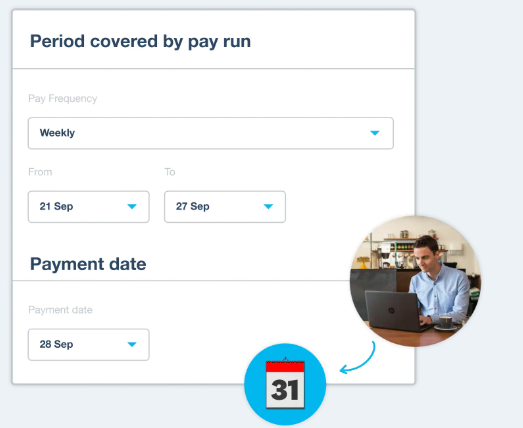
Xero’s payroll system is designed to simplify employee wage management and tax compliance.
- Tax Compliance: Keeping track of tax obligations can be a challenge, especially when dealing with different jurisdictions.
Xero takes care of this by automatically calculating employee taxes and generating accurate reports. It ensures that your business stays compliant with tax laws without the need for manual calculations.
- Employee Self-Service: Employees can log into their own portal, where they can view their payslips, tax information, and personal details.
This self-service option not only saves time for the HR department but also provides employees with easy access to their payroll information. - Leave Management: Xero allows you to track employee leave, including sick leave, vacation, and public holidays.
Employees can request time off through the system, which automatically adjusts their leave balance.
4. Reporting
Xero’s reporting capabilities are powerful and can give you insights into your business’s financial health in real-time.
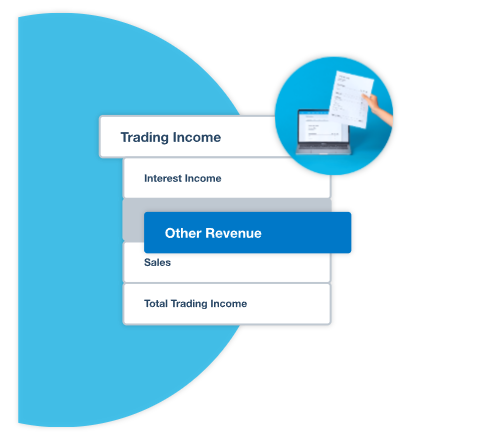
- Profit & Loss Statements: Xero provides an easy-to-understand profit and loss statement, which details your revenues and expenses.
This gives you an immediate overview of your business’s financial performance, helping you identify areas for improvement or cost-saving opportunities.
- Balance Sheets: A balance sheet gives you a snapshot of your business’s financial position at any given moment, showing what you own (assets) and what you owe (liabilities).
Xero generates this report instantly, so you can track your business’s financial standing with just a few clicks. - Cash Flow Statements: A key feature for any business, cash flow tracking is made easy with Xero. The software provides real-time insights into your cash flow, so you can monitor your incoming and outgoing funds.
By understanding your cash flow, you can ensure you have enough funds available for expenses, investments, and growth.
5. Mobile App
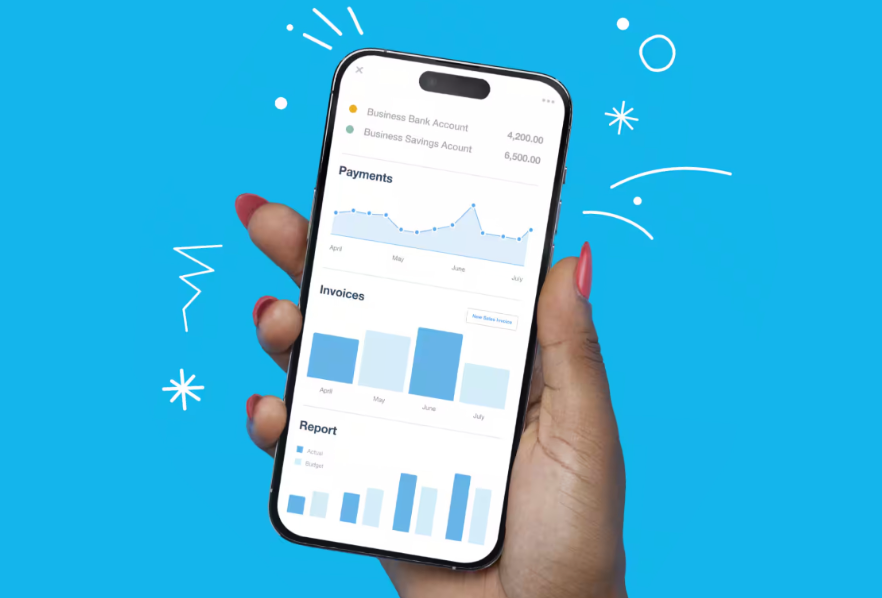
Xero’s mobile app ensures that managing finances is convenient, even when you’re away from the office.
- Anywhere Access: Whether you’re at a client meeting, traveling, or working remotely, you can access your financial data from the Xero mobile app.
This means you can view reports, send invoices, and monitor transactions on the go, ensuring that your business stays connected and agile. - Mobile Invoicing: Creating and sending invoices directly from your phone is a game-changer for businesses that need to invoice clients on-site or immediately after completing a job.
Xero’s mobile app allows you to generate invoices, email them, and even receive payment via the app, streamlining the entire invoicing process.
6. Inventory Management
Xero helps businesses efficiently track and manage their inventory, a feature that is especially valuable for product-based businesses.
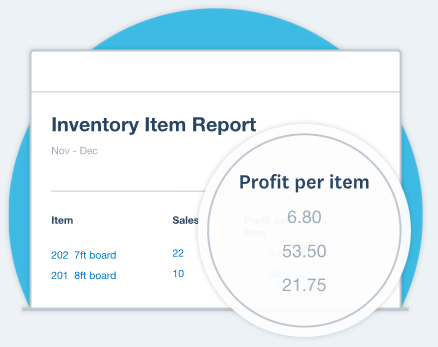
- Real-Time Stock Tracking: With Xero’s inventory management tools, you can track stock levels in real-time. Whenever a sale is made or a new shipment arrives, your inventory is automatically updated.
This prevents overstocking or understocking and ensures you have enough products available for your customers. - Automatic Stock Updates: When items are purchased or sold, Xero automatically updates stock levels, ensuring your records are always up to date without manual input.
This real-time data helps streamline your supply chain and improves accuracy.
- Inventory Costing: Xero offers various inventory costing methods, allowing you to choose the one that best suits your business.
Whether it’s FIFO (First In, First Out) or average cost, Xero helps you maintain accurate inventory valuations.
7. Multi-Currency Support
Xero’s multi-currency feature is ideal for businesses operating internationally.
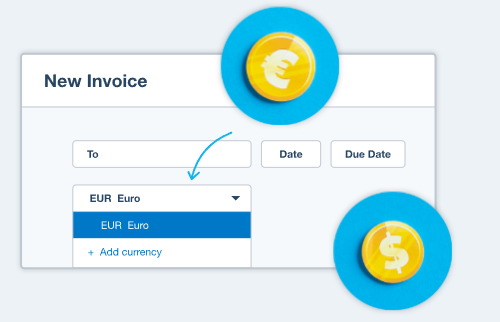
- Automatic Exchange Rate Updates: Xero automatically updates exchange rates in real time, so your invoices and financial reports are always based on current values.
This feature is particularly useful for businesses dealing with international clients or suppliers.
- Global Payments: Whether you’re paying international vendors or billing clients in different currencies, Xero simplifies the process by allowing you to manage everything within a single platform.
It automatically converts currencies for accurate accounting.
8. Project Tracking
Xero enables businesses to monitor the profitability and performance of their projects, offering features to manage resources, track costs, and measure outcomes.
- Project Profitability: You can track the income, expenses, and time spent on each project, allowing you to measure its profitability.
This insight helps you understand which projects are performing well and which ones need improvement. - Time and Expense Tracking: Team members can log their hours and expenses related to each project directly in Xero.
This keeps all your project-related data organized and accessible in one place.
Why Xero Stands Out
Xero is a comprehensive accounting software solution that provides essential tools for managing finances, handling payroll, tracking inventory, and reporting on business performance.
Whether you’re a freelancer, small business owner, or part of a larger enterprise, Xero’s flexibility, scalability, and user-friendly interface make it an excellent choice.
The software’s integration with over 1,000 third-party apps and its continuous updates ensure that your business can stay competitive and efficient, all while improving the accuracy and automation of your financial tasks.
Xero Payroll Pricing Breakdown
Xero offers three main pricing plans, each designed to cater to different business needs.
The following details will help you understand the features available with each plan, as well as the current pricing for each.

1. Starter Plan
- Price: After Offer: $2.90 USD/month (Originally $29/month, Save $78.30 over 3 months)
- Features:
- Send quotes and up to 20 invoices.
- Enter up to 5 bills.
- Reconcile bank transactions.
- Capture bills and receipts with Hubdoc.
- Short-term cash flow and business snapshot.
2. Standard Plan
- Price: After Offer: $4.60 USD/month (Originally $46/month, Save $124.20 over 3 months)
- Features:
- Send quotes and invoices.
- Enter bills (with no limits).
- Reconcile bank transactions.
- Capture bills and receipts with Hubdoc.
- Short-term cash flow and business snapshot.
- Bulk reconcile transactions.
- Use multiple currencies.


3. Premium Plan
- Price: After Offer: $6.90 USD/month (Originally $69/month, Save $186.30 over 3 months)
- Features:
- Send quotes and invoices.
- Enter bills (with no limits).
- Reconcile bank transactions.
- Capture bills and receipts with Hubdoc.
- Short-term cash flow and business snapshot.
- Bulk reconcile transactions.
- Use multiple currencies.
- Claim expenses.
- Track projects.
- Analytics Plus.
Xero Comparison with Competitors
When compared to other accounting platforms like QuickBooks, FreshBooks, and Zoho Books, Xero excels in user accessibility and scalability. Its unlimited user support on all plans and seamless integrations make it a standout for small to medium-sized businesses.
| Software | Best For | Starting Price | User Access | Free Trial | Key Features | Support Options |
|---|---|---|---|---|---|---|
| Xero | Growing businesses needing scalability and automation | $20/month | Unlimited Users | 30 days | Invoicing, bank reconciliation, payroll, project tracking, multi-currency support | Email, online resources, limited phone support |
| QuickBooks | Businesses requiring advanced features and detailed reports | $25/month | Limited Users | 30 days | Advanced reporting, time tracking, invoicing, inventory management, tax calculations | 24/7 phone, chat, and email support |
| Zoho Books | Small businesses looking for budget-friendly, feature-rich options | $15/month | Limited Users | 14 days | Expense tracking, budgeting, invoicing, AI-powered cash flow projection, workflow automation | Phone, email, live chat, AI chatbot support |
| FreshBooks | Freelancers and small businesses focusing on invoicing | $17/month | Limited Users | 30 days | Invoicing, time tracking, project management, client portal | 24/7 phone, chat, and email support |
Key Takeaways:
- FreshBooks: Perfect for freelancers and small businesses that focus on invoicing and time tracking.
- Xero: Best for businesses needing a comprehensive solution with unlimited user access and strong automation tools.
- QuickBooks: Ideal for businesses that need advanced features and extensive support options.
- Zoho Books: A budget-friendly option, best for small businesses that need AI-powered cash flow projections.
Why Xero is the Best ?

Xero stands out in the crowded accounting software market for several reasons. It’s not just another tool it’s a platform built to simplify complex financial tasks while keeping things scalable for growing businesses. Here’s why it’s considered one of the best choices today:
- All-in-One Solution:
- Xero combines invoicing, bank reconciliation, payroll, reporting, and even project tracking in a single platform, reducing the need for multiple tools.
- Unlimited Users:
- Unlike many competitors that charge extra per user, Xero allows unlimited users across all plans, making it ideal for teams that collaborate regularly.
- Advanced Automation:
- From automated bank feeds to smart cash flow forecasting with Xero Analytics, it reduces manual effort and gives business owners more time to focus on growth.
- Global-Friendly:
- With multi-currency support and 1,000+ integrations, Xero is perfect for businesses operating internationally or using different tools in their workflows.
- Scalable Pricing:
- Starting at just $20/month with a 30-day free trial, Xero offers flexible plans that grow with your business needs.
- User-Centric Design:
- Despite being powerful, Xero keeps its interface clean and modern, making navigation easier for both accountants and non-accountants.
How We Tested Xero
At Technoven.com, we take our product reviews seriously. For this Xero review, we conducted thorough testing across multiple accounting platforms to provide unbiased and reliable feedback.
Our testing methodology included assessing platforms based on six main categories: core accounting features, operational efficiency, financial planning, help and support, pricing, and user experience.
We spent over 50 hours conducting hands-on testing, completing 326+ tasks, and evaluating the user interface, features, and overall experience. This rigorous testing ensures that our Xero review reflects real-world usage and provides small businesses with the insights they need to choose the best accounting software.
🧭 User Experience with Xero
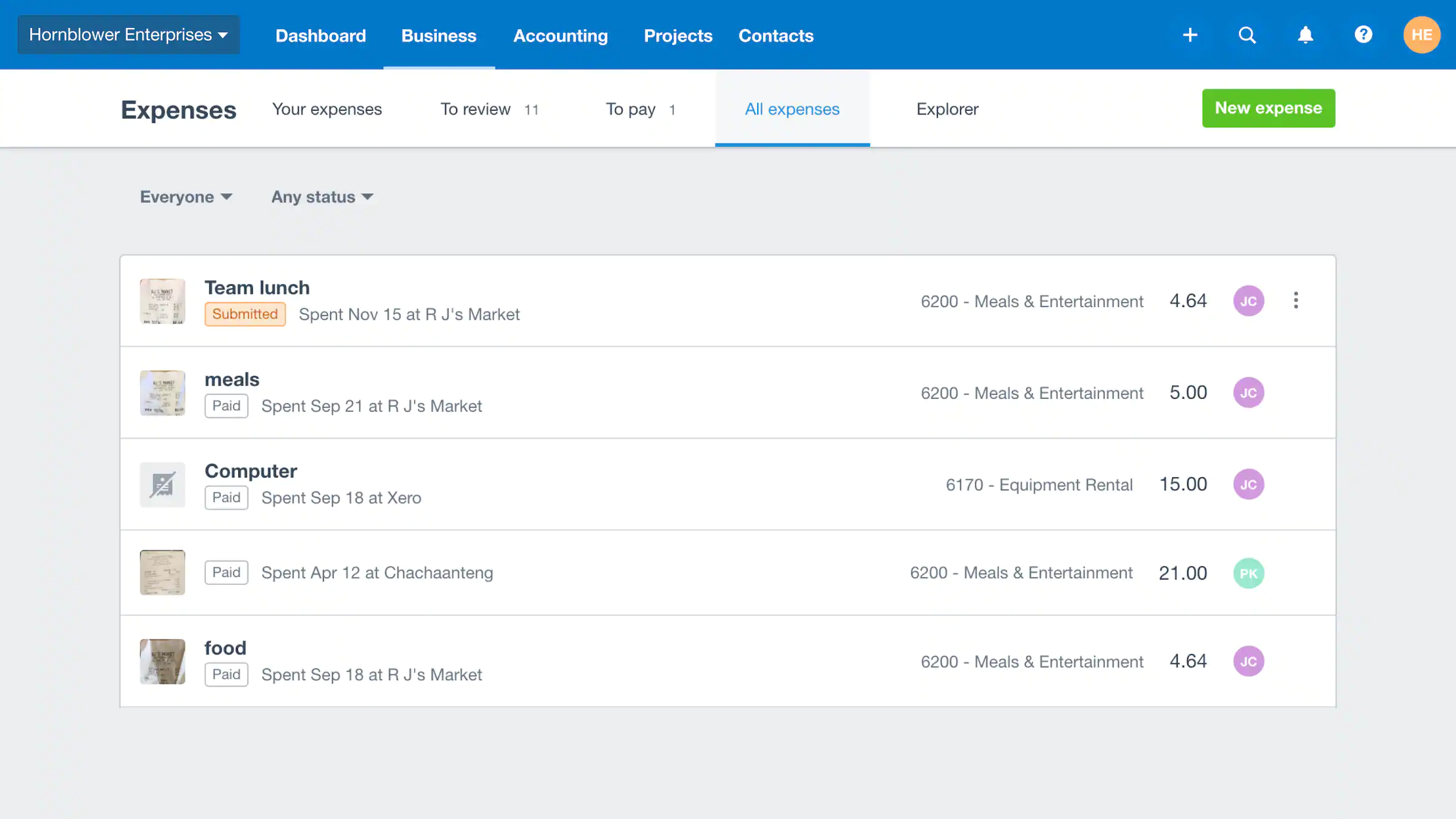
Xero offers an intuitive user experience, designed to make accounting easy for both experienced users and those new to the platform. Its cloud-based architecture allows for real-time access from anywhere, ensuring business owners can manage their finances on the go.
✅ Strengths
- Robust Support Resources:
- Xero offers a range of support options, including a comprehensive knowledge base, community forums, and customer support channels. These resources assist users in resolving issues and maximizing the platform’s capabilities.
- Intuitive Interface:
- Xero’s interface is designed to be user-friendly, making complex financial tasks more accessible. The platform’s intuitive design allows users to navigate through various features with ease, even if they have limited accounting knowledge.
- Mobile Accessibility:
- The Xero mobile app enables users to manage their finances on the go. With features like invoicing, bank reconciliation, and expense tracking, the app ensures that users can stay connected to their business operations anytime, anywhere.
- Real-Time Collaboration:
- Xero’s cloud-based nature allows multiple users to access and work on the same financial data simultaneously. This real-time collaboration enhances teamwork and ensures that all stakeholders are on the same page.
- Comprehensive Dashboard:
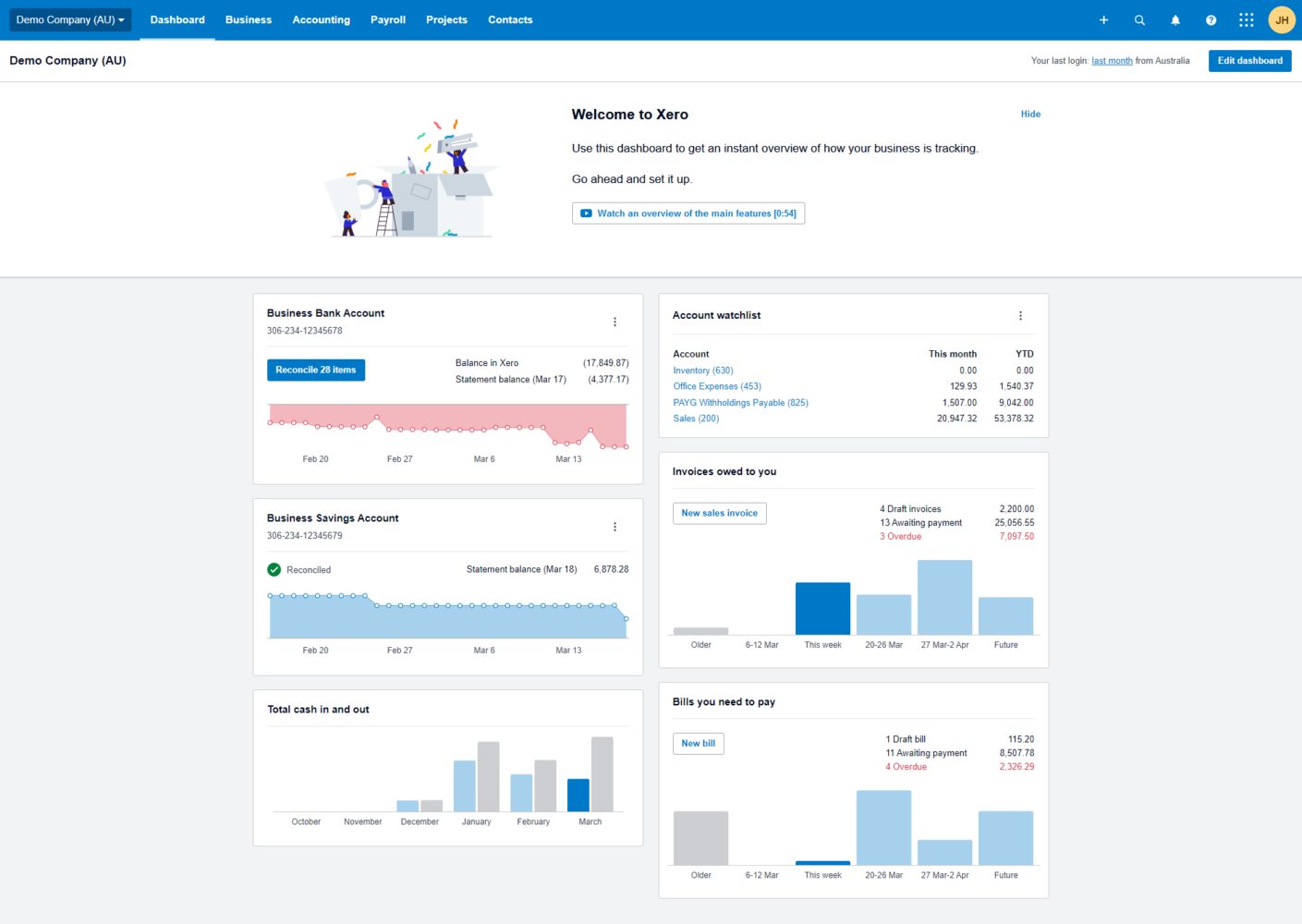
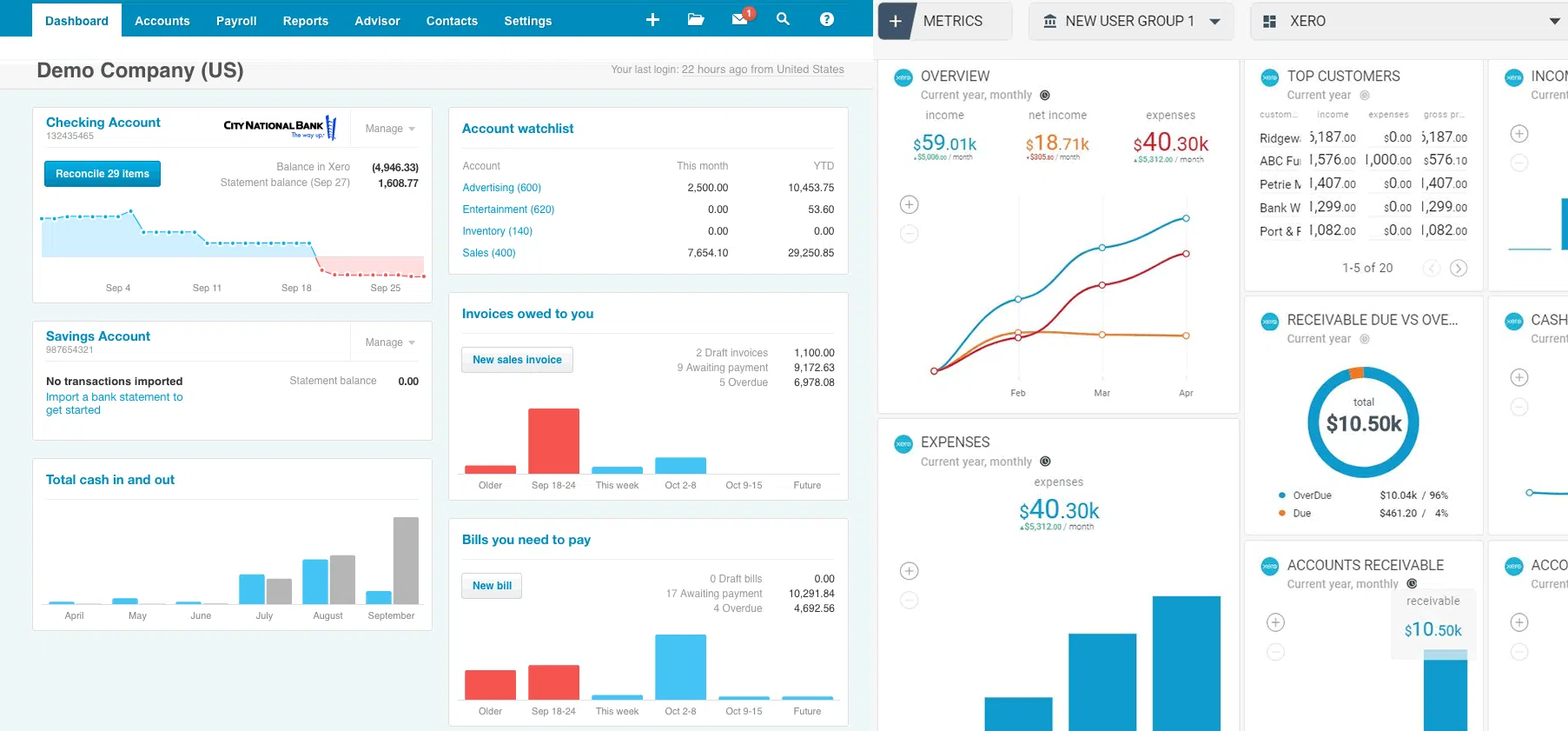
- The dashboard provides a snapshot of key financial metrics, such as cash flow, outstanding invoices, and bills to pay. This centralized view helps users monitor their business’s financial health at a glance.
Xero Pros and Cons
[joomdev-wpc-pros-cons disable_title=”yes” wpc_style=”wppc-view1″ title_tag=”H3″ title=”Xero Review” pros_title=”Pros” cons_title=”Cons” button_text=”Get it now” disable_button=”yes” button_link=”” button_link_target=”_SELF” button_rel_attr=”dofollow” verdict_text=””]
[joomdev-wpc-pros]
- Cloud-based access anytime, anywhere
- Unlimited users with all plans
- Integrates with over 1,000 apps
- User-friendly and easy to navigate
- Mobile app for on-the-go financial management
[/joomdev-wpc-pros]
[joomdev-wpc-cons]
- Limited customer support (email/chat only)
- Advanced features require higher-tier plans
- Basic inventory management
- Learning curve for new users
- Occasional performance issues reported
[/joomdev-wpc-cons]
[/joomdev-wpc-pros-cons]
Xero User Reviews and Ratings
To give you a better understanding of how Xero is performing in the real world, we’ve gathered feedback from users across different platforms. Here’s what they’re saying:
What Users Like About Xero:
- Ease of Use: Intuitive and simple, even for non-accountants.
- Customization: Customizable invoices and reports to suit your business.
- Automation: Great for automating tasks like invoicing and bank reconciliation.
What Users Dislike:
- Customer Support: Limited to email/chat, with some delays.
- Learning Curve: Can be overwhelming for new users.
- Pricing: Higher costs for advanced features compared to competitors.
Average Rating:
- TrustPilot: 4.2/5
- G2: 4.3/5
Xero Support

- Phone Support: Xero doesn’t offer direct phone support, but you can request a callback through their support portal.
- Email Support: Contact Xero at [email protected] for general inquiries.
- Online Support: Access 24/7 help articles and guides through Xero’s support center, and you can also ask questions in their online community.
Support is free and available globally, but be cautious of third-party services charging fees for support.
Conclusion:
Xero stands out as one of the most powerful and user-friendly accounting tools available for small to medium-sized businesses.
With its cloud-based features, automation capabilities, and extensive integrations, Xero simplifies complex accounting tasks, saving time and reducing errors.

While it may have some drawbacks, such as limited customer support and a higher learning curve for new users, its overall benefits make it a solid choice for businesses looking for reliable and scalable accounting software.
Whether you’re a freelancer, small business, or growing enterprise, Xero provides the tools you need to manage your finances with ease and accuracy.
“RELATED ARTICLES”
5+ Best Accounting Software for Small Businesses
Teamwork Review: Features, Pricing, Pros & Cons
FAQs
Yes, Xero is ideal for small businesses due to its ease of use, affordability, and automation.
Yes, Xero offers a 30-day free trial.
Yes, Xero supports multiple currencies and works globally.
Xero is cloud-based with unlimited users, while QuickBooks offers both desktop and cloud options, suitable for more complex needs.
Yes, Xero automates tasks like invoicing, bank reconciliation, and reporting.