
5+ Best ClickUp Alternatives for Freelancers & Agencies
Ever felt like ClickUp is just not the right fit for your workflow anymore? 👨🏻💻
If yes, you’re in the right place! 🚀
While ClickUp is a powerful all-in-one project management tool, it’s not perfect for everyone. When I tried it for managing a remote team project, I realized how overwhelming the interface could be for new users.

Most people say that ClickUp is great until your team scales or your processes get more complex. That’s when many start exploring alternatives that are more intuitive, faster, or better suited to their unique needs.
In this article, we’ll walk through the 5+ Best ClickUp Alternatives that offer real value in case you’re a freelancer, startup founder, agency, or part of a large enterprise team.
| Tool | Best For |
|---|---|
| Asana 🏆 | Best overall alternative for ease of use, collaboration, and scaling across teams. |
| Monday.com | Best for visually managing projects with flexible, drag-and-drop workflows. |
| Jira | Best for software development teams using agile and sprint methodologies. |
| Notion | Best for combining documentation, wikis, and lightweight task tracking. |
| Airtable | Best for building custom workflows and databases with a no-code approach. |
| Trello | Best for individuals or small teams who prefer simple kanban-style task tracking. |
#1. Asana 🥇
Asana is a powerful work management platform that helps teams plan, organize, and track their work in one place. It brings clarity and structure to everyday tasks, long-term goals, and cross-team projects all while integrating AI to boost productivity.
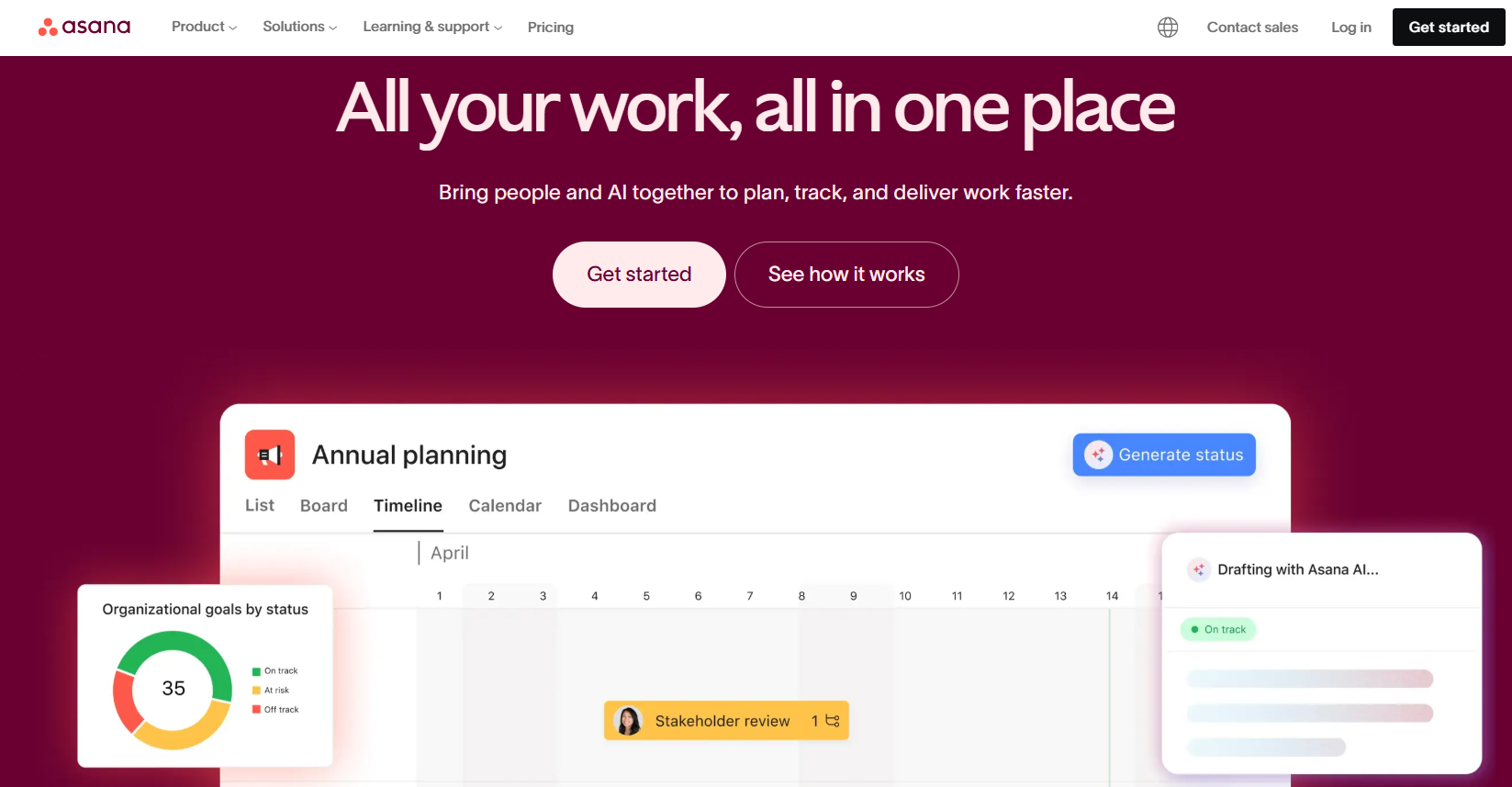
Used by top companies like Amazon, Accenture, and Johnson & Johnson, Asana makes it easier to collaborate, set priorities, and stay aligned across teams. From startups to large enterprises, Asana is trusted to deliver work faster and with greater accountability.
Key Features of Asana ✨
- AI-Powered Work Management
Asana AI helps teams automate tasks, generate updates, and prioritize work smarter. With AI understanding your team’s goals and context, you get personalized insights that drive faster and better decision-making. - Goal Tracking and Alignment
Asana lets you connect daily work with strategic business goals, ensuring everyone moves in the same direction. This helps teams stay focused, measure progress, and improve accountability at every level.
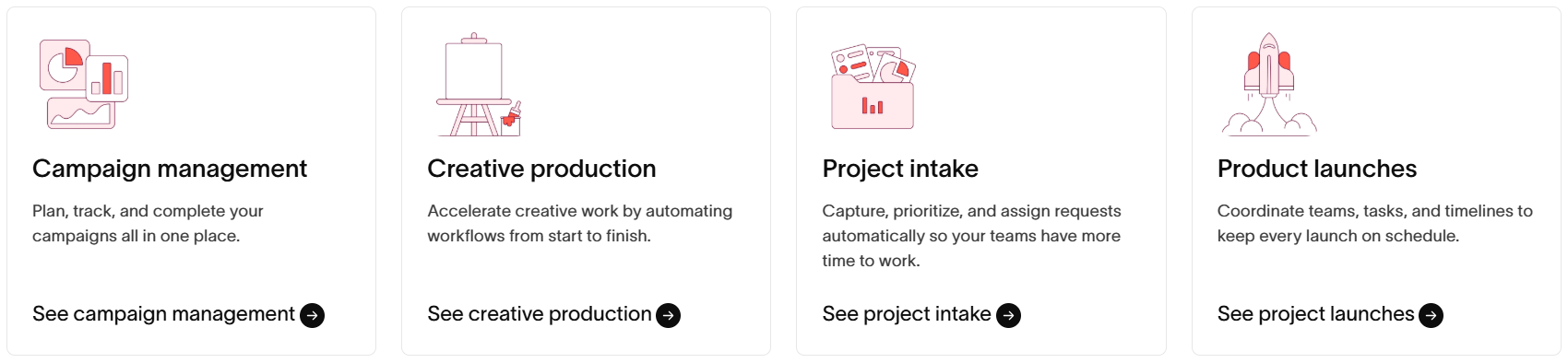
- Over 300+ Integrations
Asana integrates seamlessly with tools like Slack, Microsoft Teams, Google Workspace, Zoom, and Salesforce. You can connect your existing software stack to centralize workflows and reduce tool-switching. - Templates and Easy Onboarding
With ready-to-use templates for project launches, marketing campaigns, hiring plans, and more, teams can get started quickly. Asana also offers guided tours and demos for a smoother onboarding experience. - Scalable for Teams of Any Size
Whether you’re a small startup or a global enterprise, Asana supports complex workflows, multi-team collaboration, and enterprise-level security growing with your organization’s needs.
Pricing Plans of Asana 💰
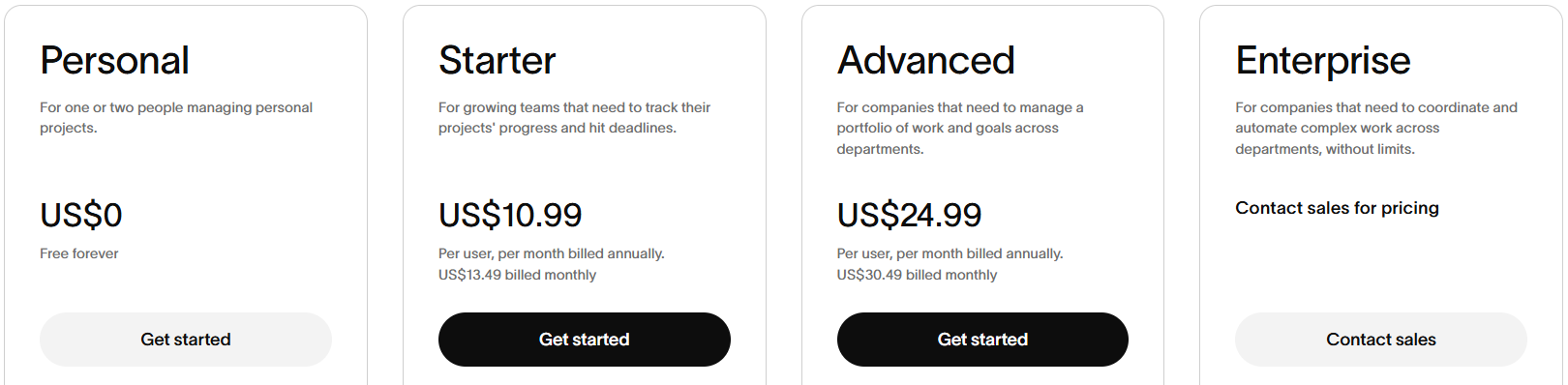
- Personal (Free) – Best for individuals or two-person teams: Manage unlimited tasks, projects, and messages with calendar and board views.
- Starter ($10.99/user/month) – For growing teams: Includes AI features, timeline & Gantt views, forms, automations, dashboards, and no user limits.
- Advanced ($24.99/user/month) – Great for departments: Adds goals, portfolios, workload tracking, advanced forms, approvals, and time tracking.
- Enterprise (Custom Pricing) – Ideal for large companies: Includes workflow bundles, resource management, SAML/SCIM, admin controls, and 24/7 support.
Pros & Cons of Asana 🚀
| Pros | Cons |
|---|---|
| Intuitive and clean interface that’s easy for beginners to navigate | Can get expensive for larger teams as features scale up |
| Powerful AI tools to automate tasks, suggest actions, and save time | Limited offline access and functionality on mobile |
| 300+ integrations with popular apps like Slack, Zoom, and Salesforce | Reporting customization is limited in lower-tier plans |
| Scales well from individual use to large enterprise project management | Learning curve for advanced features like portfolios and workflows |
| Offers different views like list, board, calendar, timeline, and Gantt | |
| Built-in goals and OKR tracking to align team efforts with strategy | |
| Excellent templates, training, and support resources available |
My Verdict: I tried this and found it to be the easiest and most balanced tool for managing team tasks without feeling overwhelmed. According to me, it’s the most reliable ClickUp alternative overall.
#2. Monday.com
Monday.com is a cloud-based work operating system that helps teams manage projects, workflows, and everyday tasks all in one place.
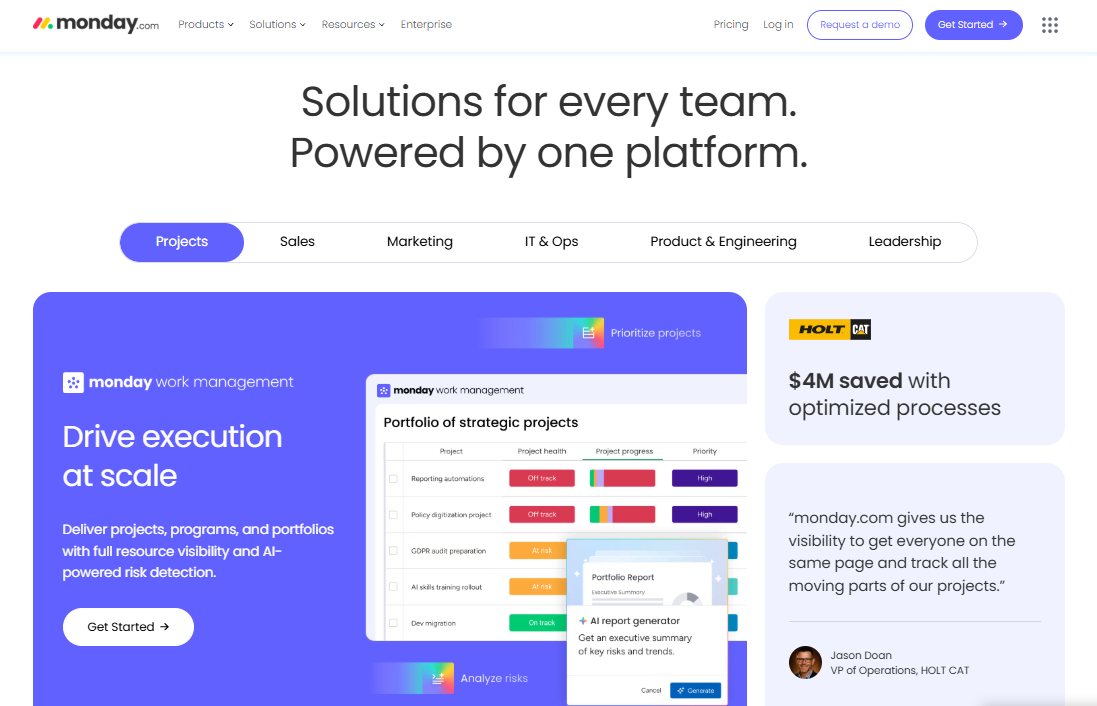
It’s not just a project management tool. It’s a complete platform where you can plan, track, and deliver work across multiple departments like marketing, sales, IT, product, and more.
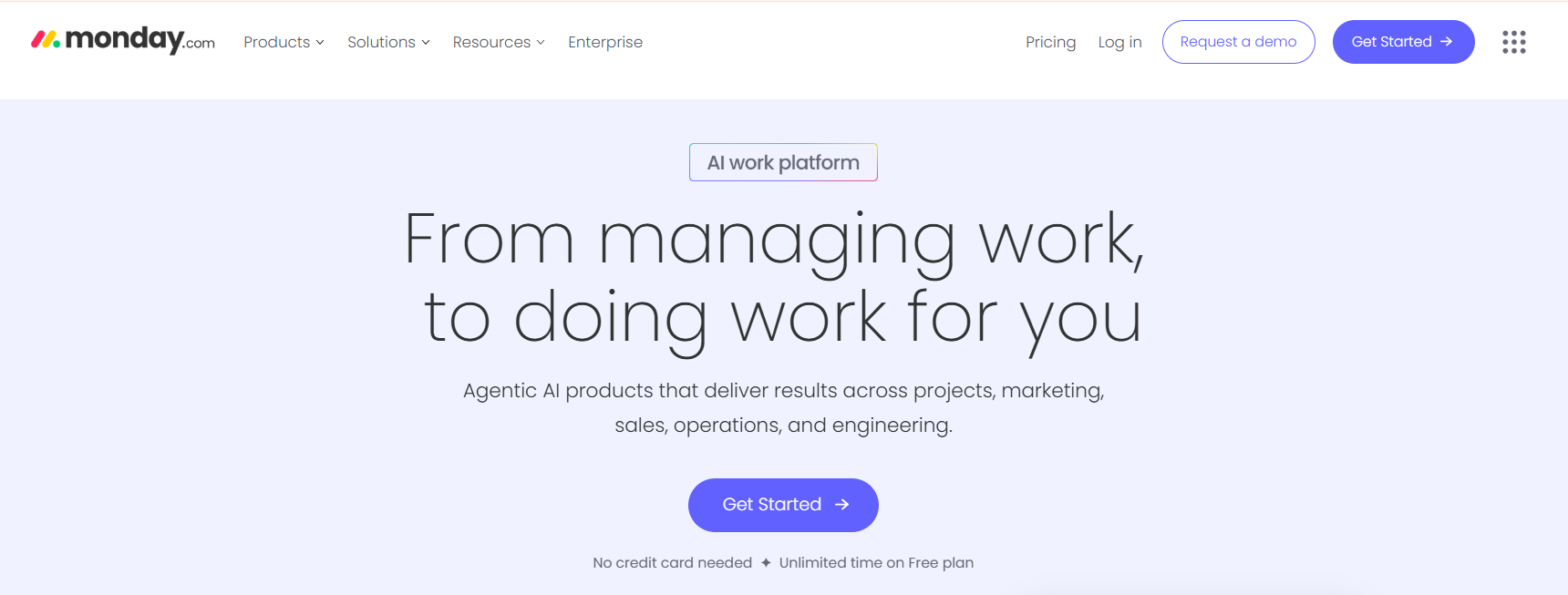
With recent AI-powered updates, it even helps you do the work like assigning tasks, flagging risks, and generating reports automatically.
Key Features of Monday.com ✨
- AI-Powered Work Management: Monday.com uses built-in AI tools to automate tasks, detect risks, and guide teams through projects. You can even create smart assistants like a “Scrum Master” or “Project Assistant” to boost productivity.
- Custom Workflows Without Coding: You can easily build your own workflows using a drag-and-drop system. It’s fully customizable to match your team’s unique process, from simple task boards to advanced project pipelines.
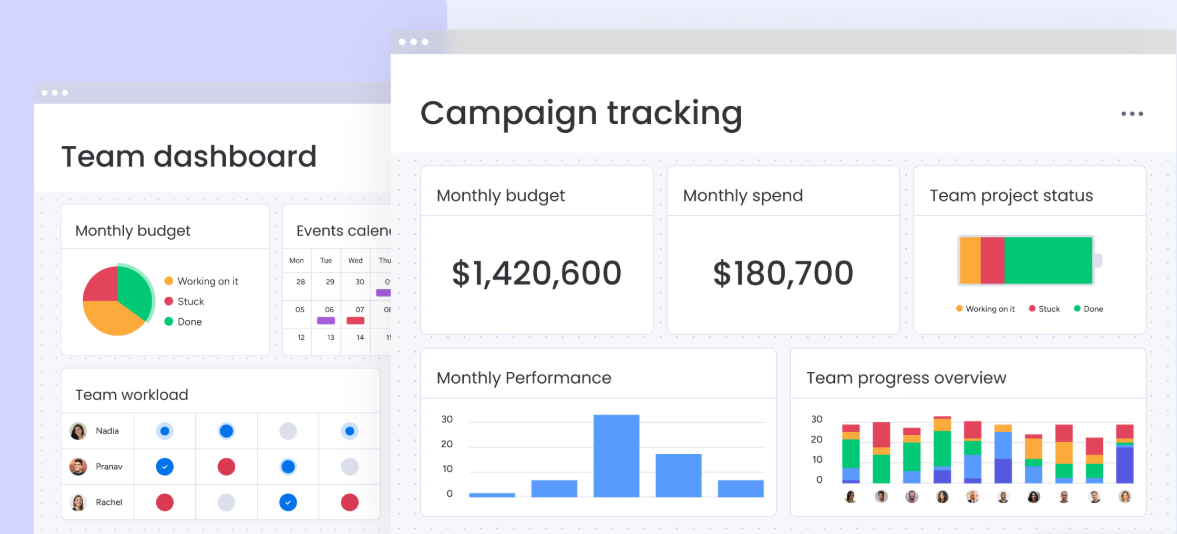
- All-in-One Platform for Every Team: Whether you’re in marketing, sales, IT, or product development, Monday.com offers dedicated tools for each team. Everything stays connected on one shared platform to boost collaboration and visibility.
- Built for Scale and Security: Monday.com supports businesses of all sizes with enterprise-level features, including detailed reporting, role-based access, and compliance with GDPR, HIPAA, and SOC2 standards.
- User-Friendly Interface: The platform is designed to be as simple as using a smartphone. Most teams can get started with little to no training, which means faster adoption and quicker results.
Pricing Plans of Monday.com 💰
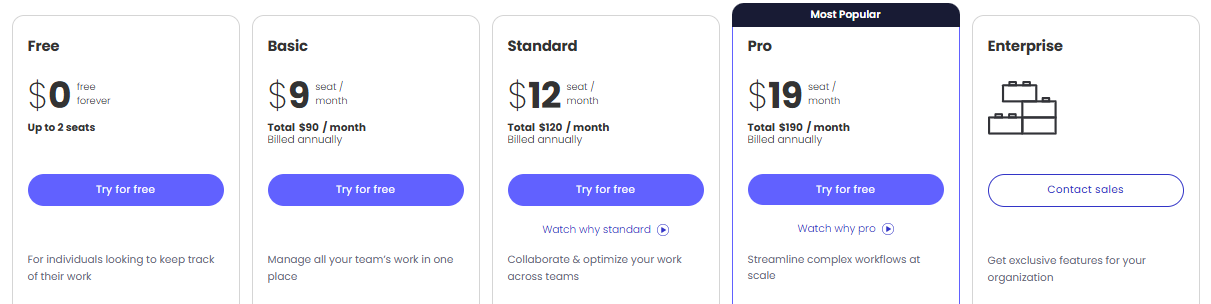
- Free Plan: Best for individuals with up to 2 users, offering 3 boards and 200+ templates for basic task tracking.
- Basic Plan ($9/seat/month): Great for small teams needing unlimited items, viewers, and 5GB storage with priority support.
- Standard Plan ($12/seat/month): Ideal for team collaboration with timeline, calendar, guest access, and 250 automation/integration actions.
- Pro Plan ($19/seat/month): Designed for advanced workflows with time tracking, private boards, formulas, and 25K automations/integrations.
- Enterprise Plan (Custom Pricing): Built for large organizations needing portfolio management, advanced permissions, analytics, and enterprise-grade security.
Pros & Cons of Monday.com 🎯
| Pros | Cons |
|---|---|
| Easy and clean user interface | Pricing increases as team size grows |
| Powerful AI and automation features | Too many features can feel overwhelming |
| Highly customizable workflows | Limited automation on lower plans |
| Works well for all team sizes | Not ideal for offline usage |
| Enterprise-grade security and compliance | — |
| All-in-one platform for multiple departments | — |
| Fast onboarding and quick adoption | — |
My Verdict: Monday felt intuitive and visually appealing right from the start. I think it’s a great fit for teams that prefer drag-and-drop planning and colorful dashboards.
#3. Jira
Jira is a project management and issue-tracking tool designed mainly for software teams to plan, track, and deliver projects.
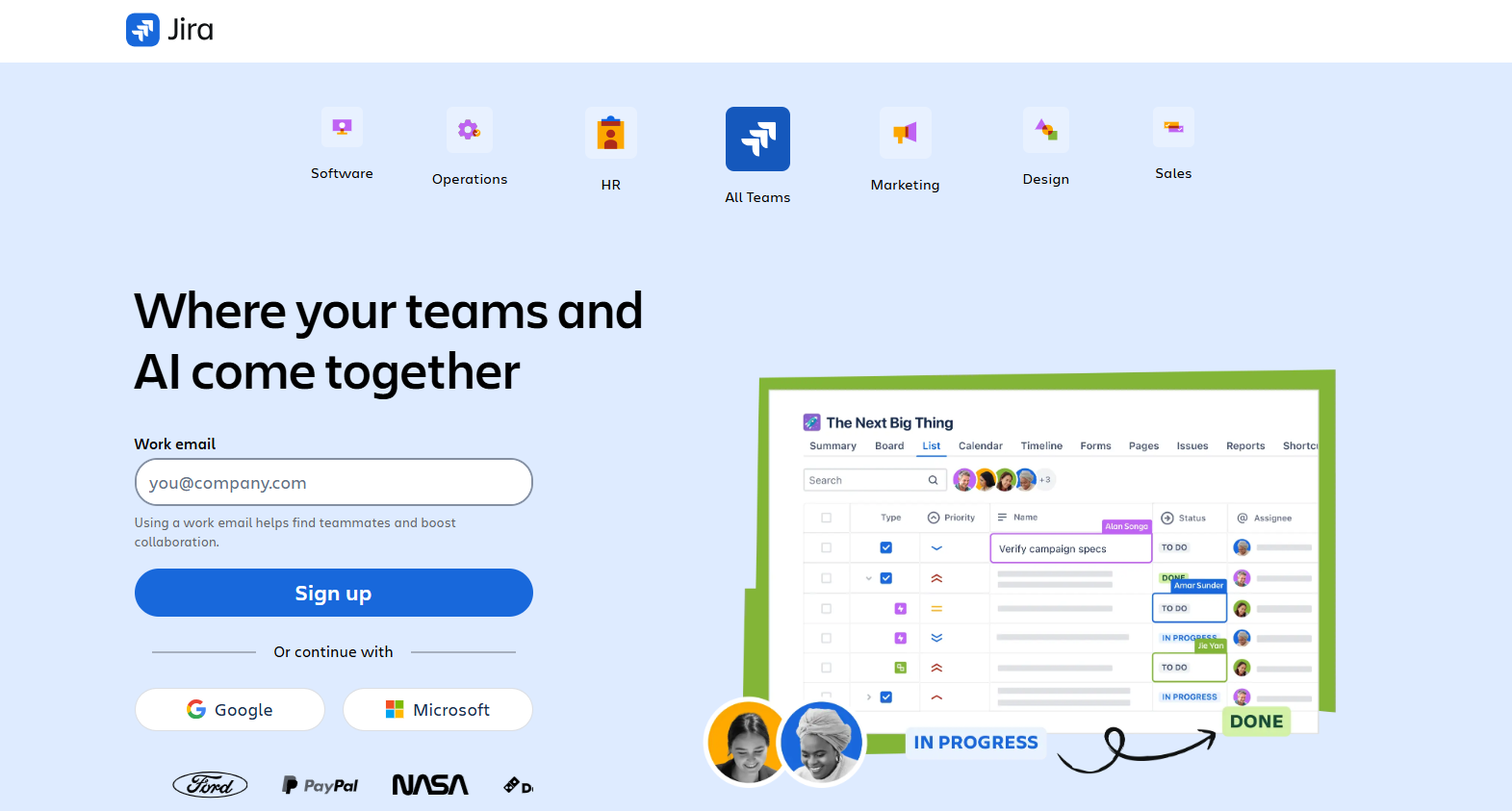
Built by Atlassian, it helps you break down complex work, automate workflows, and keep everything aligned if you’re launching products, fixing bugs, or collaborating across teams.
Now with built-in AI like Rovo, Jira also helps you assign tasks, find resources, and automate planning.
Key Features of Jira ✨
- AI-Powered Planning with Rovo: Jira’s new AI assistant helps break down big projects into smaller tasks, assign work automatically, and find helpful data across your connected tools.
- Custom Workflows for Every Team: You can set up detailed workflows to match your team’s process, from simple task tracking to complex sprint planning with automations.
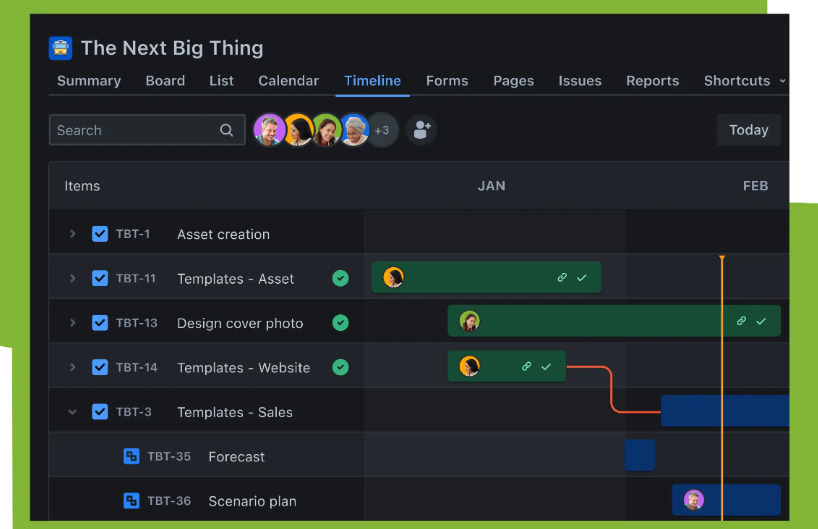
- Timeline & Roadmap Views: Use visual planning tools like timeline and roadmap views to map out your goals, share updates with stakeholders, and adjust plans easily.
- Collaboration Tools Built In: Keep everything conversations, tasks, documents in one place, so teams stay in sync and work stays aligned with company goals.
- Real-Time Updates Over Spreadsheets: Say goodbye to outdated spreadsheets. Jira keeps your project info live and shared across teams in real time.
Pricing Plans of Jira 💰

- Free Plan ($0): Best for small teams (up to 10 users) needing unlimited projects, basic views, dashboards, and limited automation.
- Standard Plan ($7.91/user/month): Ideal for growing teams with AI features, user permissions, external collaboration, and higher automation limits.
- Premium Plan ($14.54/user/month): Designed for scaling teams that need cross‑team planning, approvals, unlimited storage, and 24/7 critical support.
- Enterprise Plan (Custom Pricing): Built for large organizations requiring advanced analytics, unlimited automation, enterprise security, and multi‑site management.
Pros & Cons of Jira 🎯
| Pros | Cons |
|---|---|
| Ideal for agile and software development teams | Steep learning curve for beginners |
| Highly customizable workflows | Interface can feel complex for non-tech users |
| Strong integration with other Atlassian tools | Setup can be time-consuming |
| Great for managing backlogs and sprints | Can become expensive at scale |
| Offers timeline, board, and calendar views | — |
| AI features like Rovo boost productivity | — |
| Real-time tracking and reporting | — |
My Verdict: From my experience, Jira is best when managing technical projects or agile sprints. It’s powerful, but only if your team is ready for the learning curve.
#4. Trello
Trello is a visual task and to-do management tool that helps individuals and teams organize everything from simple personal tasks to complex project workflows.
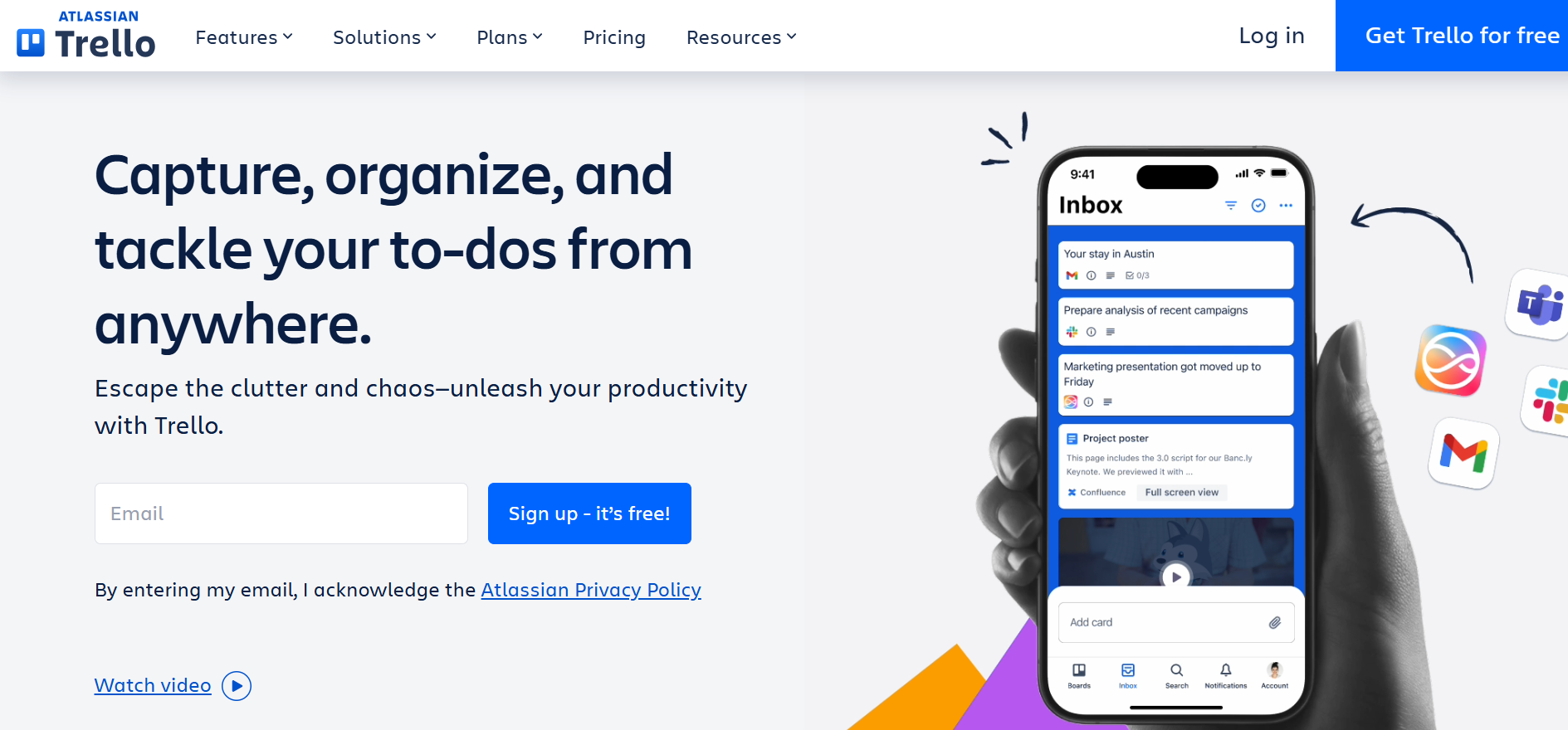
Using boards, lists, and cards, Trello lets you manage projects in a drag-and-drop format that’s flexible, clean, and easy to use.
When I tried this it has AI features, automation, and integrations to help you work smarter, not harder perfect for solo users, teams, and remote workers.
Key Features of Trello ✨
- Inbox, Boards, and Planner Views: Trello lets you capture ideas in your Inbox, organize tasks on Boards, and drag them into a Planner calendar view keeping your workflow structured and stress-free.
- Turn Messages into Tasks: You can convert emails or Slack/Teams messages into Trello cards instantly. AI even adds summaries and links to keep things actionable and organized.
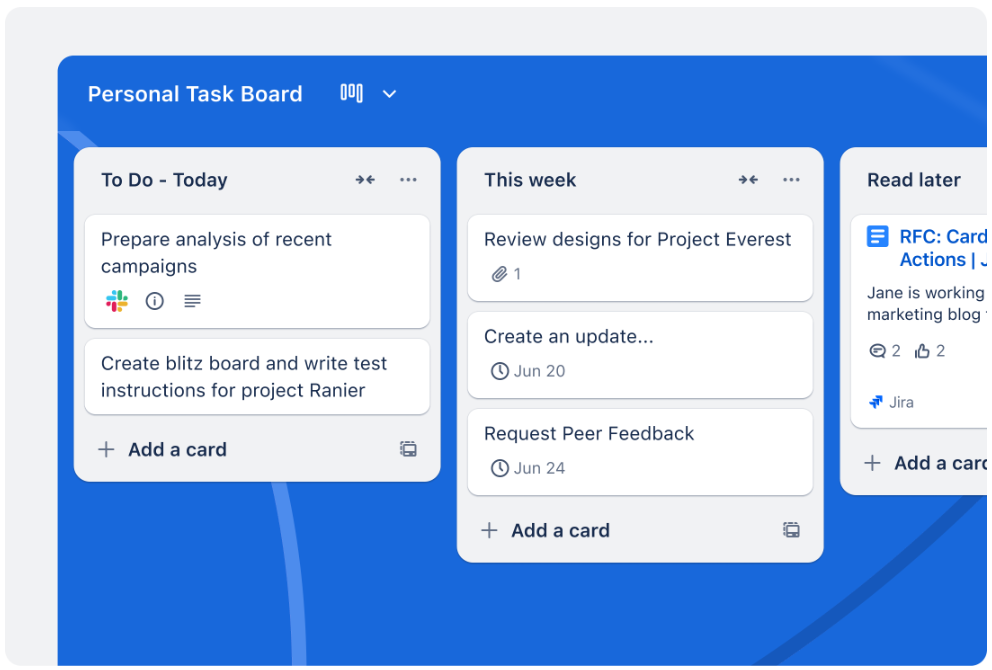
- AI-Powered Task Automation: Trello includes built-in no-code automation on every board. You can create rules to auto-assign tasks, move cards, and handle recurring workflows.
- Card Mirroring Across Boards: Keep track of tasks across multiple boards with card mirroring, so you never miss an update great for multitaskers and cross-functional teams.
- Easy Integrations & Power-Ups: Trello connects with popular tools like Google Drive, Slack, Jira, and more, allowing you to customize workflows with just a few clicks.
Pricing Plans of Trello 💰
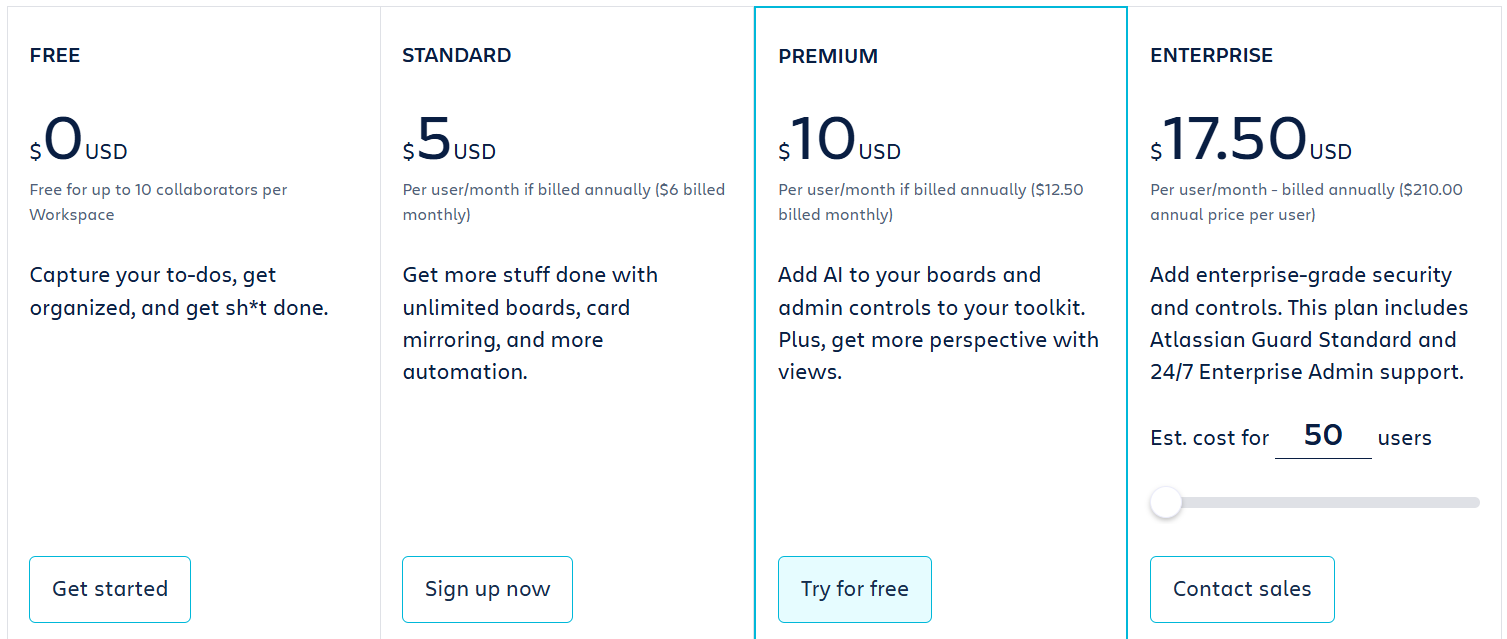
- Free Plan ($0): Perfect for individuals or small teams (up to 10 users) with unlimited cards, 10 boards, and basic features.
- Standard Plan ($5/user/month): Ideal for growing teams with unlimited boards, card mirroring, custom fields, and more automation.
- Premium Plan ($10/user/month): Best for teams needing advanced views (calendar, timeline, dashboard), AI features, and admin tools.
- Enterprise Plan ($17.50/user/month): Built for large organizations requiring advanced security, unlimited workspaces, and centralized admin controls.
Pros & Cons of Trello 🎯
| Pros ✅ | Cons ❌ |
|---|---|
| User-friendly drag-and-drop interface for boards and cards. | Limited features in the free plan for larger teams. |
| AI-powered task capture and automation boosts productivity. | No native time tracking, requires integrations for advanced tracking. |
| Seamless integrations with over 200 apps like Slack and Google Drive. | Can get cluttered with too many boards or tasks. |
| Multiple board views including Calendar, Timeline, Table, and Dashboard. | Advanced reporting features are limited without Premium or Enterprise plans. |
| Supports mobile and desktop apps for on-the-go productivity. | |
| Built-in no-code automation for repetitive tasks. | |
| Card mirroring allows tracking tasks across multiple boards efficiently. |
My Verdict: I found that Notion stood out for its document-style structure and flexibility. For teams who value a blend of notes, wikis, and tasks, this is a solid pick.
#5. Notion
Notion is an all-in-one workspace where teams and individuals can collaborate, manage projects, capture knowledge, and now even automate work using AI.
From docs, wikis, and task lists to AI meeting notes and agents that complete tasks for you Notion is redefining productivity by merging tools, workflows, and automation into a single platform
I tried this and found it introduces custom AI agents and powerful automation features, making a team of 7 feel like 70.
Key Features of Notion ✨
- AI Agents & Automation: Notion’s newest AI agents can complete tasks, write content, manage projects, and assist your team all based on simple instructions. This removes manual work and boosts speed across tasks.
- Enterprise Search & Wiki: With enterprise-grade search and connected knowledge bases, you can find anything instantly. Perfect for companies that rely on shared knowledge, SOPs, and documentation.

- Flexible Project Management: Use Kanban boards, timelines, checklists, or calendars to manage projects of any size. Every project, big or small, is customizable to your team’s workflow.
- AI Meeting Notes & Email Integration: Automatically turn meetings into perfect notes, convert them into tasks, or even generate follow-ups via Notion Mail. You can stay in sync without switching apps.
- All-in-One Workspace: Notion replaces multiple tools like CRM, forms, docs, and internal sites all in one centralized place. This simplifies your tool stack and saves costs.
Pricing Plans of Notion 💰
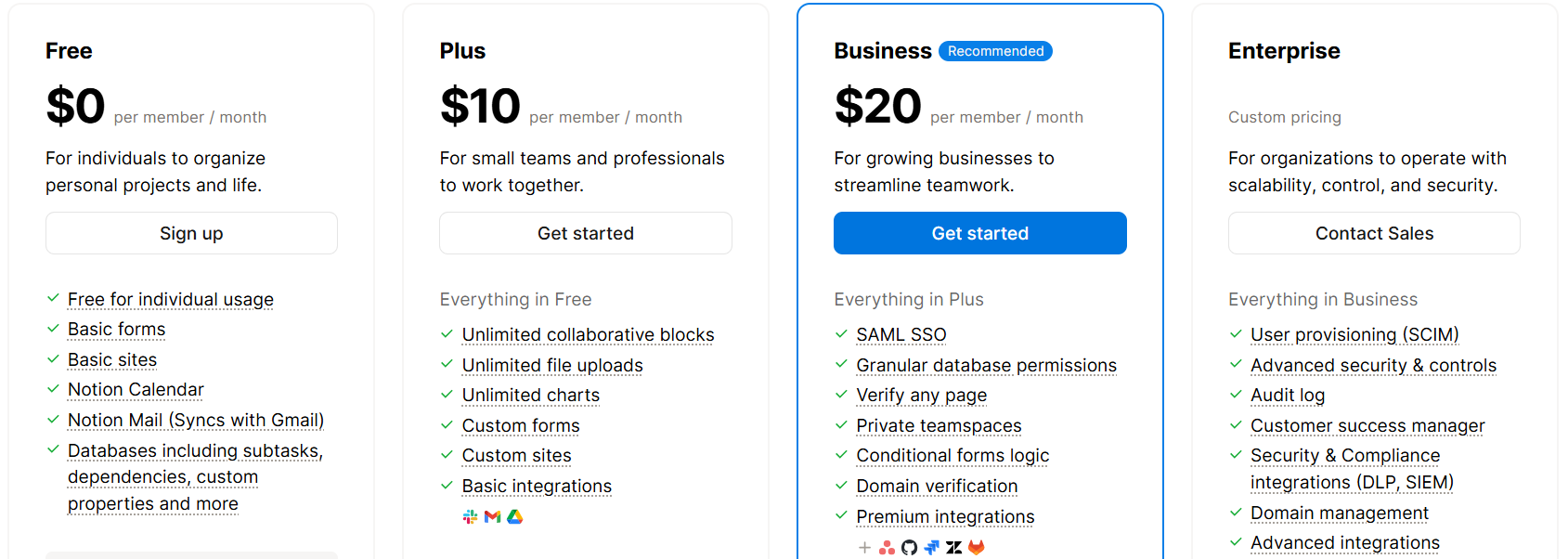
- Free Plan ($0/user/month): Great for individuals managing personal tasks with basic forms, Mail, Calendar, and limited Notion AI.
- Plus Plan ($10/user/month): Ideal for small teams with unlimited blocks, custom forms, charts, file uploads, and basic integrations.
- Business Plan ($20/user/month): Best for growing teams needing AI agents, advanced permissions, premium integrations, and private teamspaces.
- Enterprise Plan (Custom pricing): Built for large organizations with zero data retention, SCIM, audit logs, security integrations, and custom support.
Pros & Cons of Notion 🎯
| Pros | Cons |
|---|---|
| Combines notes, docs, project management, and AI in one app | Can feel overwhelming for first-time users |
| AI agents handle writing, meetings, research, and more | Mobile app experience is limited compared to desktop |
| Highly customizable for different workflows | Offline access is limited |
| Great for documentation and internal knowledge sharing | Performance can slow down with large databases |
| Integrates well with calendars, emails, and tools | — |
| Saves cost by replacing multiple tools | — |
| Ideal for individuals, startups, and enterprises | — |
My Verdict: Airtable offers unmatched customization. In my view, it’s perfect for teams that want to design their own tools without needing to code.
#6. Airtable
Airtable is a flexible, no-code app-building platform that combines the simplicity of spreadsheets with the power of a database.
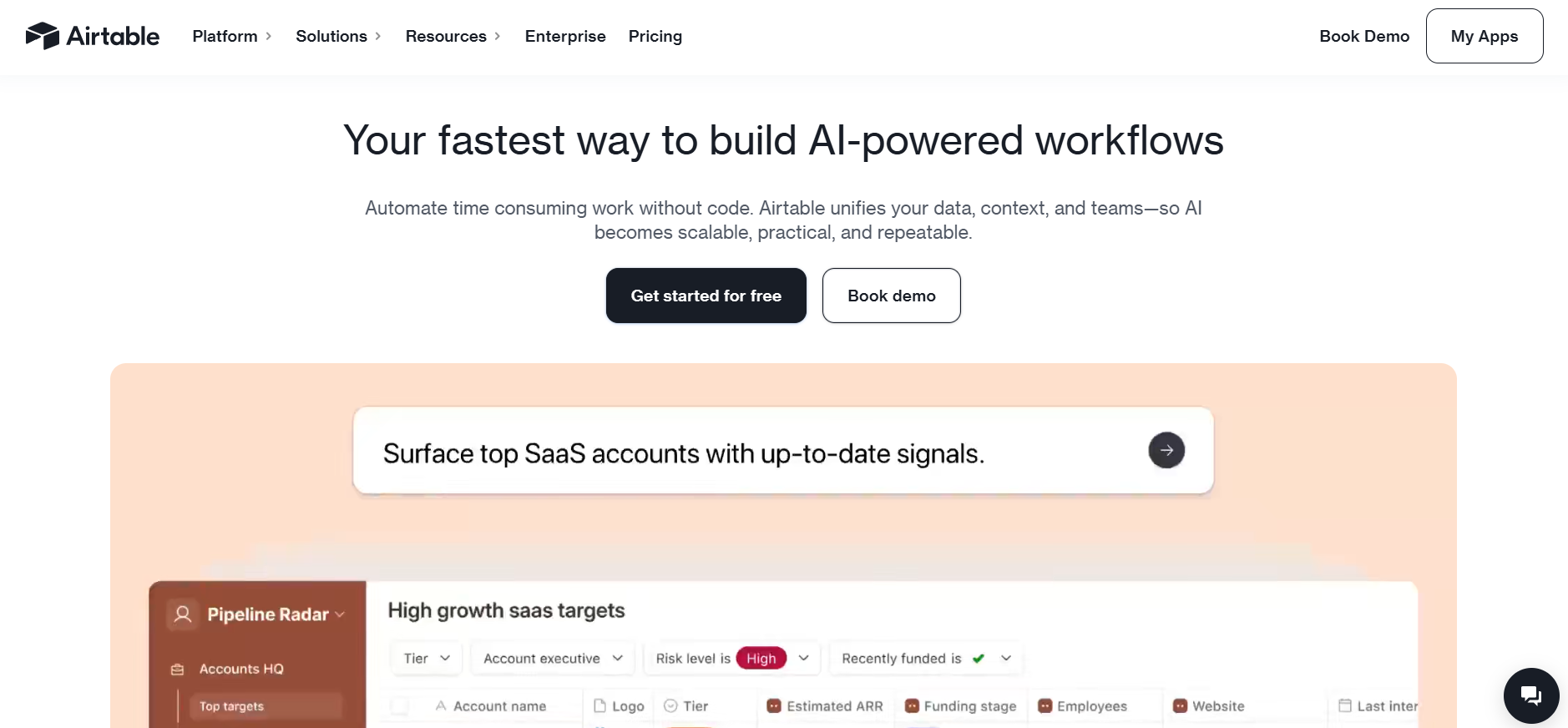
It allows teams to build custom apps, automate workflows, and collaborate visually on shared data.
With advanced features like AI agents, real-time collaboration, powerful integrations, and robust admin controls, Airtable helps individuals, teams, and enterprises scale their work with precision and control.
Key Features of Airtable ✨
- AI Agents & Omni Assistant: Airtable introduces AI Field Agents and Omni, helping users automate tasks, generate content, and streamline workflows with powerful, customizable AI tools.
- Custom App Building Without Code: Teams can create fully tailored apps using drag-and-drop blocks, interface designer, and advanced databases with no coding skills needed.
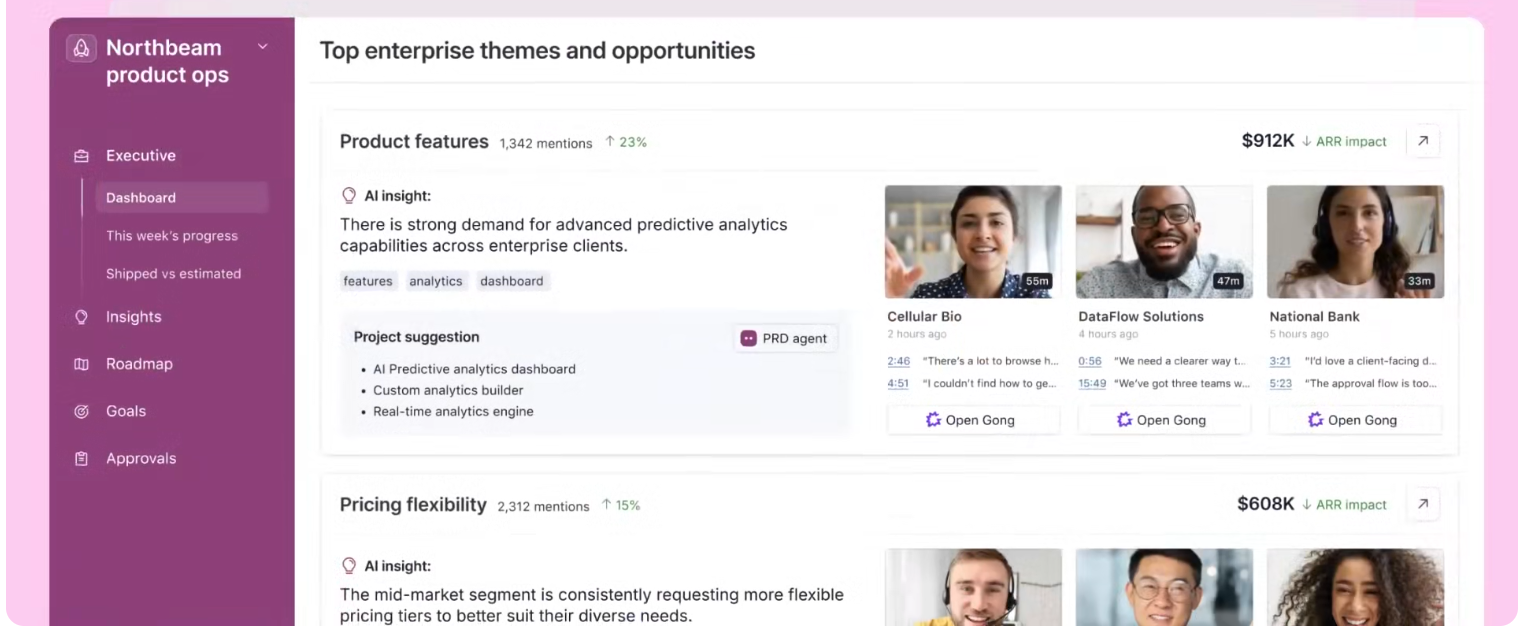
- Powerful Automation & Sync: Airtable supports up to 500,000 automation runs, two-way sync, and integration with tools like Jira, Azure, and Gong, letting teams build real-time connected workflows.
- Enterprise-Ready Features & Security: With SAML SSO, audit logs, domain control, advanced permissions, and data loss prevention (DLP), Airtable ensures scalable, secure deployments.

- Portals & Advanced Views: Teams can build public portals, dashboards, and use views like Gantt, Timeline, Kanban, and Roadmap to visualize progress and collaboration easily.
Pricing Plans of Airtable 💰
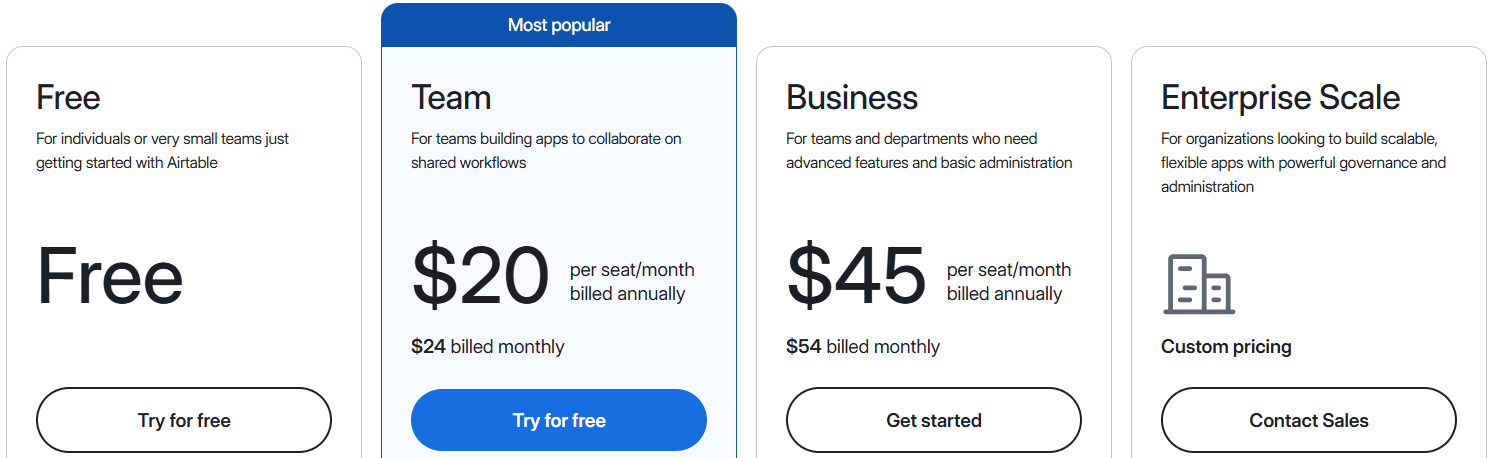
- Free Plan ($0/user/month): Best for individuals or small teams with up to 5 editors, 1,000 records, and 500 AI credits.
- Team Plan ($20/user/month billed annually): Ideal for collaborative teams with 50,000 records, 25,000 automations, and standard integrations.
- Business Plan ($45/user/month billed annually): Great for departments needing 125,000 records, advanced permissions, premium integrations, and admin controls.
- Enterprise Scale Plan (Custom pricing): Built for large organizations with 500,000 records, 500K automation runs, HyperDB, SSO, and enterprise-grade governance.
Pros & Cons of Airtable 🎯
| Pros | Cons |
|---|---|
| Combines spreadsheet simplicity with database power | Steep learning curve for new users |
| Highly customizable app builder with no-code tools | Advanced features can be pricey for small teams |
| Includes powerful AI agents and automation capabilities | Mobile experience is not as rich as desktop |
| Real-time collaboration with unlimited bases | — |
| Supports advanced permissions and enterprise-level security | — |
| Scales from individual to enterprise needs easily | — |
| Wide range of integrations, extensions, and data syncing | — |
My Verdict: I think Trello Simple, clean, and effective. It works best when you need a straightforward kanban setup. Ideal for individuals or small teams just getting organized.
Which Is Best ClickUp Alternative? 🏆
I tried all the top ClickUp alternatives like Monday, Notion, Trello, Airtable, Jira, and Asana to see which one truly delivers on both usability and features.
Each platform shines in its own way: Monday is incredibly visual, Notion blends docs with project tracking, Jira is unbeatable for developers, and Airtable is great for custom databases. But when it comes to striking the right balance of simplicity, power, and team-friendly features, one tool stood out.
✅ Asana – The Best Replacement of ClickUp
Asana impressed me the most for one big reason: it just works without overwhelming you. From the moment you log in, it’s clean, intuitive, and ready for action.
Whether you’re planning sprints, managing marketing campaigns, or just organizing daily tasks, Asana adapts to your workflow without making things complicated.
It’s ideal for teams of all sizes from startups to enterprises and offers features like timeline view, workload tracking, automation, and goal alignment.
Conclusion 🔥
My final verdict is this: If ClickUp isn’t quite working for your team or if it feels too complex, slow, or cluttered there are plenty of powerful alternatives out there.

From highly visual tools like Monday.com to deeply customizable platforms like Airtable and Trello, each option brings something unique.
But if you’re looking for the best overall experience, Asana is the clear winner. It’s intuitive, collaborative, fast, and packed with features that actually make work easier not harder.
No matter your team size or workflow style, there’s a ClickUp alternative here that can help you work smarter, not harder. Choose the one that fits your style and watch your productivity soar. 🚀
Also Read:
FAQs 💬
Yes, Asana offers migration tools and third-party integrations to help transfer tasks and projects from ClickUp.
Notion and Trello are both simpler and more user-friendly for individuals or teams who don’t need advanced project management features.
Asana’s free plan supports up to 15 users with essential features, making it one of the most affordable options for small teams starting out.
Jira is the top choice for developers, offering robust sprint planning, issue tracking, and agile workflow support.
Trello is often considered the best free ClickUp alternative for small teams or individuals due to its simplicity and unlimited cards on the free plan.
