
5 Best AI Landing Page Builders To Skyrocket Conversions
Struggling to design landing pages that actually convert? 😍
If yes, you are in the right place! Many businesses spend hours tweaking layouts, copy, and forms with little results. 😎
Imagine having a tool that automatically suggests designs, layouts, and even copy that resonate with your audience. AI landing page builders take the heavy lifting off your plate, letting you focus on growing your business.
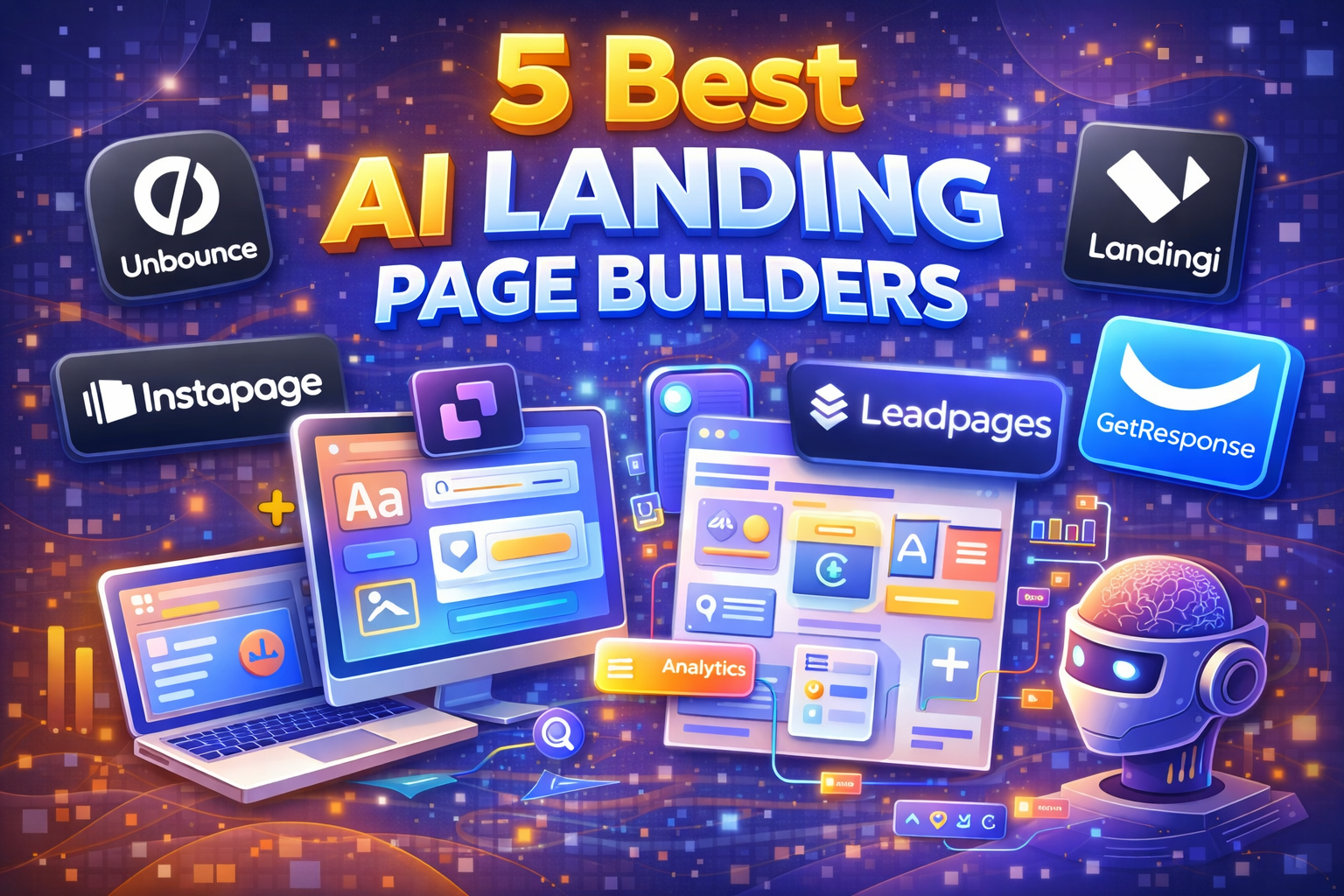
Tools like Unbounce, Instapage, Leadpages, Landingi, and GetResponse help you create stunning, responsive, and high-converting pages in minutes with no coding required. They save time, improve conversions, and make your marketing efforts far more effective.

Unbounce Coupon Code – Save Upto 50% OFF on Yearly Plans Today! 💥
Get upto 50% OFF when you choose annual billing on Unbounce’s Build, Experiment, or Optimize plans. Create high-converting landing pages with AI copywriting, Smart Traffic optimization, A/B testing, and 1,000+ integrations all while saving big.
In this article, we’ll walk you through the 5 best AI landing page builders, their standout features, and which one might be perfect for your needs. By the end, you’ll know exactly which tool can take your landing pages to the next level.
🏆 Best AI Landing Page Builder (Winner)
Unbounce takes the top spot thanks to its AI-powered Smart Traffic, built-in A/B testing, and conversion-focused templates—making it the best choice for marketers who want higher conversions without complexity.
#1. Unbounce 🥇
Unbounce is a powerful AI-powered landing page builder designed to help marketers, agencies, and businesses create high-converting landing pages without needing a developer.
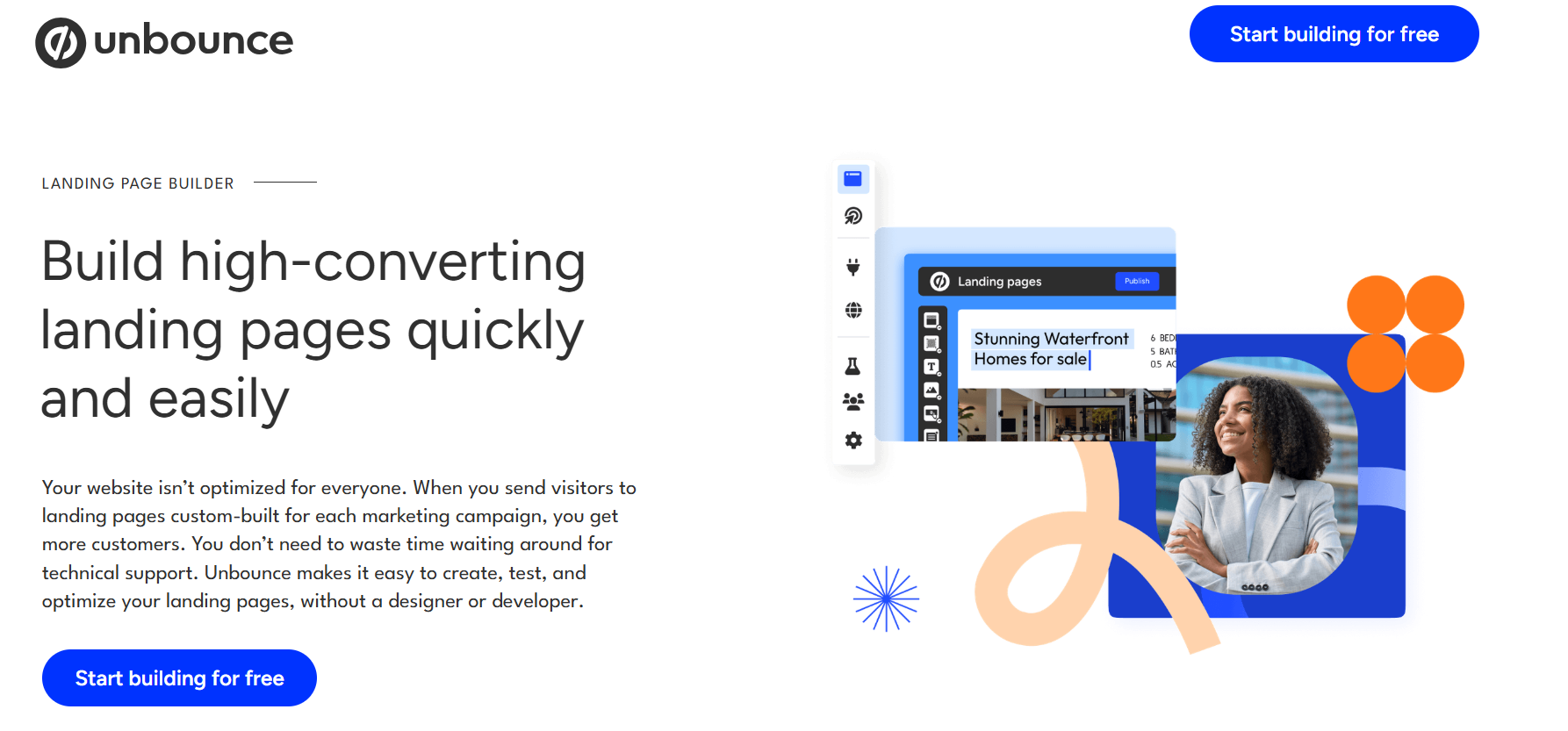
It combines a drag-and-drop editor, customizable templates, and AI-driven optimization tools to make page creation fast, easy, and effective.
Key Features of Unbounce 🌟
1. Drag-and-Drop Builder
Unbounce’s intuitive drag-and-drop editor makes building landing pages a breeze. You don’t need coding skills simply move elements around and create a visually stunning page in minutes. It’s perfect for marketers who want speed without sacrificing design flexibility.
2. AI Copywriting
With built-in AI copywriting, Unbounce helps you craft headlines, CTAs, and page content that convert. The AI suggests text based on proven strategies, saving you time and boosting the chances of turning visitors into leads.

3. A/B Testing
Easily test multiple versions of your landing page with Unbounce’s no-code A/B testing. Find out which headlines, layouts, or images perform best and optimize your pages for maximum conversions—all without needing a developer.
4. Smart Traffic Optimization
Unbounce uses AI-powered Smart Traffic to automatically send visitors to the landing page variant they’re most likely to convert on. This feature increases your overall conversions while removing the guesswork from targeting different audience segments.
5. Seamless Integrations
Connect Unbounce to popular marketing tools like Salesforce, HubSpot, Mailchimp, Zapier, and Google Analytics. These integrations help you streamline your marketing workflow and ensure that your landing page leads are tracked, managed, and nurtured efficiently.
Pricing Plans of Unbounce 💰
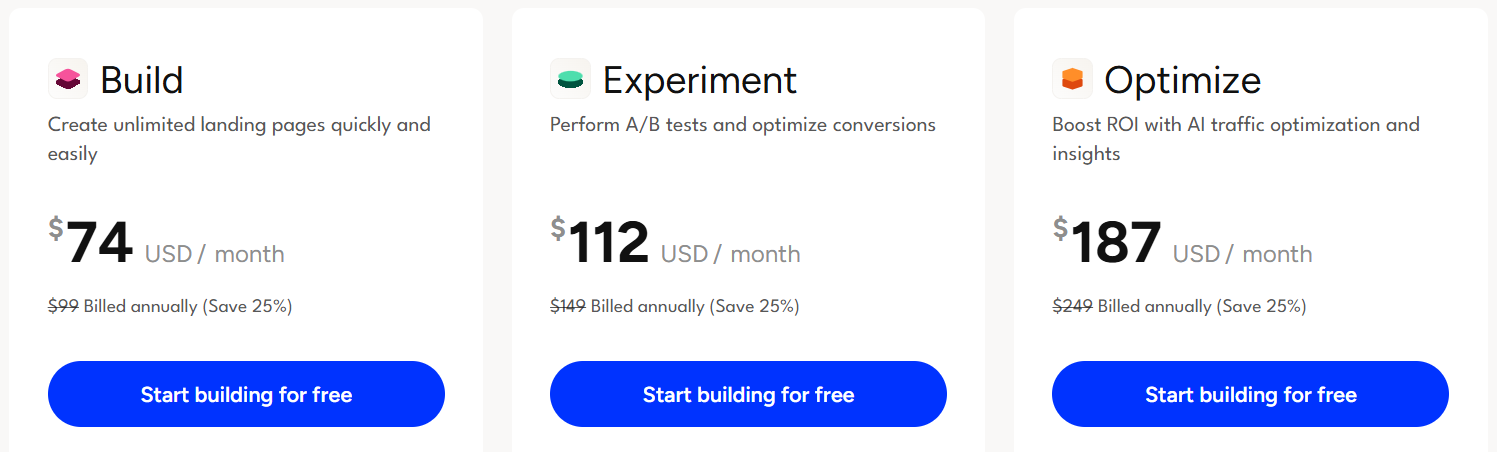
- Build Plan – $74/month ($99 billed annually)
Perfect for solo marketers or small teams, this plan lets you create unlimited landing pages with drag-and-drop ease. It includes AI copywriting, over 100 templates, and 1,000+ integrations to get started fast. - Experiment Plan – $112/month ($149 billed annually)
Ideal for growing teams, this plan adds A/B testing, unlimited variants, and conversion insights. Optimize your pages with AI and experiment with different traffic allocations to maximize results. - Optimize Plan – $187/month ($249 billed annually)
Designed to boost ROI, it leverages Smart Traffic, advanced targeting, and audience insights. Perfect for businesses ready to scale with AI-driven optimization and deeper conversion data.
Pros & Cons of Unbounce ✅
| Pros | Cons |
|---|---|
| AI-powered Smart Traffic boosts conversions automatically | Higher pricing compared to beginner-friendly tools |
| Drag-and-drop builder with 100+ high-converting templates | Some advanced AI features require higher-tier plans |
| No-code A/B testing for easy optimization | Limited free trial features compared to paid plans |
| Seamless integrations with tools like HubSpot, Mailchimp, Salesforce | |
| Supports popups, sticky bars, and dynamic text replacement | |
| Professional support and extensive learning resources |
#2. Instapage 🚀
Instapage is a powerful AI-driven landing page builder designed to help marketers and businesses create high-converting landing pages quickly. With its drag-and-drop editor, you don’t need coding skills to design visually stunning pages.
It also comes with AI optimization tools, A/B testing, and personalization features, allowing you to automatically show the right content to the right audience.
Key Features of Instapage ✨
1. Drag-and-Drop Builder
Easily create stunning landing pages without any coding. Instapage’s intuitive editor allows you to customize every element and design pages exactly how you want.
2. AI-Powered Optimization
Boost conversions automatically with AI features like Smart Traffic, which directs visitors to the page variant they’re most likely to engage with.

3. A/B Testing
Experiment with different page variants to find what works best. Run tests effortlessly and get actionable insights to maximize campaign performance.
4. Personalization & Dynamic Content
Show personalized content based on visitor behavior, location, or source. This helps improve engagement and increases the likelihood of conversions.
5. Seamless Integrations
Connect Instapage with tools like HubSpot, Salesforce, Mailchimp, and more. Easily track leads, manage campaigns, and scale your marketing efforts.
Pricing Plans of Instapage 💰
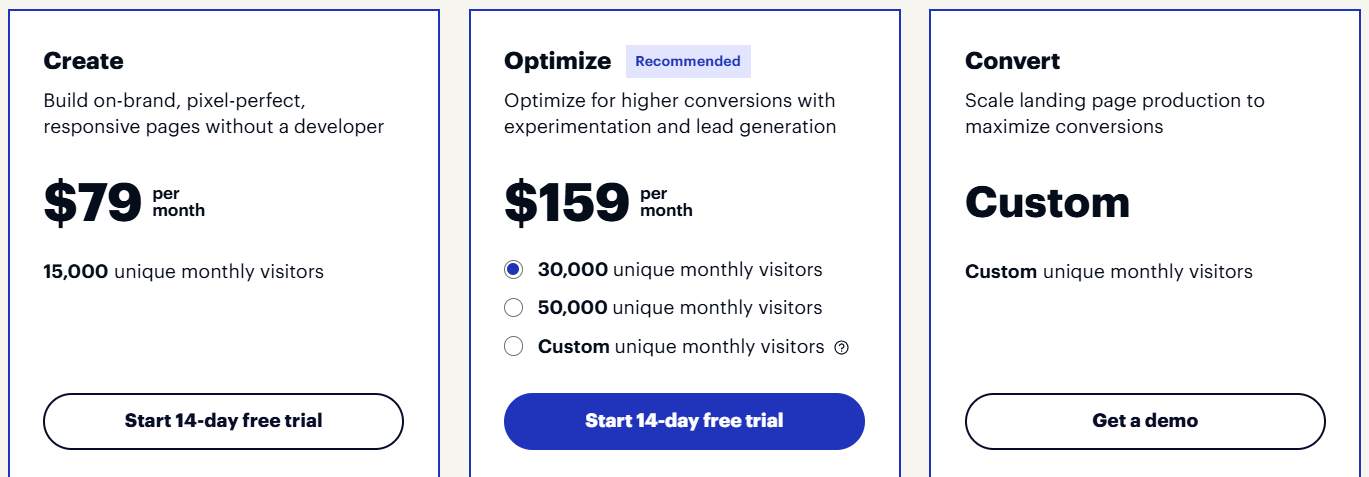
- Create Plan – $79/month
Build on-brand, responsive landing pages with ease using drag-and-drop, AI content, and real-time collaboration. Supports up to 15,000 unique monthly visitors. - Optimize Plan – $159/month
Boost conversions with A/B testing, experimentation tools, dynamic text replacement, and multi-step forms. Ideal for up to 30,000 unique monthly visitors. - Convert Plan – Custom Pricing
Scale landing page production with enterprise-ready features, Ad-to-page personalization, heatmaps, and professional services. Visitor limits and pricing are tailored to your business needs.
Pros & Cons of Instapage ✅
| Pros | Cons |
|---|---|
| Drag-and-drop builder makes page creation simple and fast | Higher pricing compared to beginner-friendly landing page tools |
| AI-powered Smart Traffic automatically optimizes visitor conversions | Some advanced optimization features require custom Convert plan |
| A/B testing and experimentation tools for higher conversion rates | Custom plan pricing may be unclear for small businesses |
| Supports personalization, dynamic text, and multi-step forms | |
| Seamless integrations with 120+ marketing, CRM, and ad tools | |
| Enterprise-ready features and professional support in Convert plan |
#3. Leadpages 📊
Leadpages is a powerful, all-in-one landing page builder designed to help marketers, agencies, and businesses generate more leads and sales without needing a developer or designer.
It allows you to create high-converting, audience-tailored landing pages, pop-ups, and alert bars quickly using a drag-and-drop interface.
Key Features of Leadpages ⭐
1. Drag-and-Drop Landing Page Builder
Easily create professional, conversion-focused landing pages without any coding. Customize layouts, add images, videos, and forms to match your brand perfectly.
2. Pop-ups & Alert Bars
Engage your visitors at the right moment with customizable pop-ups and alert bars. Capture leads, promote offers, or guide users toward important actions seamlessly.
3. A/B Split Testing
Test different versions of your pages to see what works best. Optimize for higher conversions with clear analytics and insights powered by real user data.
4. 250+ Conversion-Optimized Templates
Choose from a wide variety of pre-designed templates created for maximum impact. Launch landing pages quickly while still delivering a professional look.
5. Seamless Integrations & Checkout Tools
Connect with over 90 marketing apps, CRMs, and email platforms. Sell digital products or services directly through your pages with built-in checkout and zero transaction fees.
Pricing Plans of Leadpages 💰
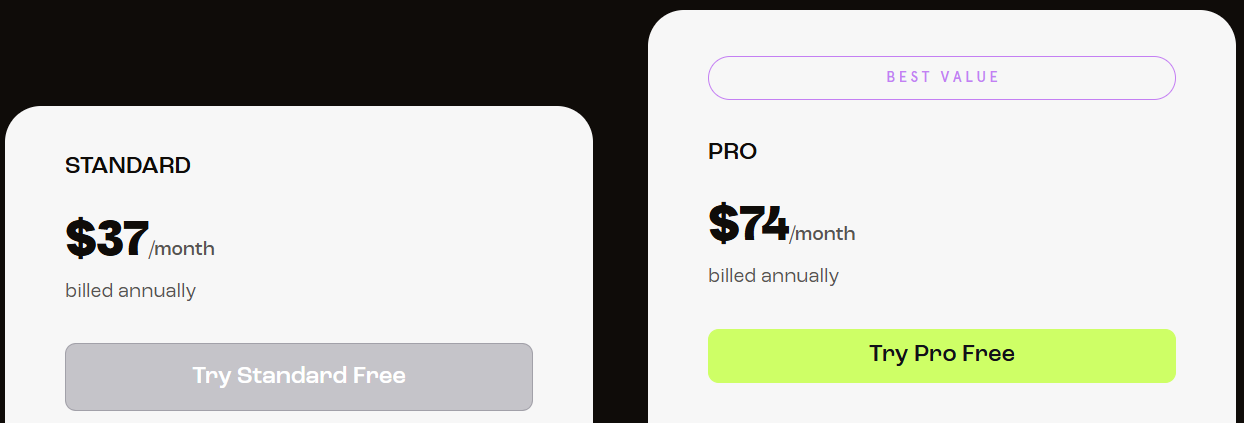
- Standard – $37/month (billed annually)
Get 5 landing pages, unlimited traffic, and a custom domain with easy drag-and-drop building. Perfect for small teams looking to capture leads and grow online. - Pro – $74/month (billed annually)
Unlimited landing pages, traffic, and up to 3 domains with A/B testing and built-in checkout tools. Ideal for marketers who want to scale conversions and sales efficiently.
Pros & Cons of Leadpages ✅
| Pros | Cons |
|---|---|
| Drag-and-drop builder makes creating pages easy and fast | Limited free trial features compared to full plans |
| Supports pop-ups, alert bars, and 250+ conversion-optimized templates | Some advanced features like A/B testing require Pro plan |
| Seamless integrations with 90+ apps for marketing automation | Higher-tier plan needed to sell products without transaction fees |
| A/B testing and analytics to optimize conversions (Pro plan) | |
| Built-in checkout and payment tools for digital products (Pro plan) |
#4. Landingi 🎯
Landingi is an all-in-one landing page automation platform designed to help marketers, agencies, and business owners create, launch, and optimize landing pages faster and smarter.
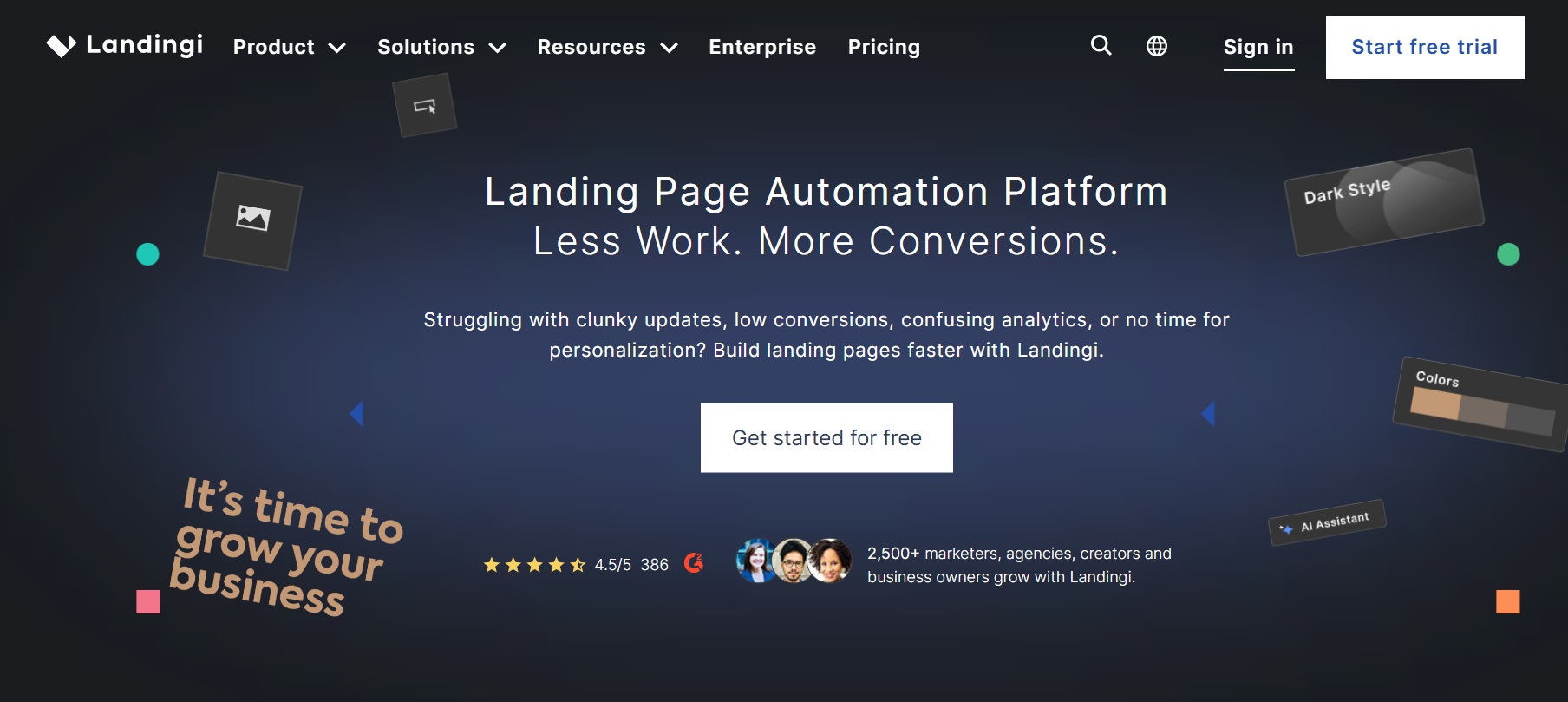
With Landingi, you can use drag-and-drop tools and pre-designed templates to craft pages that look professional, personalized, and conversion-focused.
Key Features of Landingi 🌟
- Drag-and-Drop Landing Page Builder
Easily create professional, high-converting landing pages without any coding skills. Customize every element to match your brand in minutes. - 400+ Ready-to-Use Templates
Choose from a wide range of templates across industries like education, health, real estate, and marketing. Launch pages quickly with designs proven to convert.
- Multilingual Page Support
Automatically translate every element—content, forms, SEO settings, and thank-you pages—into 29 languages, helping you scale campaigns globally with ease. - Lead Capture & Conversion Tools
Engage your audience and collect leads with pop-ups, forms, alert bars, and checkout tools—all built to maximize conversions from day one. - Professional Support & Onboarding
Get guidance from real people, not chatbots. Landingi provides live support, onboarding tours, and web design services to ensure your campaigns succeed.
Pricing Plans of Landingi 💰
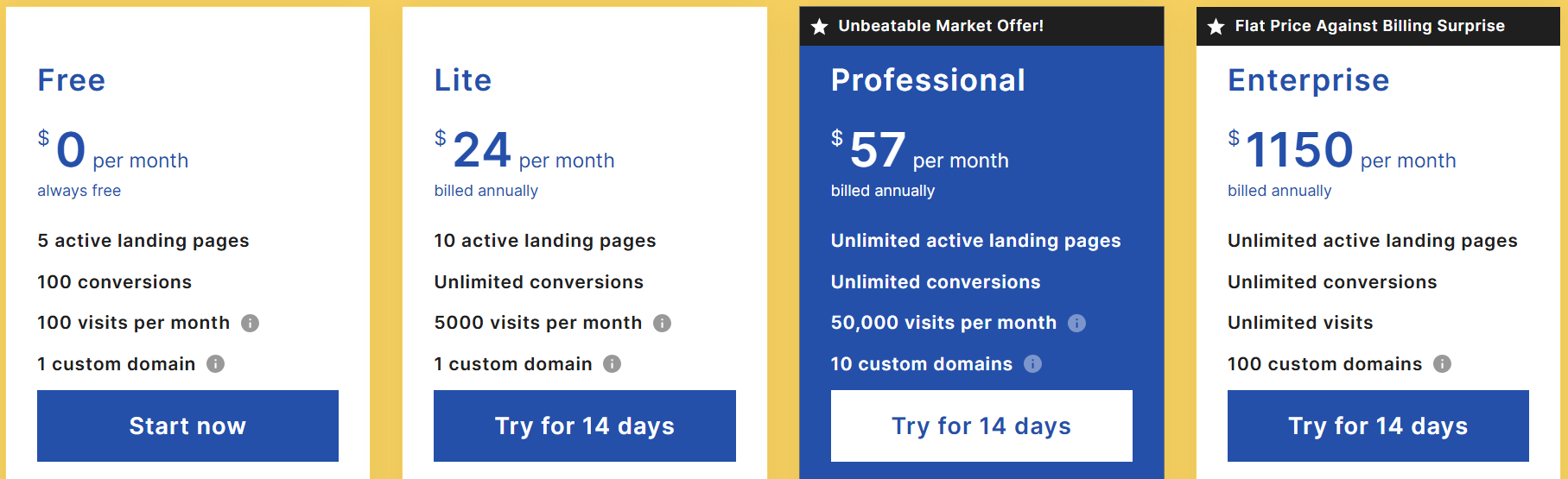
- Free – $0/month
Start building your first landing pages with 5 active pages, 100 visits per month, and 1 custom domain. Perfect for learning and testing Landingi without any cost. - Lite – $24/month (billed annually)
Create up to 10 landing pages with unlimited conversions and 5,000 monthly visits. Includes AI assistant, pre-designed sections, form builder, and 400+ templates. - Professional – $57/month (billed annually)
Unlimited landing pages, conversions, and 50,000 monthly visits with 10 custom domains. Advanced features include multi-language personalization, server-side A/B testing, and marketing funnels. - Enterprise – $1,150/month (billed annually)
Scale with unlimited pages, conversions, and visits plus 100 custom domains. Access audit logs, enterprise SSO, team workspaces, dedicated account manager, and custom development.
Pros & Cons of Landingi ✅
| Pros | Cons |
|---|---|
| Easy-to-use drag-and-drop landing page builder for beginners | Higher-tier plans can be expensive for small businesses |
| Supports unlimited landing pages, conversions, and traffic on paid plans | Free plan is very limited with only 5 active pages and 100 visits |
| AI assistant, pre-designed sections, and 400+ templates for fast creation | Some advanced features like EventTracker and Agency Hub are paid add-ons |
| Multi-language personalization and server-side A/B testing improve optimization | |
| Dedicated support, onboarding demos, and migration services for enterprises |
#5. GetResponse ⚡
GetResponse is an all-in-one marketing platform designed to help businesses create high-converting landing pages, automate email marketing, and grow their audience.
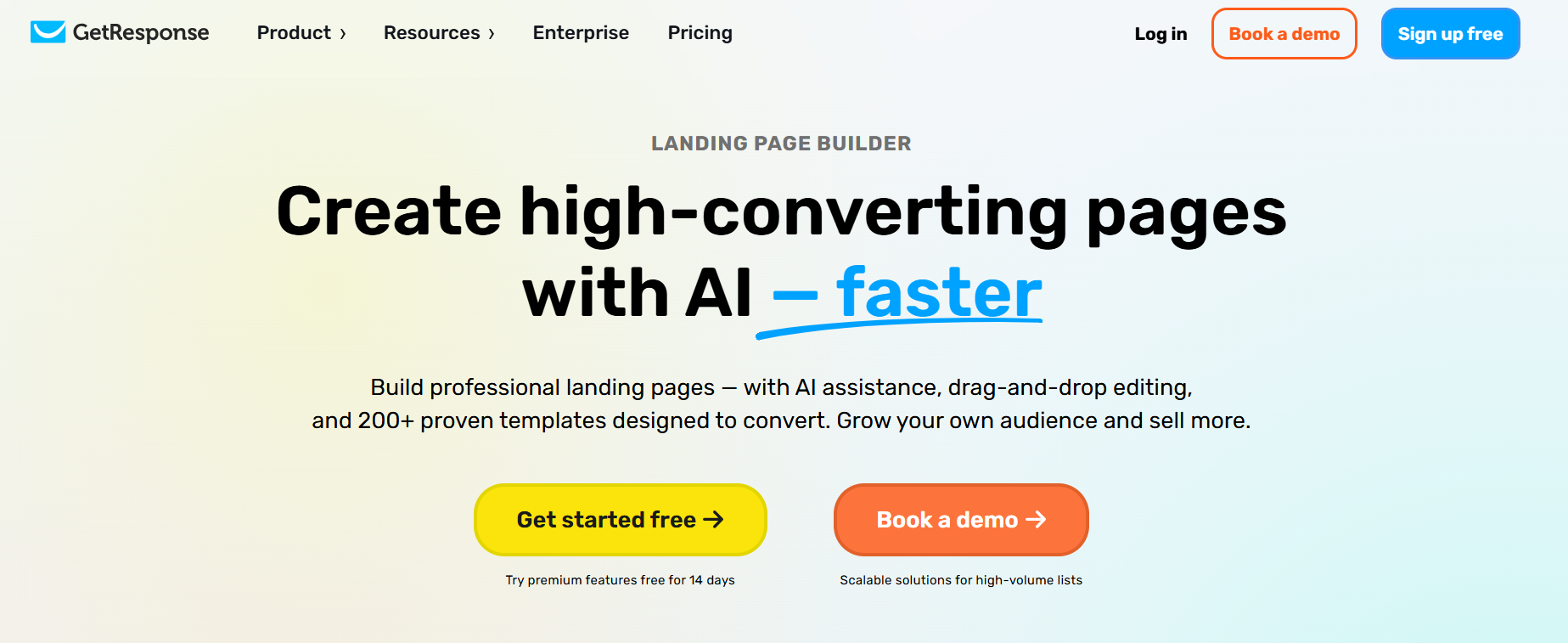
With AI-powered tools, drag-and-drop editors, 200+ pre-designed templates, pop-ups, forms, and live chat, GetResponse makes it easy to capture leads, optimize campaigns, and boost conversions without coding skills.
Key Features of GetResponse 🌟
- AI Landing Page Generator
GetResponse’s AI-powered landing page generator helps you create optimized pages in minutes. Simply choose your industry and describe your campaign, and it designs pages with graphics and messaging tailored to your goals. This feature saves time while ensuring pages are conversion-focused and visually appealing. - Drag-and-Drop Builder
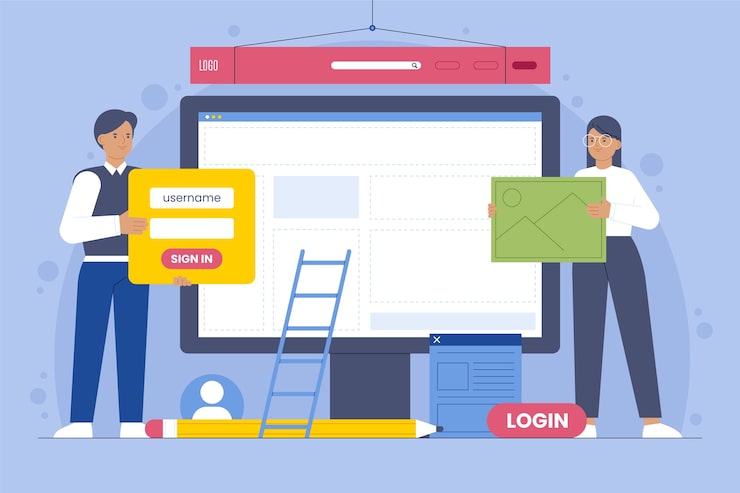
The drag-and-drop editor allows you to build landing pages without coding knowledge. You can easily arrange sections, add forms, images, and text blocks, and preview mobile-friendly layouts. It empowers marketers to create professional, responsive pages quickly and efficiently.
- Landing Page Templates
GetResponse provides over 200 pre-designed, customizable templates for various goals like lead generation, sales, webinars, and events. Templates are optimized for conversion and can be adjusted to match your brand style. This allows users to launch high-performing pages faster with minimal design effort. - Pop-ups and Forms
Native pop-ups and forms let you capture leads directly on your landing pages. You can set triggers based on visitor behavior, such as scroll depth or time on page, to engage visitors at the right moment. This ensures more sign-ups and conversions while keeping the user experience seamless. - Analytics and Optimization
GetResponse provides in-depth analytics to track visits, clicks, sign-ups, and conversions. You can run A/B tests to optimize pages and make data-driven decisions for better performance. These tools help maximize conversions and improve campaign ROI over time.
Pricing Plans of GetResponse 💰
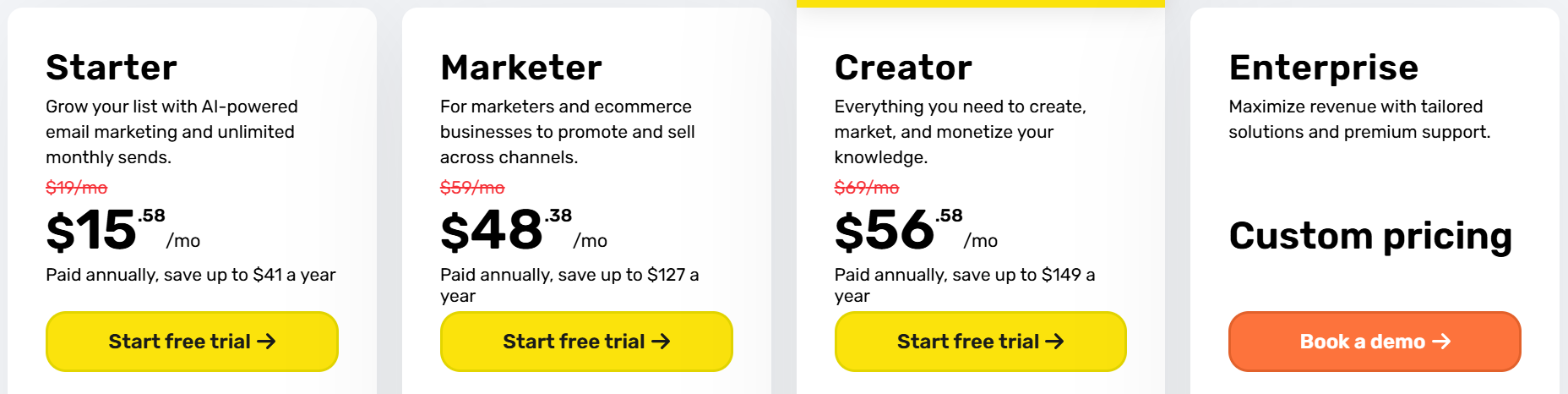
- Starter – $15.58/mo
Grow your list with AI email marketing, landing pages, signup forms, and one automation workflow. Includes a free custom domain with annual billing. - Marketer – $48.38/mo
Advanced automation, audience segmentation, abandoned cart recovery, and sales funnels. Unlimited web push notifications and promo codes included. - Creator – $56.58/mo
Everything in Marketer plus webinars, website builder, course creation for 500 students, and premium newsletters. Ideal for monetizing knowledge. - Enterprise – Custom Pricing
Unlimited emails, dedicated IP/domain, SMS & push marketing, AI recommendations, transactional emails, and priority support. Perfect for large-scale teams.
Pros & Cons of GetResponse 📊
| Pros | Cons |
|---|---|
| AI-powered email and landing page creation speeds up campaigns | Enterprise pricing may be expensive for small businesses |
| Comprehensive automation workflows and marketing funnels | Some advanced features require higher-tier plans |
| Built-in webinars, website builder, and course creator | Limited free trial features compared to paid plans |
| Advanced audience segmentation and abandoned cart recovery | Learning curve for beginners due to many features |
| Unlimited monthly emails and AI-powered content generators | |
| Seamless integrations with 3rd-party apps and eCommerce platforms |
Which Is Best AI Landing Page Builder? 👌
When it comes to creating high-converting landing pages fast, Unbounce leads the pack. Its AI-powered Smart Builder can generate pages tailored to your audience and campaign goals in minutes, saving you hours of manual design.
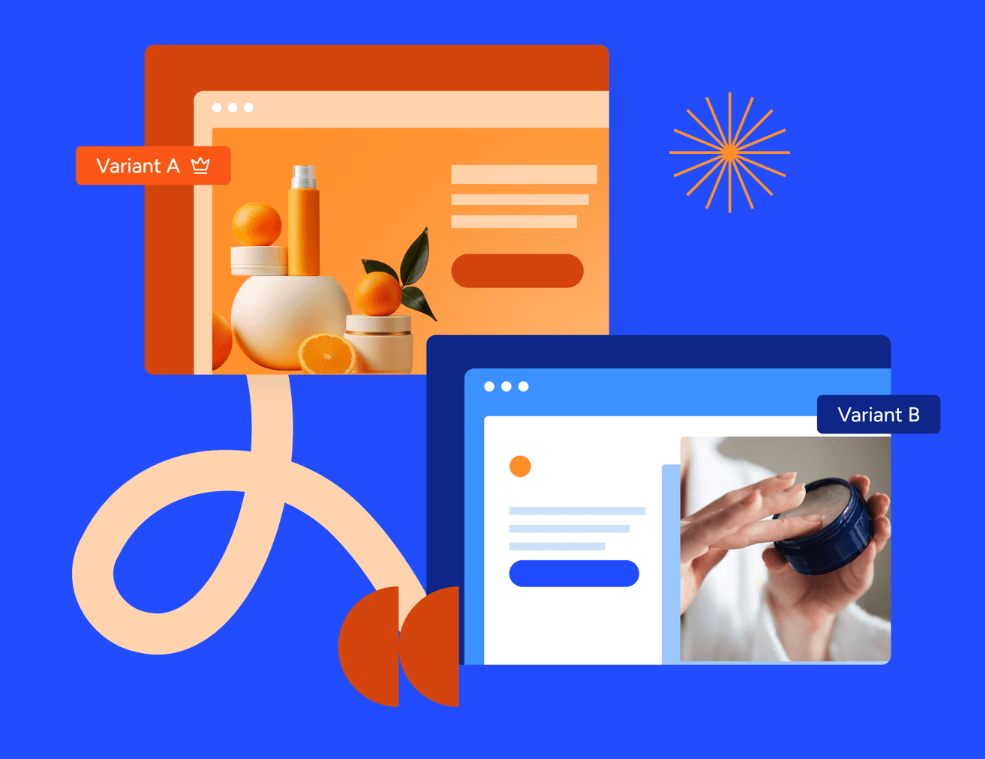
Unbounce isn’t just about speed it’s built for conversion optimization. Features like AI Smart Traffic, dynamic text replacement, and robust A/B testing ensure that every visitor sees the most effective version of your page. Even beginners can launch highly personalized campaigns without coding experience.
Plus, Unbounce integrates seamlessly with over 100 marketing tools, from CRMs to email platforms, giving you a complete growth-focused ecosystem.
With its combination of AI intelligence, ease of use, and conversion-first approach, Unbounce makes it effortless to turn visitors into leads, sales, and long-term customers.
Conclusion 🚀
AI landing page builders have revolutionized digital marketing by helping businesses create high-converting pages quickly and efficiently. Platforms like Instapage, Leadpages, Landingi, and GetResponse offer solid tools, but Unbounce stands out as the best choice.
With its AI Smart Builder, dynamic content personalization, and built-in A/B testing, Unbounce makes designing and optimizing landing pages faster and smarter. Marketers can test variations, track user behavior, and implement data-driven improvements effortlessly.
Unbounce is not just about design it’s about real results. It helps increase conversions, generate leads, and scale campaigns while saving time and effort.
For anyone looking to maximize ROI and grow their business, Unbounce provides a comprehensive, intelligent, and reliable solution that evolves with your marketing needs.
Quick Links:
- Elementor Pro Review: Is It Legit Landing Page Builder?
- Oxygen Builder vs Elementor: Which Page Builder Is Best?
FAQs ✅
Yes! Most AI landing page builders offer drag-and-drop editors and pre-designed templates, so no coding or design experience is required.
Absolutely. Modern AI builders automatically create mobile-responsive pages to ensure a smooth experience on smartphones and tablets.
Yes, AI landing page builders typically support integrations with email platforms, CRMs, analytics tools, and ad networks for seamless workflows.
Not always. Some platforms offer AI content features only in premium or higher-tier plans, so check the plan details before subscribing.
