
Mylio Review 2026: Is It Best AI Photo Organizer?
Are you tired of messy photo folders scattered across devices? 📱💻
Do you want a smart, secure, and organized way to manage your photos and videos — without depending solely on the cloud? ☁️
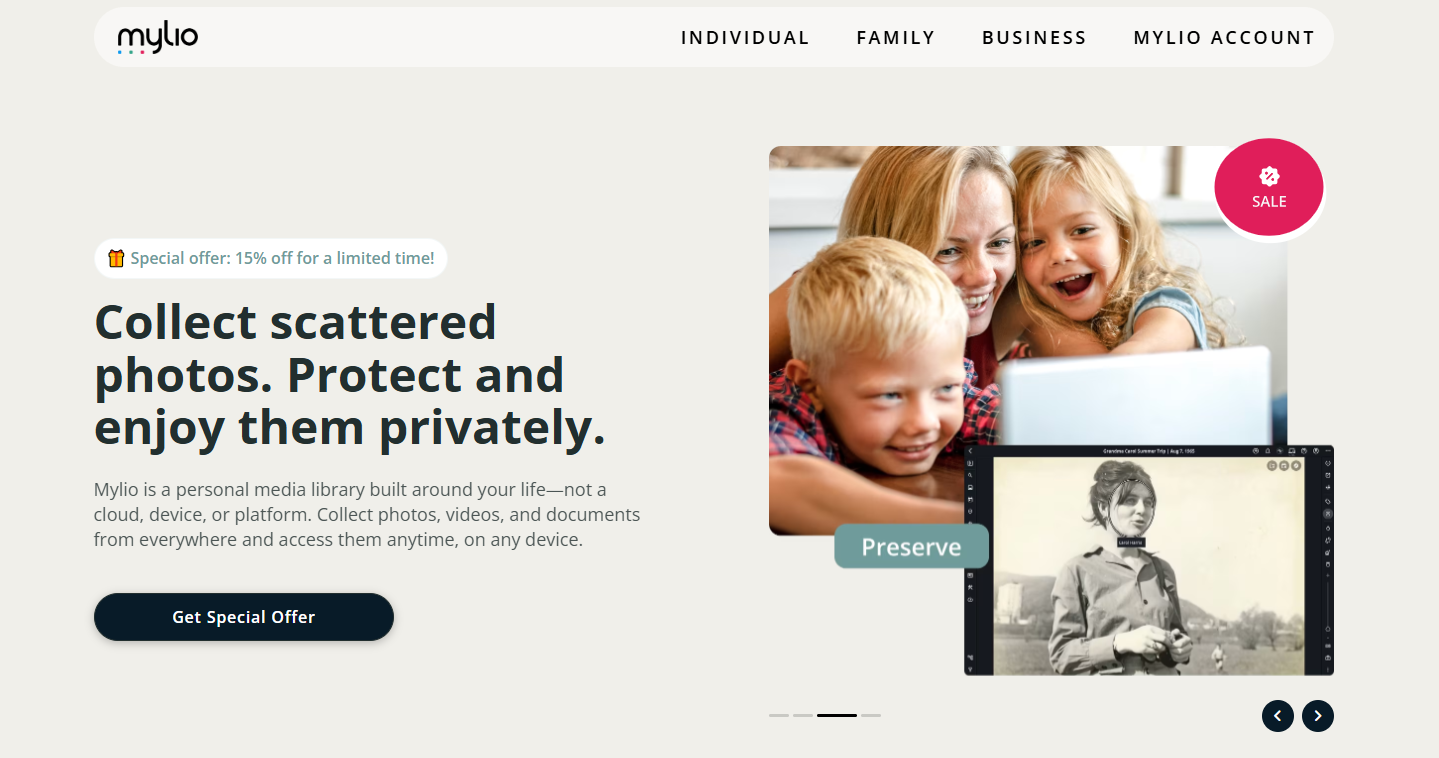
Mylio could be the solution you’ve been looking for.
It’s a photo organizer that keeps all your media synced, accessible, and private — across all your devices.
Let’s dive into this in-depth Mylio Review and see if it truly lives up to its promise.
Mylio Overview 💡
Mylio is an intelligent photo management and organization app designed for people who want full control over their digital memories.
It lets you collect, organize, and protect all your photos, videos, and documents in one place — even offline.

Unlike other photo storage tools that rely heavily on the cloud, Mylio keeps your files private by syncing them directly between your devices.

Whether you’re a photographer, traveler, or family photo hoarder, Mylio aims to simplify how you manage your digital life.
With features like automatic organization, AI tagging, face recognition, and RAW photo support, it’s a perfect mix of performance and privacy.
Key Features of Mylio ✨
1️⃣ Smart Photo Organization
Mylio automatically organizes your entire photo collection by date, folder, or device.
No more digging through random folders or renaming files manually.
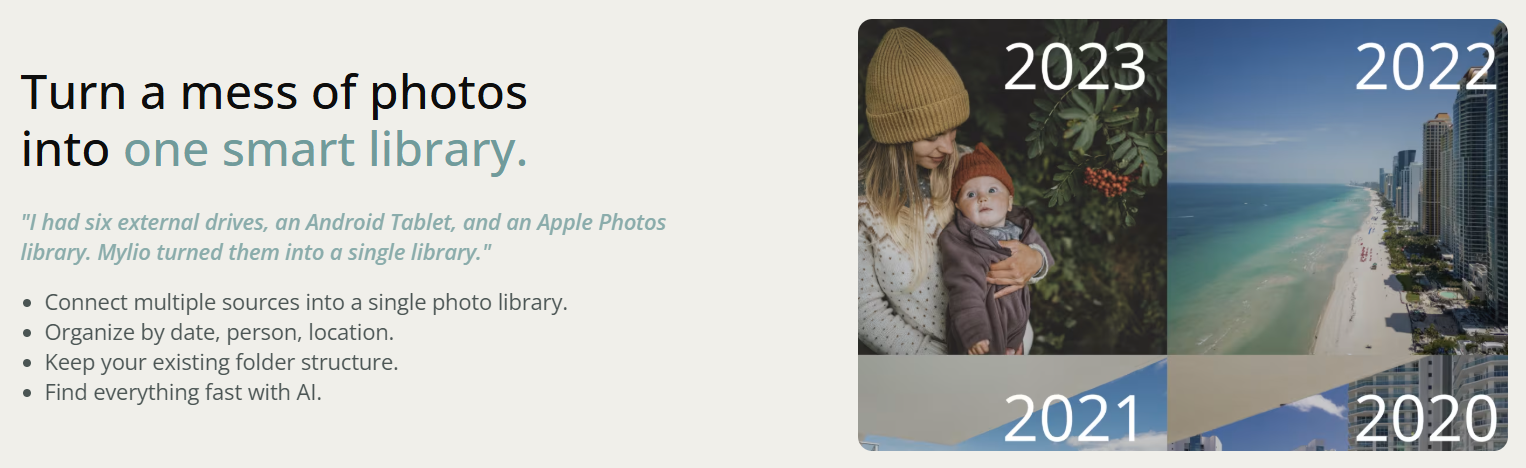
The app uses intelligent algorithms to arrange your images in a logical structure.
You can view your library by year, location, or custom albums — making it super easy to find any memory.
Benefit: Spend less time searching and more time reliving memories.
It’s ideal for anyone managing thousands of photos from multiple sources.
2️⃣ Sync Across All Device
One of Mylio’s standout features is device-to-device syncing.
You can connect your computer, phone, and tablet — all without needing a constant internet connection.
The sync happens through a secure peer-to-peer connection, meaning your photos stay private and are not uploaded to third-party servers.
Benefit: Enjoy offline access to all your photos and sync changes seamlessly across devices.
3️⃣ Offline Access & Backup
Unlike cloud-based tools, Mylio works perfectly offline.
You can browse, edit, and organize your media anywhere — no Wi-Fi required.

It also helps you back up your files safely across multiple devices, so if one device is lost, your photos remain safe on others.
Benefit: Stay in control of your data with complete privacy and local backups.
4️⃣ Face Recognition & AI Tagging
Mylio’s built-in AI can automatically recognize faces and tag people in your photos.
It also detects objects, locations, and even visual themes.
You can group photos by person, event, or keyword, saving hours of manual sorting.
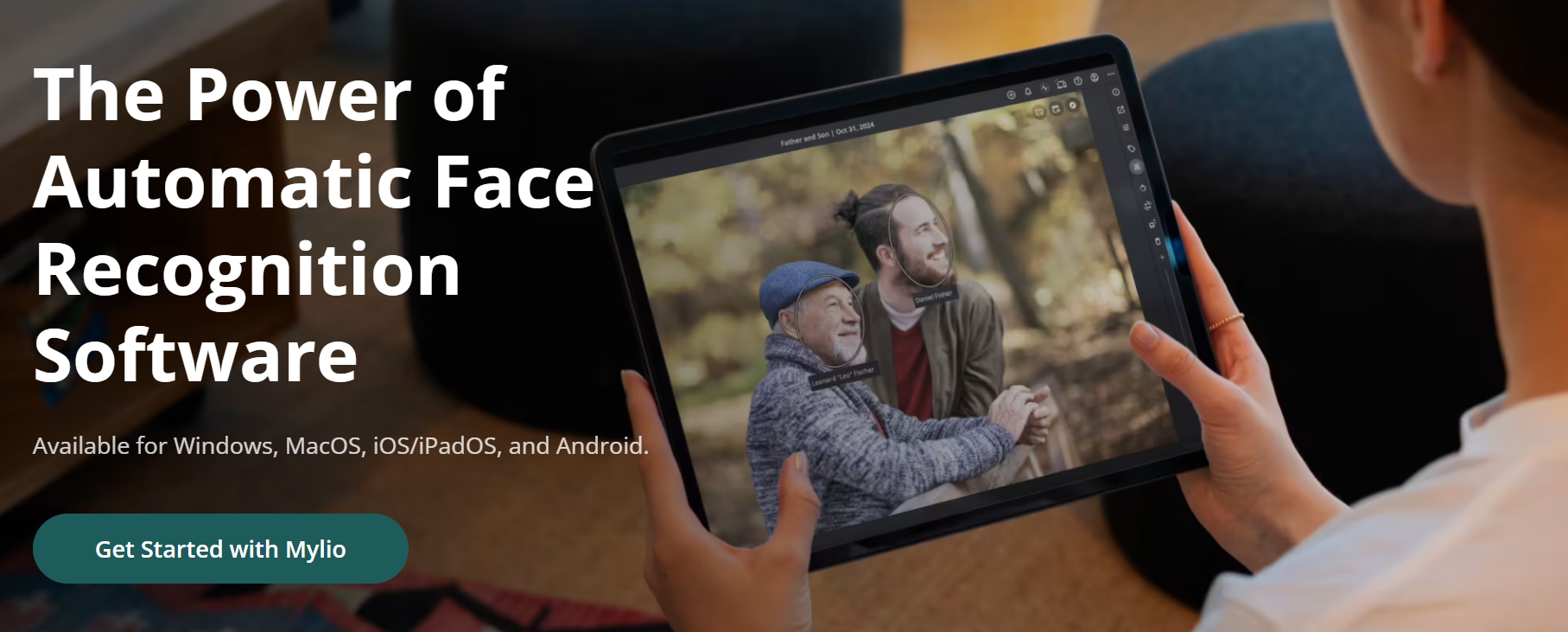
Benefit: Effortless organization powered by smart AI — perfect for busy users with large photo libraries.
5️⃣ Editing Tools
Mylio comes with built-in non-destructive photo editing tools.
You can adjust brightness, contrast, exposure, and color balance without losing the original image.
It also integrates with advanced editors like Adobe Lightroom for more professional workflows.
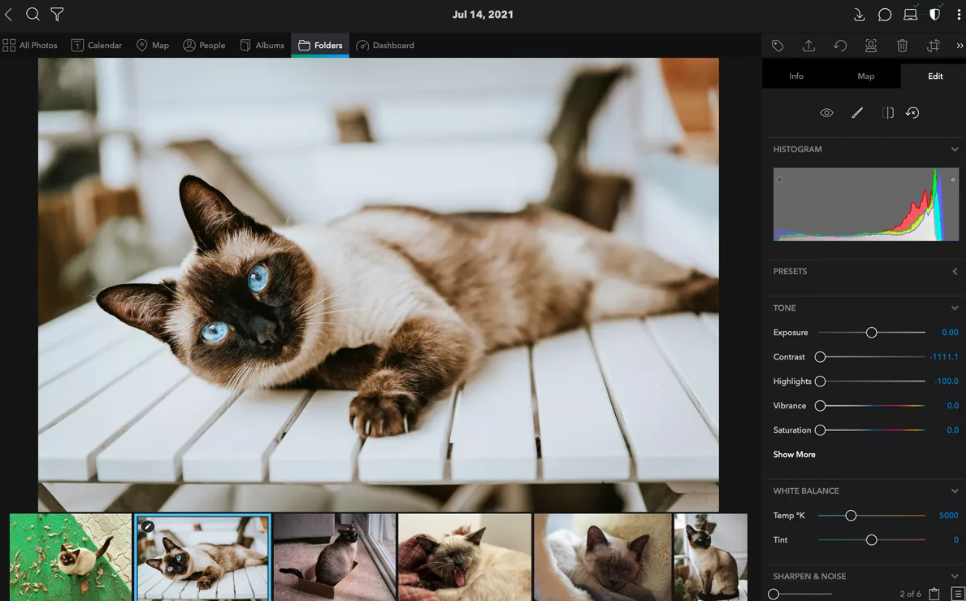
Benefit: Edit your photos on the go while keeping the original safe — no duplicates, no confusion.
6️⃣ Privacy & Security
Mylio is designed around privacy.
Your photos never leave your devices unless you choose to back them up on a cloud service.
Encryption and local syncing ensure your files are secure and accessible only to you.
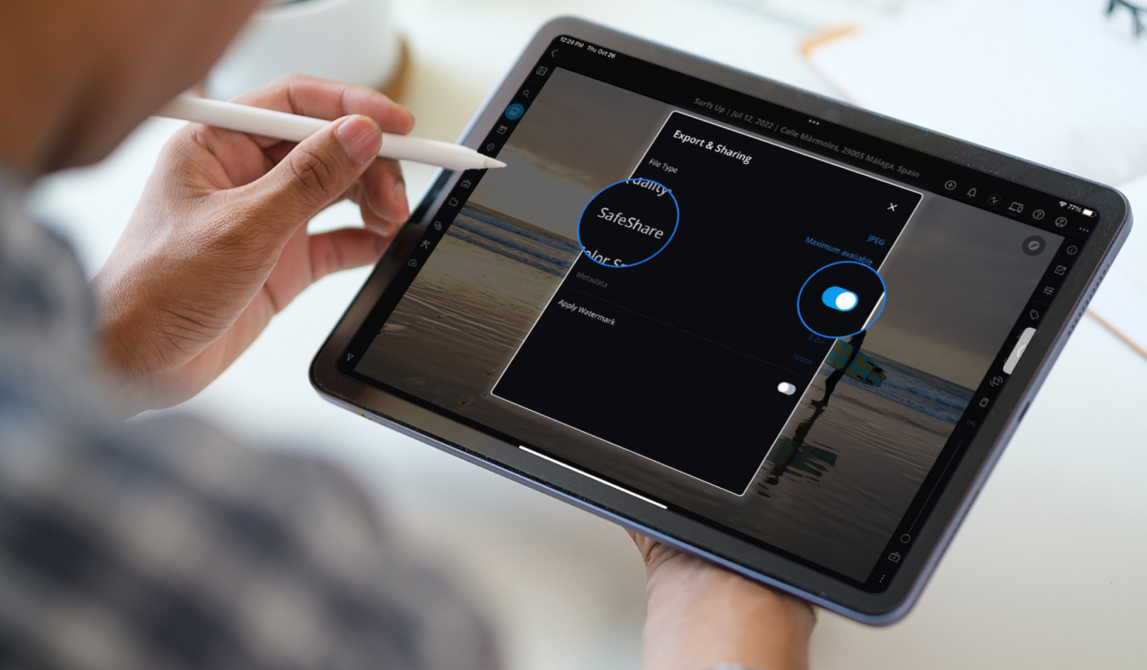
Benefit: No strangers, no surveillance — just your photos, your control.
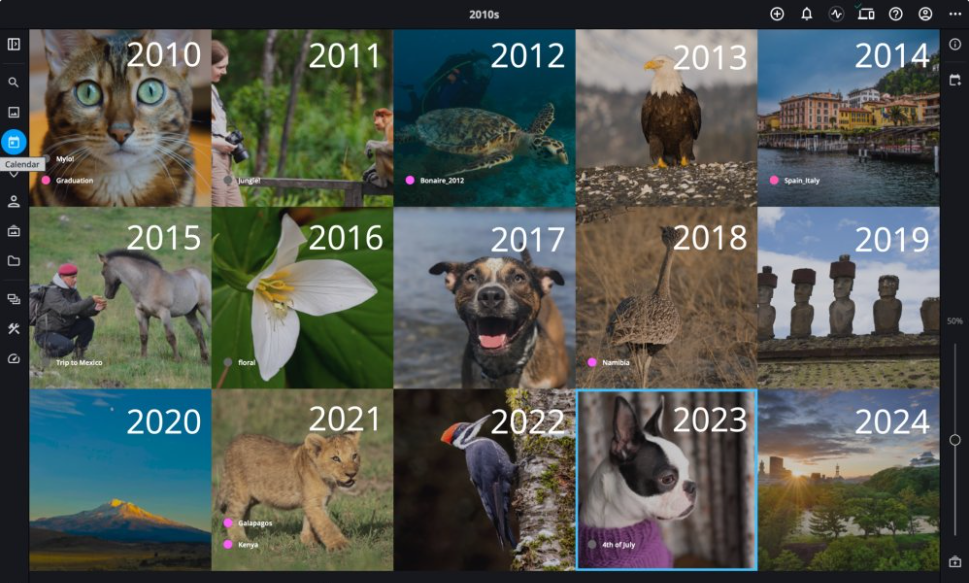
7️⃣ Calendar & Map View
Mylio automatically maps your photos based on location and date.
You can see where and when your memories were captured through interactive map and calendar views.
Benefit: Visually explore your life story — a great feature for travelers and family storytellers.
8️⃣ RAW & Video Support
Mylio supports RAW image files, making it a favorite among professional photographers.
It also manages videos and documents, turning it into a true all-in-one media hub.
Benefit: Manage every type of visual content in one place — no more scattered storage.
9️⃣ Cloud Flexibility
While Mylio primarily works offline, you can optionally connect it to cloud services like Google Drive, OneDrive, or Dropbox.

This flexibility allows you to maintain backups in the cloud while keeping local control.
Benefit: Get the best of both worlds — privacy plus convenience.
How to Get Started with Mylio 📝
Step 1: Visit official website – mylio.com
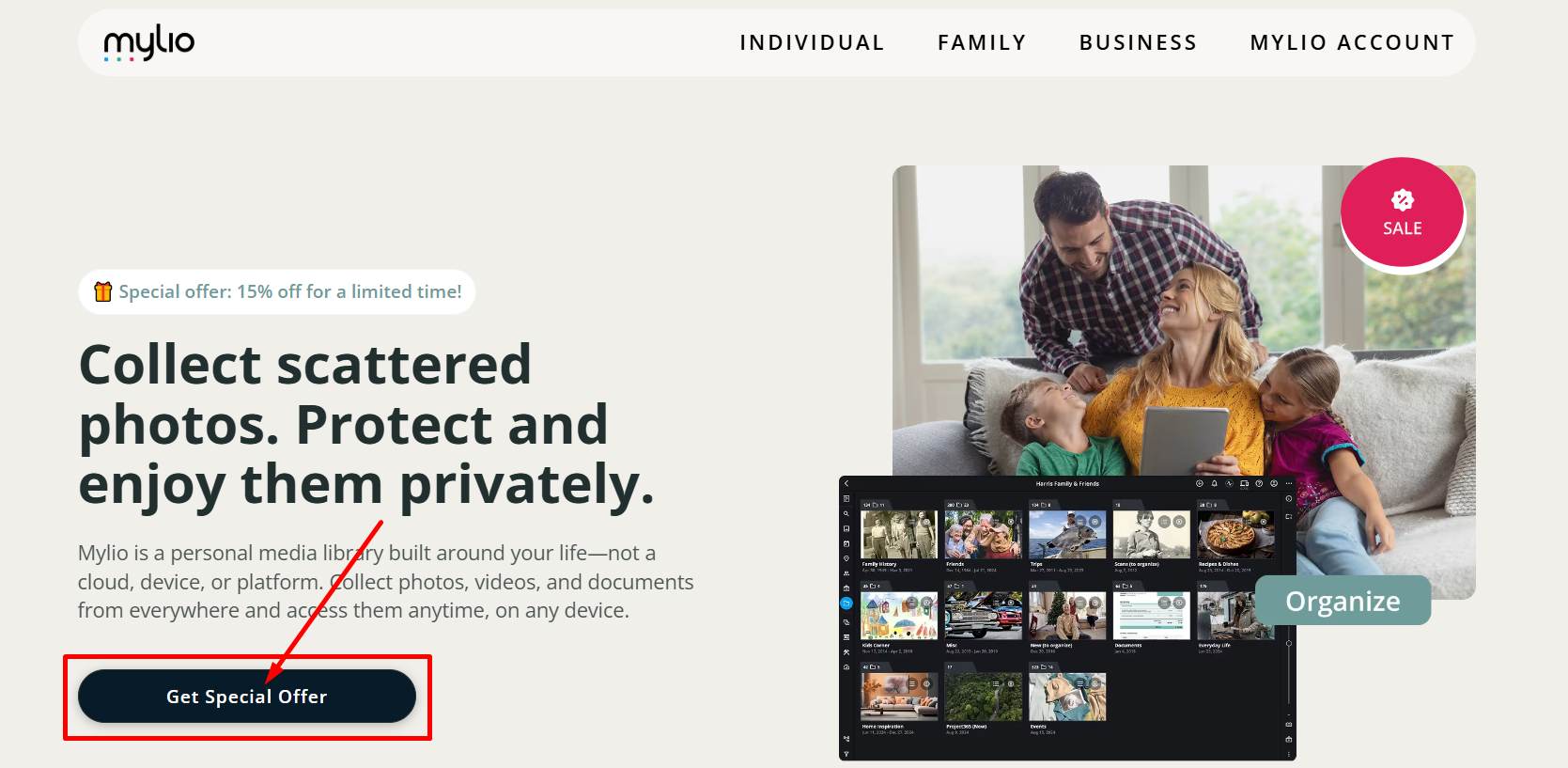
Step 2: Click on “Get Special Offer” and you will be redirected to pricing plans.
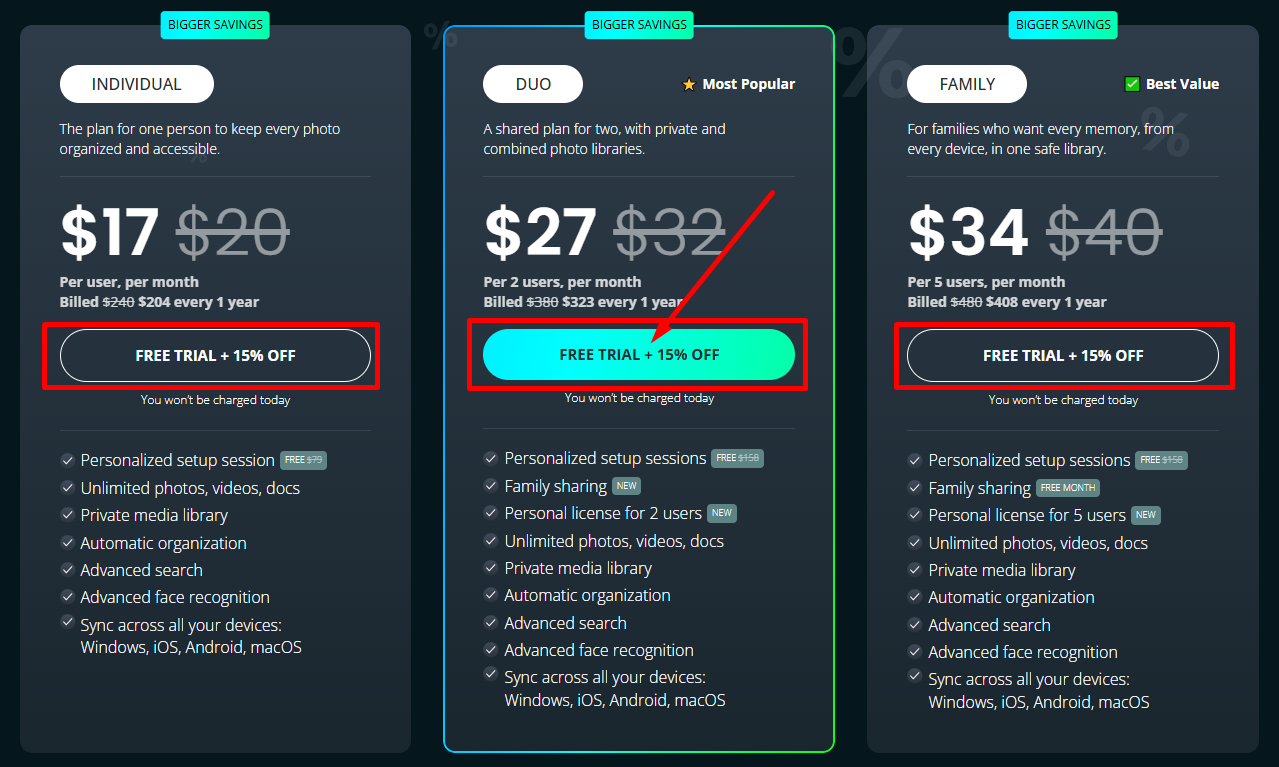
Step 3: Choose your pricing plan and click on “Free Trial + 15% Off”.
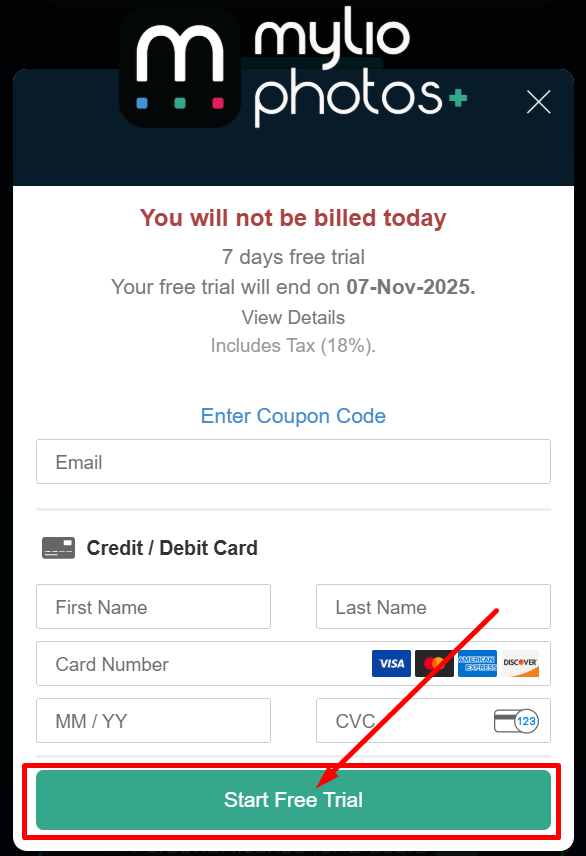
Step 4: Create your account by entering your email and filling credit information and then click on “Start Free Trial”.
Step 5: Sync your other devices and start exploring your newly organized library.
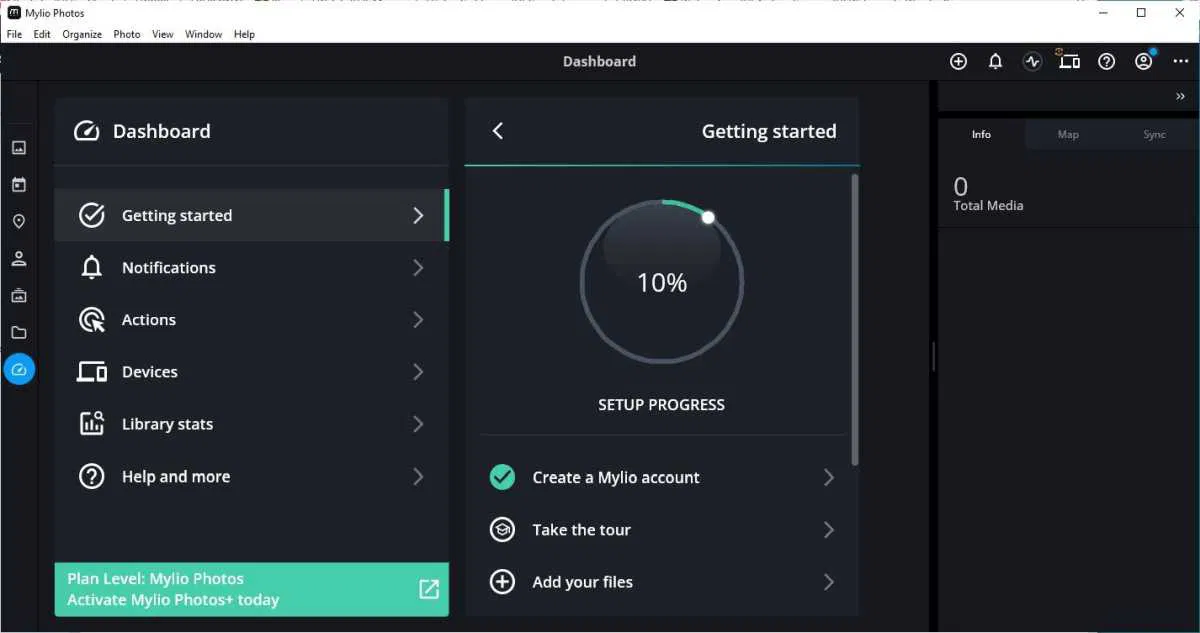
That’s it! You now have a smart, private photo organizer ready to use.
Mylio Pricing Plans 💰
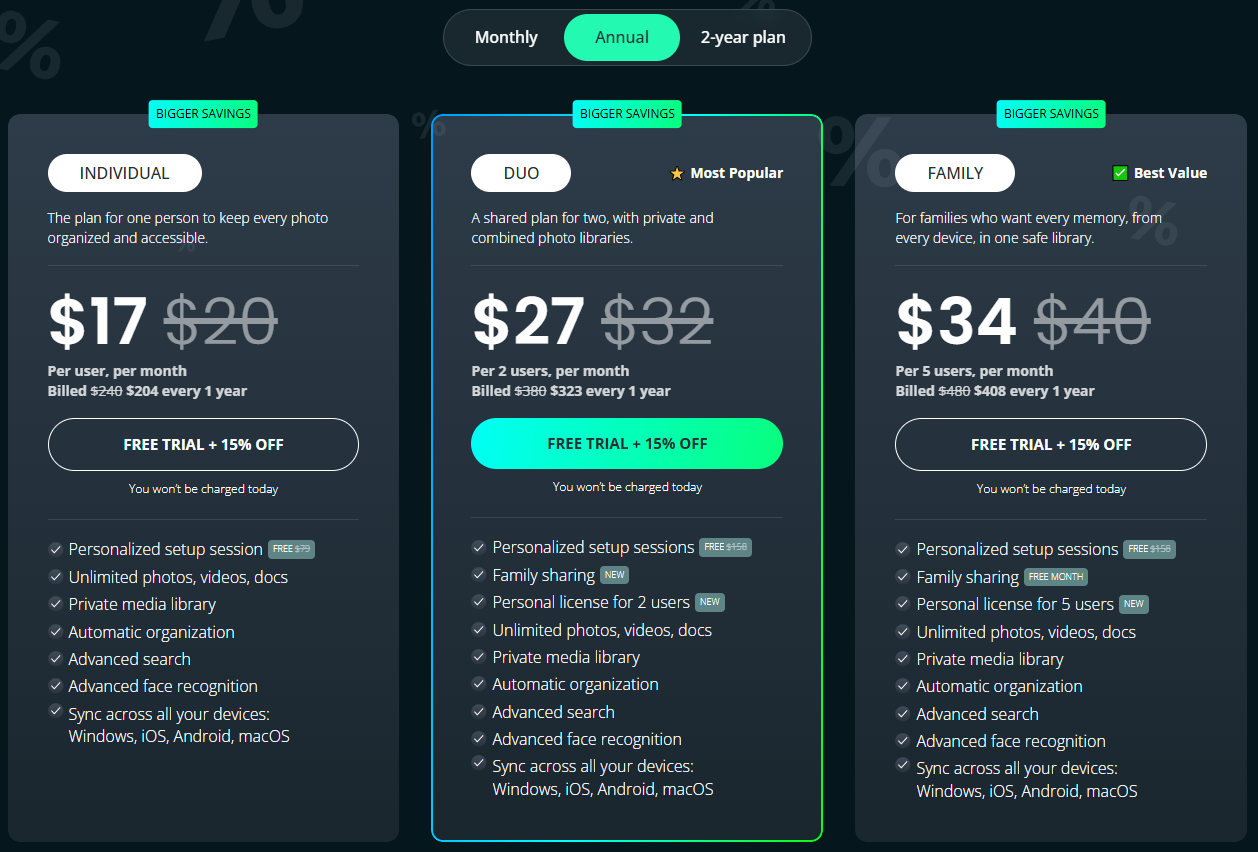
Mylio offers a simple and transparent pricing structure suitable for both casual users and professionals.
Individual Plan 💼
Perfect for solo users who want to keep every photo, video, and document organized securely across all devices.
Comes with automatic organization, AI face recognition, and a 15% discount with free onboarding.
Duo Plan 👥
Best for couples or two users who want private and shared photo libraries.
Enjoy unlimited storage, advanced search, and personalized setup sessions with 15% savings.
Family Plan 👨👩👧👦
Ideal for families who want all their memories in one private, synced library.
Supports up to 5 users with unlimited storage, advanced AI tools, and free setup sessions — the best value overall.
Mylio Pros & Cons ✅❌
| Pros ✅ | Cons ❌ |
|---|---|
| Privacy-focused. Your photos stay on your devices. | Setup can feel tricky for beginners. |
| Works offline. No internet needed to manage photos. | Free plan has limited storage. |
| Syncs across all devices automatically. | Large libraries may sync slowly. |
| AI tags faces, places, and objects fast. | Editing tools are basic. |
| Handles RAW, JPEG, and videos easily. | Manual setup needed for external drives. |
| Smart map and calendar view for memories. | |
| Backs up photos across devices safely. | |
| Custom folders and tags for easy sorting. | |
| Works on Windows, macOS, Android, and iOS. |
Mylio vs Google Photos ⚡
Mylio gives you full privacy, offline access, and device-based syncing.
It’s designed for users who want total control over their files.
Google Photos, on the other hand, focuses on cloud convenience — automatically storing and managing your photos online.
If you prefer privacy and local storage, Mylio wins. If you want auto-backup and cloud sharing, Google Photos may be easier.
Mylio vs Apple Photos 🍎
Apple Photos integrates perfectly into the Apple ecosystem but lacks cross-platform flexibility.
Mylio works across Windows, Android, macOS, and iOS — giving you the same experience everywhere.
It’s a better choice for users who own multiple types of devices or need larger storage control.
Who Should Use Mylio? 🔁
- Photographers: Manage RAW files and keep your shoots organized offline.
- Families: Collect and preserve family memories across devices safely.
- Travelers: Sync photos from multiple cameras and view them by map.
- Businesses: Securely manage marketing visuals and team photos.
- Students: Organize study materials, scanned notes, and documents easily.
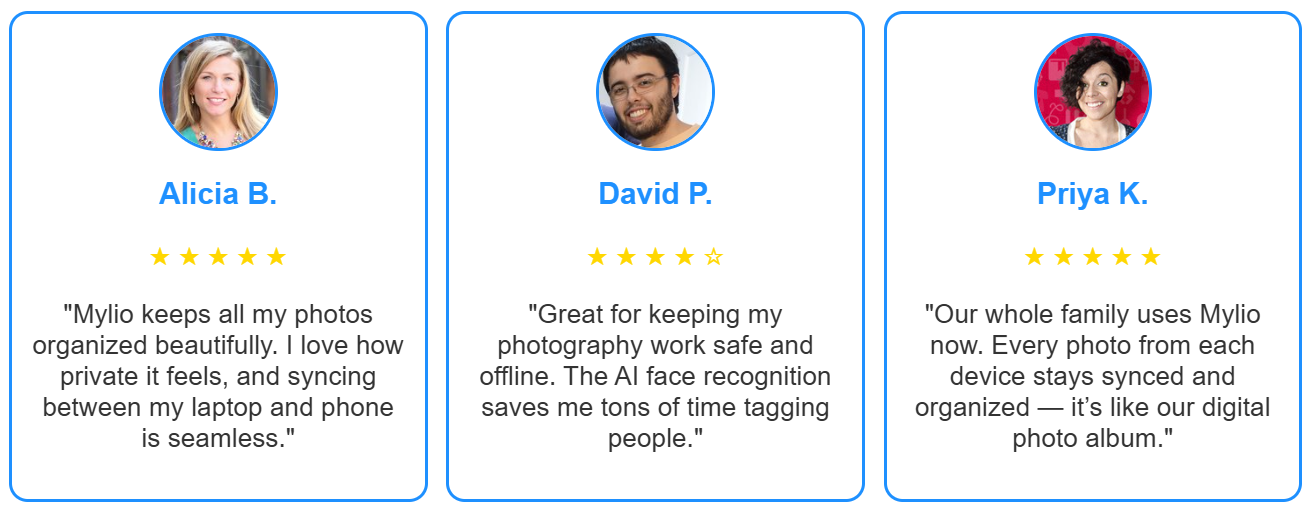
What Customers Are Saying About Mylio 🤝
Is Mylio Worth It? 🔍
Yes — Mylio is worth it if you value privacy, local control, and smart organization.
It’s more than just a photo organizer; it’s a complete ecosystem for managing your visual memories.
With its offline mode, AI-powered tools, and cross-device syncing, Mylio stands out from typical cloud-based photo apps.

If you want to keep your photos secure, organized, and easily accessible without relying on the cloud, Mylio is an excellent choice.
Final Verdict:
Mylio offers a near-perfect balance between flexibility and privacy.
Whether you’re managing personal photos, professional shoots, or family archives, it ensures your memories stay organized and safe wherever you go.
Rating: ⭐ 4.7/5 — Ideal for users who prioritize control, security, and organization in their photo management journey.
FAQs❓
Mylio offers a free plan with limited features — perfect for beginners managing up to 5,000 photos.
No, Mylio can work entirely offline. You can browse, edit, and organize your photos without Wi-Fi.
Yes. Mylio prioritizes privacy and uses local device-to-device syncing, meaning your photos are not stored on third-party servers.
Absolutely. Mylio supports RAW images, videos, and even documents, making it ideal for photographers and professionals who manage multiple media types.
Unlike cloud-only tools, Mylio offers offline access, cross-platform syncing, and full data privacy.
