
Foxit Review 2026: Is It Best PDF Editor Software?
Looking for a smarter way to handle PDFs? 🗐
Managing PDFs whether editing, signing, or sharing can often be time-consuming and frustrating. 😃
Foxit offers a complete PDF solution designed to simplify your workflow and boost productivity.


🔥 May Get Up to 40% Off Foxit PDF Editor!
Streamline your document workflow with Foxit PDF Editor. You may Enjoy professional PDF editing, AI-powered tools, and seamless collaboration all at up to 40% off. Grab your deal before it’s gone!
From AI-powered tools to eSign capabilities, it provides everything professionals, teams, and businesses need.
Seamless integrations with popular platforms make collaborating and sharing documents easier than ever.

In this Foxit Review, we’ll explore its features, performance, security, and pricing to help you decide if it’s the right PDF solution for you.
Whether you’re a freelancer, professional, or running a business, this guide will help you see why Foxit is trusted by millions for faster, smarter, and more productive document workflows.
🔥 Download Foxit PDF Reader for Free Now! 🚀
Make managing your PDFs effortless with Foxit PDF Reader. Access professional reading tools, AI assistance, and collaboration features all completely free. Grab your free copy now!
Meet Foxit: All-in-One PDF Platform 😃
Foxit is more than just a PDF editor. It’s a complete platform designed to handle every aspect of your digital documents efficiently.
Whether you need to create, edit, annotate, or sign PDFs, Foxit provides the tools to do it all in one place.
AI-powered features make working with documents smarter. From intelligent content suggestions to automated form recognition, Foxit’s AI tools save time and reduce manual effort.
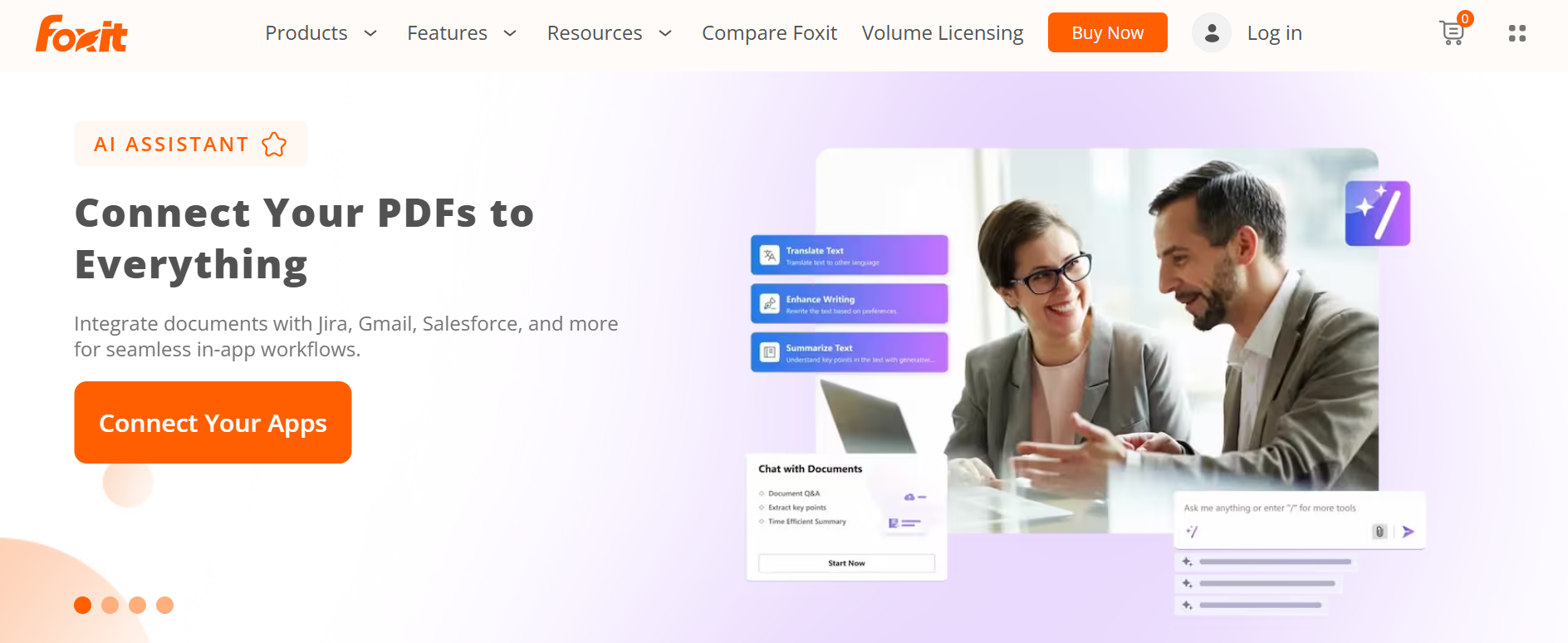
Collaboration has never been easier. Real-time commenting, cloud support, and seamless integrations with Microsoft, Google Workspace, Salesforce, and over 40 other platforms ensure smooth teamwork.
Security is at the core. Foxit adheres to industry standards like GDPR, PCI, HIPAA, and SOC, giving you peace of mind when handling sensitive information.

Flexibility for every user. Whether you’re a freelancer, professional, or part of an enterprise team, Foxit offers plans and features tailored to your workflow.
In short, Foxit is designed to make PDF management faster, smarter, and more efficient. It combines speed, usability, and robust features to meet the needs of modern document workflows.
#7 Key Features of Foxit 🔥
1. PDF Creation & Editing
Foxit allows you to create, edit, and convert PDFs effortlessly. You can add text, images, links, and annotations while maintaining full control over formatting.

Batch editing and customization make it especially convenient for professionals handling multiple documents at once.
2. eSign & Digital Signatures
Foxit’s eSign tools let you sign documents electronically with legally binding signatures. You can automate workflows, track signatures in real-time, and streamline approval processes.

This feature is ideal for freelancers, businesses, and large teams needing secure, efficient signing solutions.
3. AI-Powered Tools
Foxit incorporates AI to make document handling smarter. From automated form recognition to intelligent content suggestions, these tools save time and reduce errors.

They help professionals work faster and focus on higher-value tasks rather than repetitive document work.
4. Seamless Integrations
Foxit integrates with popular platforms like Microsoft Office, Google Workspace, Salesforce, and over 40 other business apps.
This connectivity enables smooth sharing and collaboration without switching between tools. Teams can streamline workflows and eliminate manual file transfers, improving overall productivity.
5. OCR (Optical Character Recognition)
With OCR, scanned documents become editable and searchable PDFs. Foxit supports multiple languages, making it ideal for global use.

Digitizing paper records is fast and accurate, turning previously static documents into dynamic, usable files.
6. Advanced Collaboration
Foxit makes teamwork easier with real-time commenting, annotation, and cloud-based sharing. Multiple users can work on the same document simultaneously, reducing delays and miscommunication.
This improves collaboration and speeds up project timelines.
7. Enterprise-Grade Security
Foxit prioritizes data security with compliance to standards like GDPR, PCI, HIPAA, and SOC. Features like encryption, access control, and secure workflows protect sensitive information.

Businesses and professionals can confidently manage their documents without worrying about breaches or unauthorized access.,
Foxit Pricing Plans 💲
1. Foxit PDF Editor Pricing – $129.99/year
Foxit PDF Editor is the core tool for creating, editing, converting, and securing PDF documents. It includes AI assistance, cloud storage, and all essential editing features.

2. Foxit AI Assistant Pricing – $49.99/year
Foxit’s AI Assistant is available as an add-on across all Foxit products and dramatically simplifies document tasks with automated summaries, translations, rewriting, and data extraction.

3. Foxit eSign Pricing – $120/year
Foxit eSign is a full-featured electronic signature solution with tools for workflows, templates, compliance, and enterprise-grade automation.

How to Buy Foxit PDF Editor? (Step-by-Step)
Getting the Foxit PDF Editor is simple:
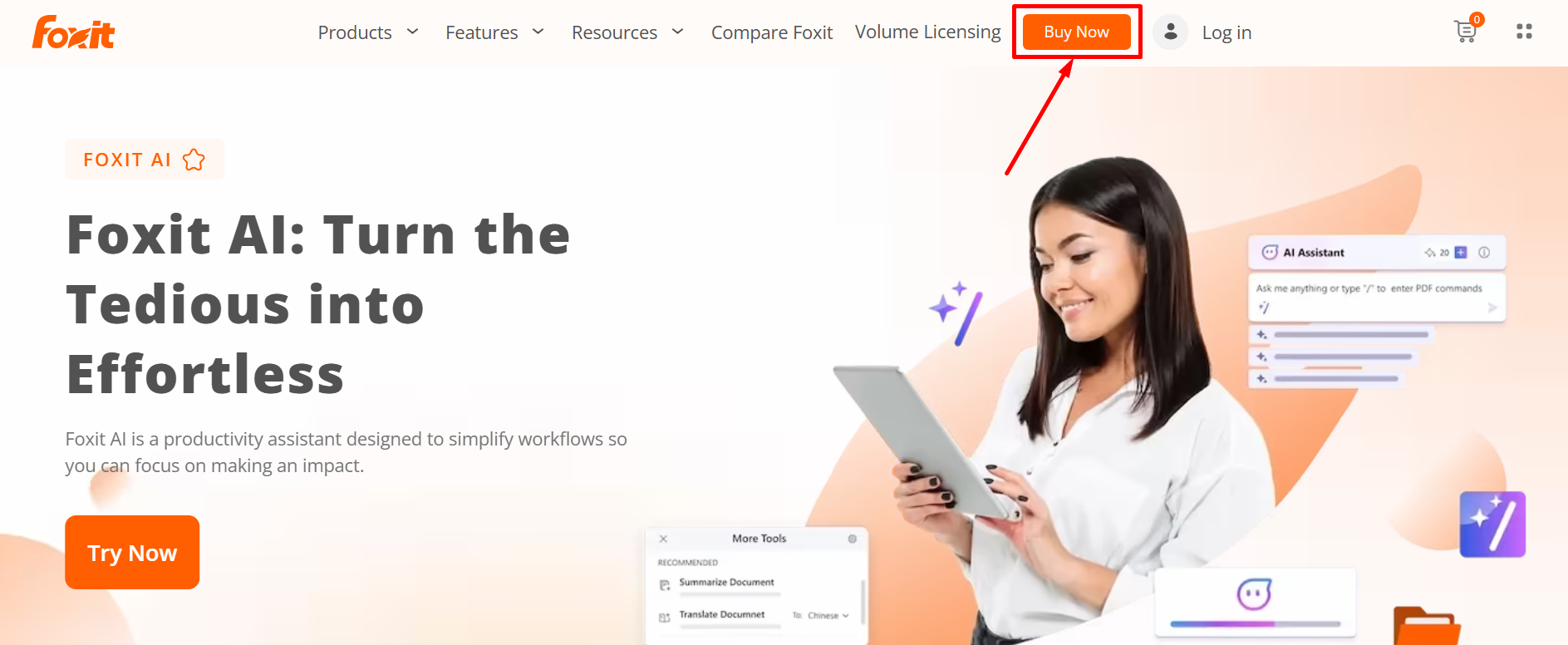
Step 1: Visit the official Foxit website (Foxit.com) and click on “Buy Now”.
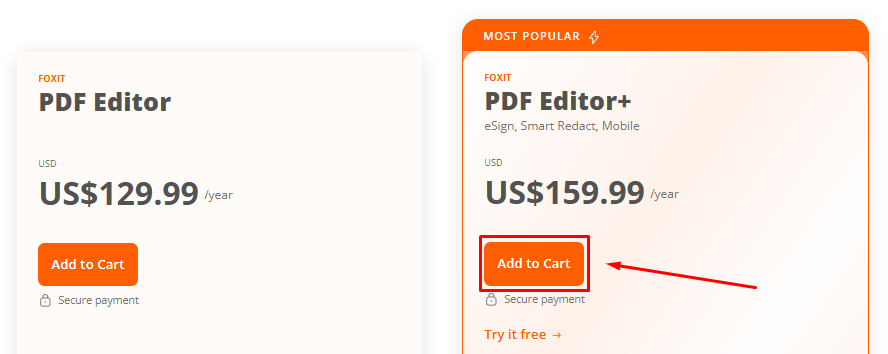
Step 2: Choose the product that suits your needs — PDF Editor, Editor+, or the AI Assistant bundle.
Step 3: Review your order details and click on “Continue to Billing“

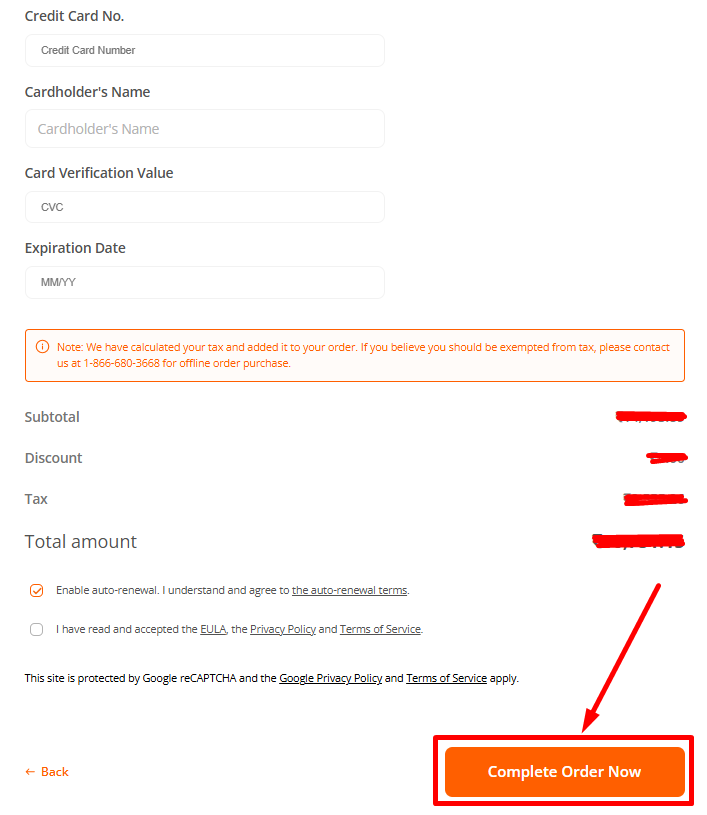
Step 4: Fill out your billing details and continue to payment.

Step 5: Complete your purchase and start editing PDFs instantly.
No hidden fees. No long-term contracts. Just powerful tools for less!
Why Choose Foxit? 🤩
- Fast and Lightweight: Foxit handles large and complex PDFs quickly without slowing down your computer. It ensures smooth performance even when working on multiple documents simultaneously.
- Flexible for All Users: Whether you’re a freelancer, part of a small team, or managing enterprise workflows, Foxit adapts to your needs. Its scalable solutions grow with your organization.
- Secure and Trustworthy: Foxit complies with global standards like GDPR, HIPAA, and PCI, keeping sensitive documents safe. You can confidently manage confidential information without worrying about breaches.

- Boosts Productivity: The intuitive interface and streamlined workflows help you complete tasks faster. It reduces manual effort, allowing you to focus on higher-value work.
- Seamless Collaboration: Real-time document sharing and cloud support make team collaboration simple. Multiple users can comment and review simultaneously, avoiding delays and miscommunication.

- Integrates With Everyday Tools: Foxit works smoothly with Microsoft Office, Google Workspace, Salesforce, and over 40 other platforms. This eliminates switching between apps and speeds up your workflow.
- Reliable Support and Updates: Foxit provides regular updates and dedicated support to ensure consistent performance. You get access to the latest features and quick assistance when needed.
Pros & Cons of Foxit 💡
| Pros | Cons |
|---|---|
| Powerful PDF editing and conversion tools | Free version is limited — full features require subscription |
| Integrated eSign and document signing workflows | Annual cost adds up for multiple licenses or heavy use |
| AI Assistant for summaries, translation, and automation | AI‑powered features may require additional credits or upgrades |
| Cross‑platform support (Windows, macOS, mobile, web) | |
| Good for individuals, freelancers, small businesses, and enterprises | |
| Affordable compared to some heavy-duty PDF suites | |
| Flexible plans — choose what you need (PDF, eSign, AI or full suite) |
Who Should Use Foxit? 🚀
Foxit offers versatile PDF solutions suitable for a wide range of users, from individuals to large organizations.
- Students: Foxit is perfect for students who need to create, edit, and annotate PDFs for assignments, research papers, or collaborative projects. Its AI assistant can help summarize long documents quickly.

- Professionals: Business professionals benefit from Foxit’s robust editing, eSigning, and document management tools, streamlining workflows and ensuring secure, professional document handling.
- Small Businesses: Small businesses can leverage Foxit eSign and cloud features to handle contracts, agreements, and internal documentation efficiently without investing in bulky software.

- Enterprises: Large organizations will appreciate Foxit’s advanced features like bulk eSign, AI automation, role management, and integration with popular platforms, ensuring productivity and compliance across teams.
Foxit adapts to different needs, making it a reliable PDF and eSign solution for almost anyone who works with digital documents.
Foxit vs Adobe Acrobat vs SmallPDF 💥
| Feature | Foxit | Adobe Acrobat | SmallPDF |
|---|---|---|---|
| PDF Creation & Editing | Full editing, batch processing, text/image annotation | Comprehensive editing and conversion tools | Basic editing, simple conversions online |
| eSign & Digital Signatures | Integrated eSign with workflow automation | Adobe Sign integration, advanced compliance | Limited eSign capabilities (Pro version) |
| AI-Powered Tools | Document analysis, summarization, smart suggestions | Limited AI features; mostly manual editing | No AI-powered tools |
| OCR (Scanned Document Conversion) | Supports multi-language OCR for scanned PDFs | Advanced OCR with accurate text recognition | Basic OCR in Pro version |
| Collaboration & Sharing | Real-time commenting, cloud sharing, team workflows | Comprehensive collaboration with cloud integration | Cloud sharing and commenting; limited team features |
| Integrations | Connects with 40+ apps including MS, Google, Salesforce | Integrates with MS Office, cloud storage, enterprise apps | Limited integrations; mostly cloud storage |
| Platform Support | Windows, macOS, mobile apps, web version | Windows, macOS, mobile, web, enterprise servers | Web-based, limited mobile app support |
| Pricing & Flexibility | Affordable plans, flexible options for PDF, eSign, AI | Higher subscription cost for full features | Low-cost Pro plan; free version has limited functionality |
Customer Reviews & Testimonials 🙋🏻♂️

Marie
⭐⭐⭐⭐⭐
Foxit makes editing PDFs fast and simple. The interface is intuitive and I can handle multiple documents without any lag.

Andrew Short
⭐⭐⭐⭐⭐
I love the eSign feature. It saves me hours each week and keeps all my documents legally compliant without extra hassle.

Daisy M.
⭐⭐⭐⭐
The AI tools in Foxit are a game-changer. It automatically analyzes documents and helps me save time on repetitive tasks.
Conclusion 😊
Foxit is a powerful PDF platform that combines speed, flexibility, and advanced tools in one package. Whether you’re an individual, freelancer, or enterprise, it adapts to your workflow seamlessly.
Its AI-powered features and integrated eSign make document handling smarter and faster. Users can save time on repetitive tasks and collaborate efficiently across teams.
Security and compliance are strong points of Foxit. With support for global standards like GDPR, HIPAA, and PCI, sensitive documents remain protected at all times.
Foxit’s affordability and flexible plans make it accessible to different users without compromising on performance. You can choose what you need, from basic PDF editing to full AI-enhanced suites.
Overall, Foxit is a reliable, feature-rich solution for anyone looking to streamline PDF management. Its combination of speed, intelligence, and collaboration tools makes it a standout choice in the market.
Quick links:
- PandaDoc Review: Is It Best Document Automation Tool?
- SmallPDF Review: Is eSign Tool Safe & Trustworthy?
FAQs 📢
Foxit offers a free version with basic PDF viewing and editing features. Advanced tools and AI capabilities require a paid subscription.
Yes, Foxit has apps for both iOS and Android, allowing you to edit, annotate, and sign PDFs on the go.
Foxit integrates with Google Drive, Dropbox, OneDrive, and other popular cloud platforms for seamless file access and sharing.
Yes, Foxit allows conversion of PDFs to Word, Excel, PowerPoint, and image formats, making file sharing and editing easier.
Yes, teams can collaborate in real-time with shared comments, annotations, and document workflow tools in Foxit.
