
Foxit Pricing Plans 2026: Which Subscription Is Best?
Managing documents efficiently is essential today but which tools give you the best value? 😊
If you’re exploring Foxit Pricing Plans, you’re likely comparing PDF editors, eSign solutions, and AI-powered features to find the right fit for your workflow. 😍


🔥 Foxit PDF Editor: Get Upto 40% OFF!
Simplify your document management with Foxit PDF Editor. You may get professional editing, AI assistance, and collaboration tools with up to 40% off. Don’t miss out grab your deal today!
Foxit has become a popular alternative to heavier, more expensive PDF tools by offering lightweight performance, powerful editing capabilities, secure eSign workflows, and advanced AI features for both individuals and businesses.
In this review of Foxit Pricing Plans, we break down the cost of each subscription, what features you get, and who each plan is best suited for.
Whether you’re a freelancer handling documents daily, a small business streamlining signatures, or a large enterprise needing scalable document automation Foxit delivers flexible options designed to fit every level of need.
Let’s dive into the full breakdown so you can choose the plan that gives you the best value for your work.
🔥 Get Foxit PDF Reader for Free! 🚀
Simplify your document management with Foxit PDF Reader. Enjoy professional reading, AI assistance, and collaboration tools absolutely free. Don’t miss out—claim your free copy today!
What is Foxit? What Tools It Offers? 😍
Foxit is a powerful PDF and eSignature software platform designed to help individuals, professionals, and businesses work smarter with digital documents.
It provides tools for creating, editing, converting, organizing, and securing PDF files—along with built-in AI features that make document tasks even faster.

Foxit is known as a lightweight and affordable alternative to Adobe Acrobat, making it popular among students, freelancers, office teams, and enterprises.
With solutions like Foxit PDF Editor, Foxit PDF Editor+, Foxit eSign, and Foxit AI Assistant, users can handle everything from simple PDF edits to advanced automation and secure digital signatures.
Whether you want to edit a file, scan documents into searchable PDFs, collect legally binding signatures, or manage templates for your business Foxit offers an all-in-one ecosystem designed to be fast, secure, and easy to use.
Foxit Pricing Plans: Full Breakdown 💰
1. Foxit PDF Editor Pricing
Foxit PDF Editor is the core tool for creating, editing, converting, and securing PDF documents. It includes AI assistance, cloud storage, and all essential editing features.

Foxit PDF Editor (US$129.99/year):
Foxit PDF Editor offers powerful PDF editing tools, conversions, OCR, form creation, and secure document management all supported across Windows, macOS, and the web. It also includes 20GB cloud storage and 20 free monthly AI credits for smarter, faster document work.
Foxit PDF Editor+ (US$159.99/year)
Foxit PDF Editor+ adds advanced features like eSign with 150 envelopes/year, AI Smart Redact, mobile editing, and 150GB storage making it ideal for professionals managing sensitive documents or frequent signature workflows.
2. Foxit AI Assistant Pricing – $49.99/year
Foxit’s AI Assistant is available as an add-on across all Foxit products and dramatically simplifies document tasks with automated summaries, translations, rewriting, and data extraction.

3. Foxit eSign Pricing
Foxit eSign is a full-featured electronic signature solution with tools for workflows, templates, compliance, and enterprise-grade automation.

Foxit eSign Essentials (US$120/year)
Foxit eSign Essentials is designed for individuals who need simple, secure, and legally binding digital signatures. It includes 250 envelopes/year, 10 reusable templates, document tracking, audit trails, and mobile signing—making everyday signing quick and reliable.
Foxit eSign Business (US$300/year, min 5 licenses)
Foxit eSign Business is built for teams and enterprises that need unlimited envelopes, unlimited templates, custom branding, advanced authentication, API access, bulk sending, and full workflow control. It’s ideal for businesses managing large-scale, professional eSignature operations.
Foxit PDF Editor Features 📄
Foxit PDF Editor comes packed with powerful tools that help you create, edit, convert, and manage documents with ease.

1. Advanced PDF Editing
Edit text, images, and entire paragraphs directly inside your PDF. Foxit maintains formatting and layout so your document always looks clean and professional.

2. PDF Creation & Conversion
Create PDFs from any file and convert them into Word, Excel, PowerPoint, or image formats. This makes it easy to reuse content or share documents across different platforms.
3. Page Organization Tools

Merge, split, reorder, rotate, or delete pages effortlessly. These tools help you clean up documents or prepare them for printing and collaboration.
4. OCR (Optical Character Recognition)
Turn scanned papers or images into searchable and editable PDFs. Perfect for digitizing old documents, receipts, or forms.
5. Form Creation & Filling

Create interactive forms, fill them out digitally, and send them to others. The editor supports everything from simple text fields to advanced form options.
How to Buy Foxit PDF Editor? (Step-by-Step) 📑
Getting the Foxit PDF Editor is simple:
Step 1: Visit the official Foxit website (Foxit.com).
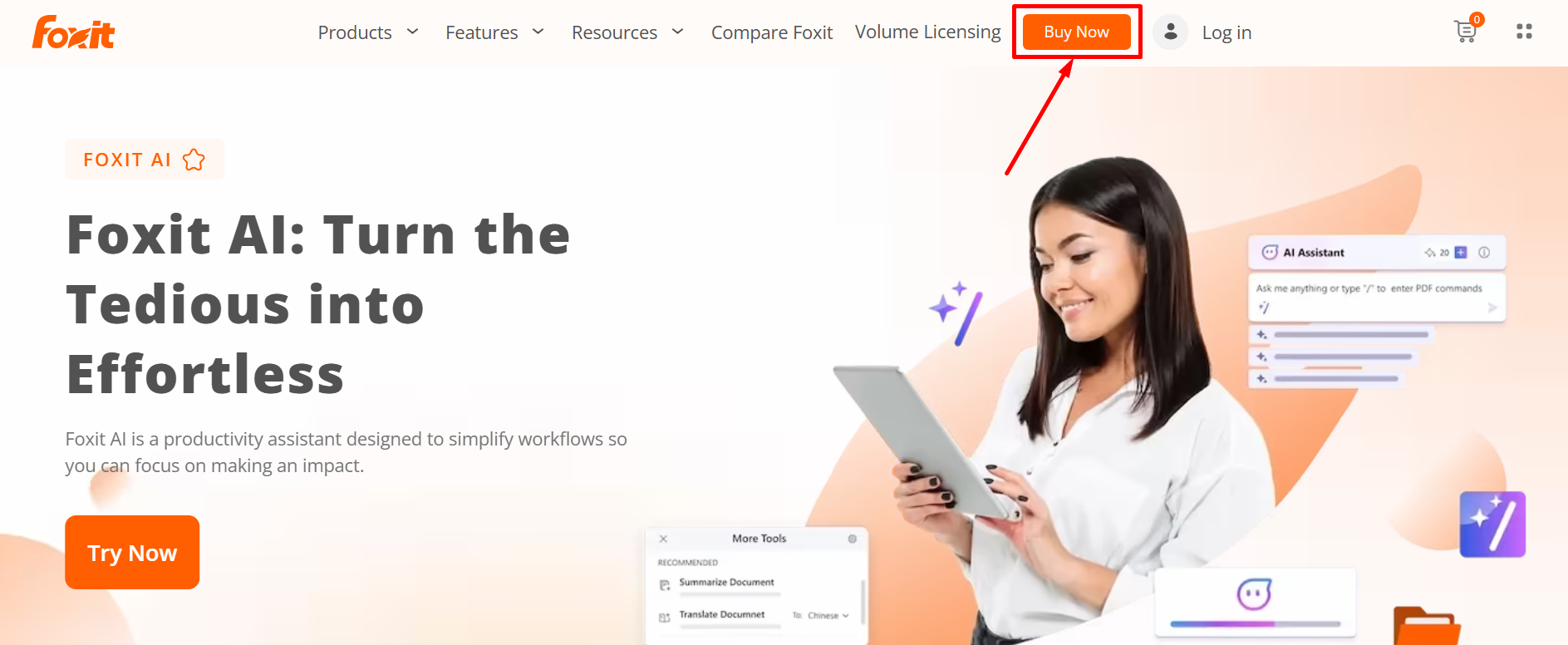
Step 2: Choose the product that suits your needs — PDF Editor, Editor+, or the AI Assistant bundle.
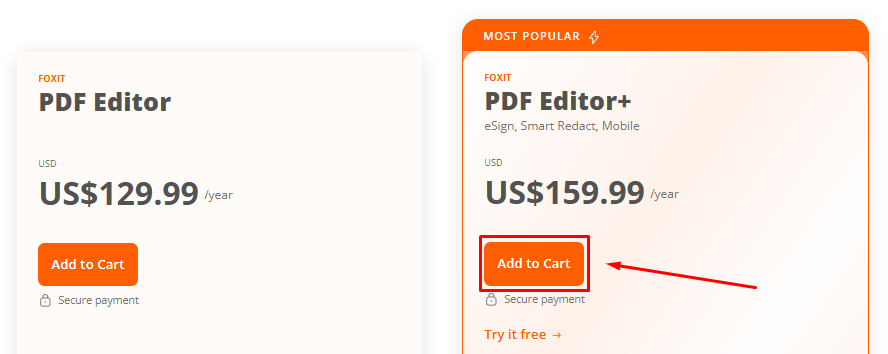
Step 3: Review your order details and click on “Continue to Billing“

Step 4: Fill out your payment details and continue to payment.

Step 5: Complete your purchase and start editing PDFs instantly.
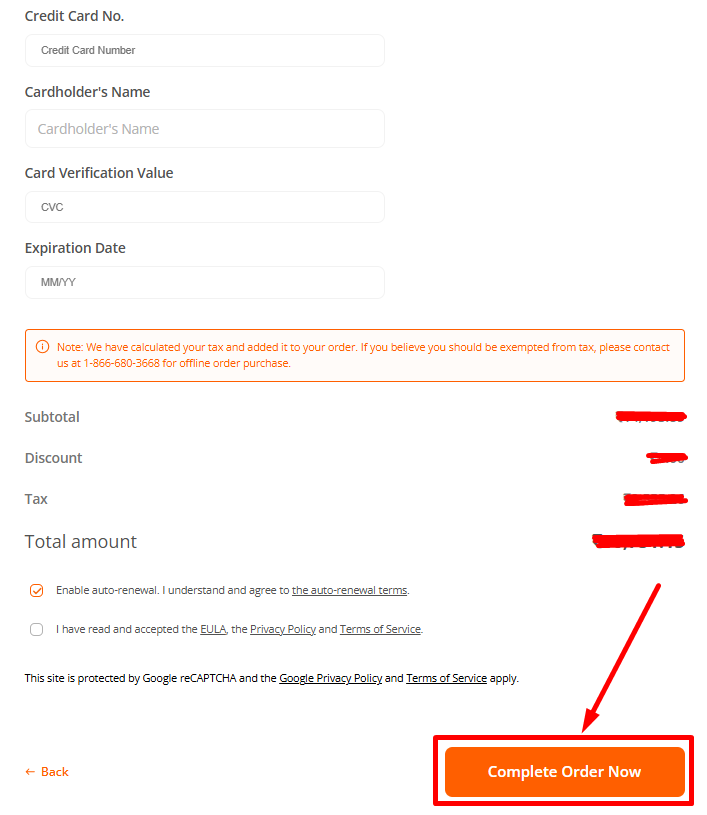
No hidden fees. No long-term contracts. Just powerful tools for less!
Key Features of Foxit eSign 📝
1. Legally Binding eSignatures
Collect secure, legally recognized signatures on any document. Ensure compliance with global eSignature standards for business or personal use.

2. Document Tracking & Management
Track the status of sent documents in real-time. Get notifications when recipients view, sign, or comment on your documents.
3. Customizable Templates & Workflows
Create reusable templates for frequently signed documents. Set up automated workflows to speed up approvals and signatures.
4. Multi-Platform & Mobile Support
Sign, send, and manage documents from any device desktop, tablet, or smartphone ensuring flexibility and productivity on the go.

5. Advanced Security & Compliance
Protect sensitive documents with secure cloud storage, audit trails, authentication options, and compliance with HIPAA, SOC 2, and CFR Part 11.
Key Features of Foxit AI Assistant 🖨️
1. Document Summarization
Automatically summarize long PDFs or documents into key points, saving time and improving understanding.
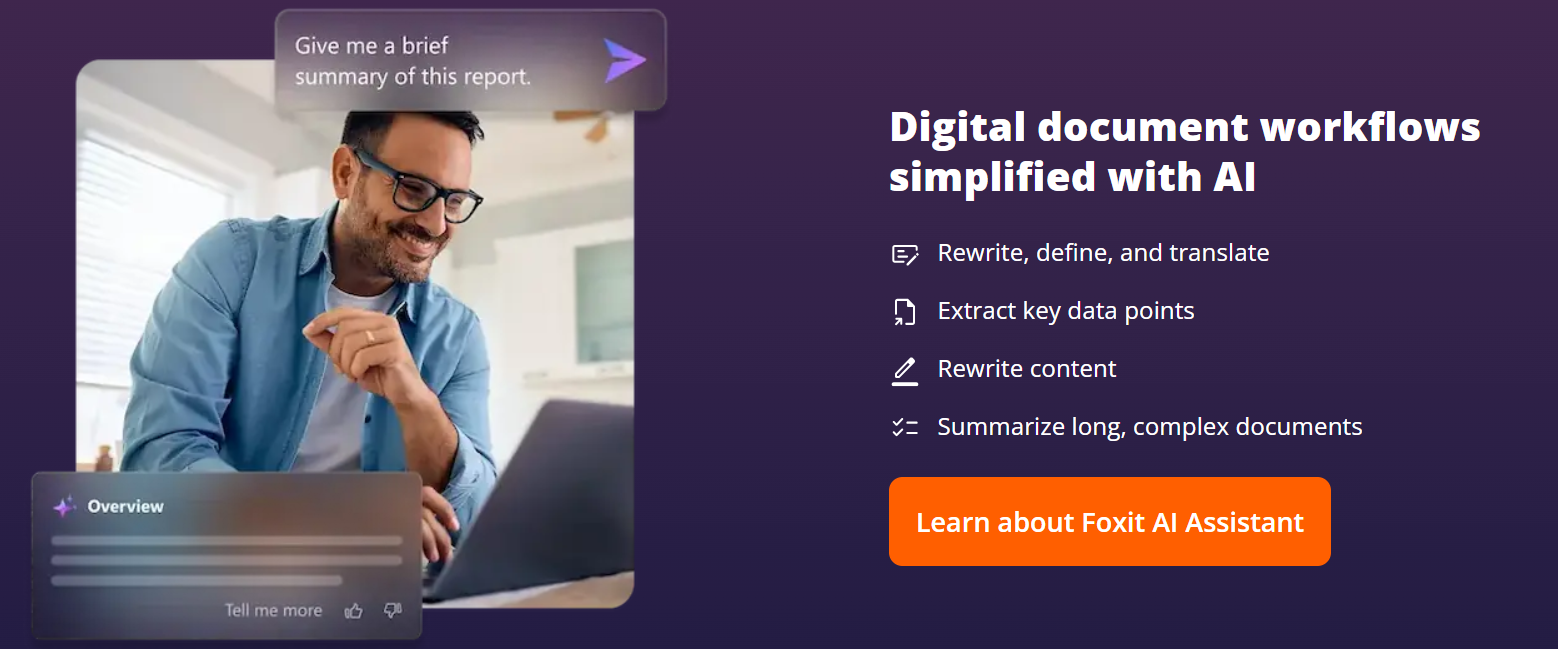
2. Text Translation & Language Support
Translate documents and text into multiple languages instantly, making global collaboration easier.
Supports a wide range of languages to help teams communicate effectively across borders.
3. AI-Powered Content Enhancement
Rewrite, refine, or clarify text within your PDFs for better readability and professional tone. Perfect for polishing reports, presentations, or any document before sharing.
4. Automated Data Extraction & Analysis
Extract key data, tables, and insights from documents automatically using AI.Reduces manual effort and errors in data collection and reporting tasks.

5. Multi-Document & Image Analysis
Analyze multiple documents or images simultaneously, with AI providing summaries, insights, and answers. Helps users quickly review large volumes of information without missing critical details.
Foxit Pricing Comparison 💡
| Plan / Feature | PDF Editor | PDF Editor+ | AI Assistant (Add‑on) | eSign Essentials | eSign Business |
|---|---|---|---|---|---|
| Price (annual) | US$129.99/year | US$159.99/year | From US$49.99/year (add‑on) | US$120.00/year | US$300.00/year (min 5 users) |
| Core PDF Editing (text/images/pages) | ✅ Full editing tools | ✅ Full editing tools | – | – | – |
| Convert & Export (Word, Excel, PPT) | ✅ | ✅ | – | – | – |
| Cloud Storage Included | 20 GB | 150 GB | Depends on base plan | – | – (signatures only) |
| AI Features / Credits | 20 credits/month | 20 credits/month | 2,000 credits/month (when subscribed) | – | – |
| eSign Support (Envelopes / Templates) | – | 150 envelopes/year | – | 250 envelopes + 10 templates/year | Unlimited envelopes & templates |
| Mobile & Multi‑Platform Support | Windows, macOS, Web | Windows, macOS, iOS, Android, Web | Works across Foxit platforms | Web & Mobile signing | Web & Mobile signing + team access |
| Best For | Individual users needing core PDF tools | Power users needing editing, storage & eSign | Frequent document summaries, translations, or AI tasks | Freelancers / individuals needing occasional signatures | Businesses needing high-volume eSign & workflow control |
Who Should Use Foxit? 😊
Foxit offers versatile PDF solutions suitable for a wide range of users, from individuals to large organizations.
- Students: Foxit is perfect for students who need to create, edit, and annotate PDFs for assignments, research papers, or collaborative projects. Its AI assistant can help summarize long documents quickly.

- Professionals: Business professionals benefit from Foxit’s robust editing, eSigning, and document management tools, streamlining workflows and ensuring secure, professional document handling.
- Small Businesses: Small businesses can leverage Foxit eSign and cloud features to handle contracts, agreements, and internal documentation efficiently without investing in bulky software.

- Enterprises: Large organizations will appreciate Foxit’s advanced features like bulk eSign, AI automation, role management, and integration with popular platforms, ensuring productivity and compliance across teams.
Foxit adapts to different needs, making it a reliable PDF and eSign solution for almost anyone who works with digital documents.
Pros & Cons of Foxit ✅
| Pros | Cons |
|---|---|
| Powerful PDF editing and conversion tools | Free version is limited — full features require subscription |
| Integrated eSign and document signing workflows | Annual cost adds up for multiple licenses or heavy use |
| AI Assistant for summaries, translation, and automation | AI‑powered features may require additional credits or upgrades |
| Cross‑platform support (Windows, macOS, mobile, web) | |
| Good for individuals, freelancers, small businesses, and enterprises | |
| Affordable compared to some heavy-duty PDF suites | |
| Flexible plans — choose what you need (PDF, eSign, AI or full suite) |
What is Best Foxit Plan? 🔥
Absolutely, if you’re looking for the most balanced and versatile option, the Foxit PDF Editor plan is the best choice.

It offers professional PDF editing capabilities at an affordable price, making it ideal for students, professionals, and small businesses alike.
With Foxit PDF Editor, you can create, edit, and convert PDFs, fill and sign forms, secure your documents with passwords, and even compare versions of PDFs for easy review.
On top of that, you get 20 GB of cloud storage and access to the AI Assistant with free monthly credits to help summarize, translate, or rewrite your documents.
Customer Reviews & Testimonials 🙋🏻♂️

Emily. T
⭐⭐⭐⭐⭐
Foxit PDF Editor has completely streamlined my document workflow. Editing and signing PDFs has never been easier!

James K
⭐⭐⭐⭐⭐
The AI Assistant is a game-changer! Summarizing documents and extracting data saves me hours each week. Nice tools to work with!

Larry Tractor
⭐⭐⭐⭐
Foxit eSign makes signing and managing documents online so simple. Perfect for my small business needs. Faster Processing!
Conclusion 😊
Absolutely, Foxit is a top choice for anyone looking for a versatile, reliable, and affordable PDF solution. With its PDF Editor, AI Assistant, and eSign tools, Foxit serves students, professionals, and businesses of all sizes.
Its intuitive interface, powerful editing capabilities, cloud integration, and legally binding eSign features make managing documents seamless and efficient.

Whether you need basic PDF editing, advanced AI-powered document assistance, or enterprise-grade eSign solutions, Foxit offers flexible pricing plans that fit your needs.
With Foxit, you get value, productivity, and security in one platform making it a smart and practical choice for anyone working with PDFs regularly.
Quick Links:
- PandaDoc Review: Is It Best Document Automation Tool?
- SmallPDF Review: Is eSign Tool Safe & Trustworthy?
📝 FAQs
Foxit offers PDF Editor, PDF Editor+, AI Assistant add-on, eSign Essentials, and eSign Business plans.
Yes, Foxit plans support Windows, macOS, iOS, Android, and web platforms depending on the plan.
Yes, you can try PDF Editor+ for free before committing to a subscription.
Absolutely, Foxit eSign Business and volume licensing allow easy team management and bulk subscriptions.
Yes, Foxit provides cloud storage, legally binding eSignatures, and data protection features to ensure safety.
