
5+ Best Asana Alternatives to Boost Team’s Productivity
Are you looking for the best Asana alternatives to manage your projects more efficiently? 🚀
If yes, you’re in the right place. 🤩
While Asana is a popular project management tool, it may not fit every team’s unique workflow. Maybe you need more flexibility, advanced features, or a tool that better suits your way of working.


🚀 Get Up to 50% Off on Monday.com Yearly Plans!
Boost your team’s productivity with Monday.com and enjoy up to 50% off on all annual subscriptions. Unlock full access to automation, CRM, project views, integrations, and AI-powered insights while saving big!
In today’s fast-paced environment, the right project management software can save hours, improve collaboration, and help your team stay on track.
That’s why we’ve put together a list of 6 top Asana alternatives: Monday.com, ClickUp, Notion, Jira, Trello, and Airtable. These tools offer a variety of features like task management, workflow customization, team collaboration, progress tracking, and more.
🎯 Save Up to 30% on Annual Monday.com Plans!
Supercharge your team’s workflow with Monday.com and grab up to 50% off on all yearly plans. Get full access to automation, AI insights, project management views, and seamless integrations while keeping your budget happy!
By the end, you’ll have a clear picture of which project management platform could become your new go-to.
#1. Monday.com 🏆
Monday.com is an easy-to-use project management and team collaboration tool that helps teams plan, track, and complete their work in one place.
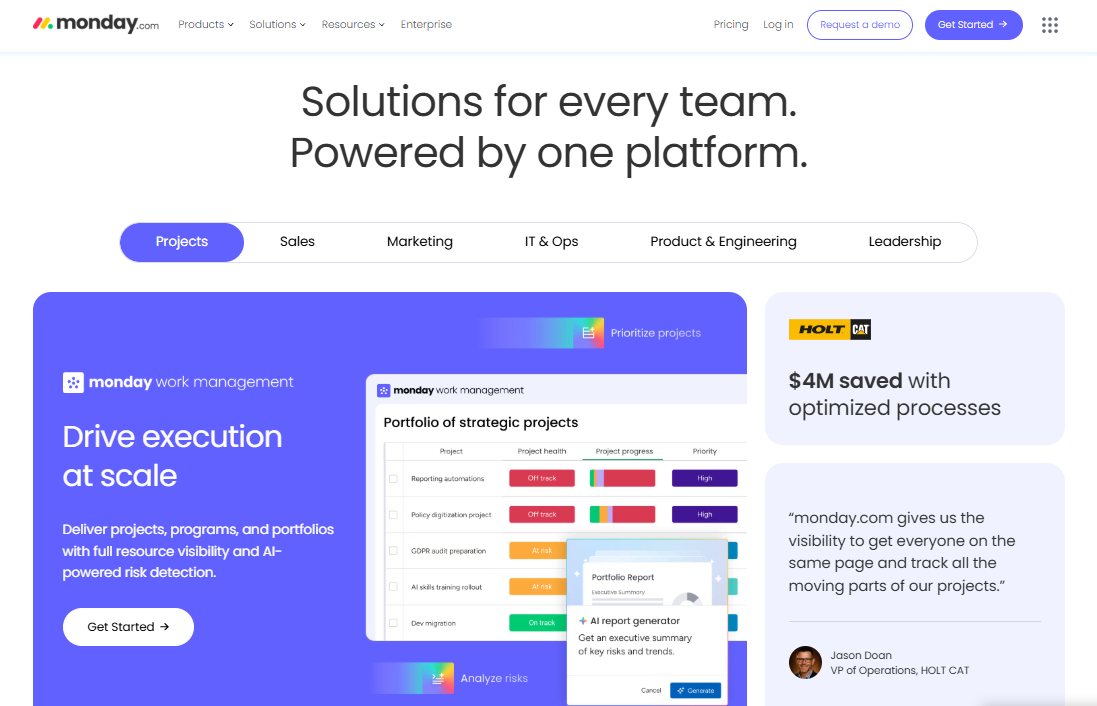
Think of it as a central hub where you can organize tasks, projects, and workflows without juggling multiple apps or spreadsheets.
Key Features of Monday.com 🌟
- All-in-One Workspace: Manage projects, tasks, documents, clients, and timelines in one centralized place.
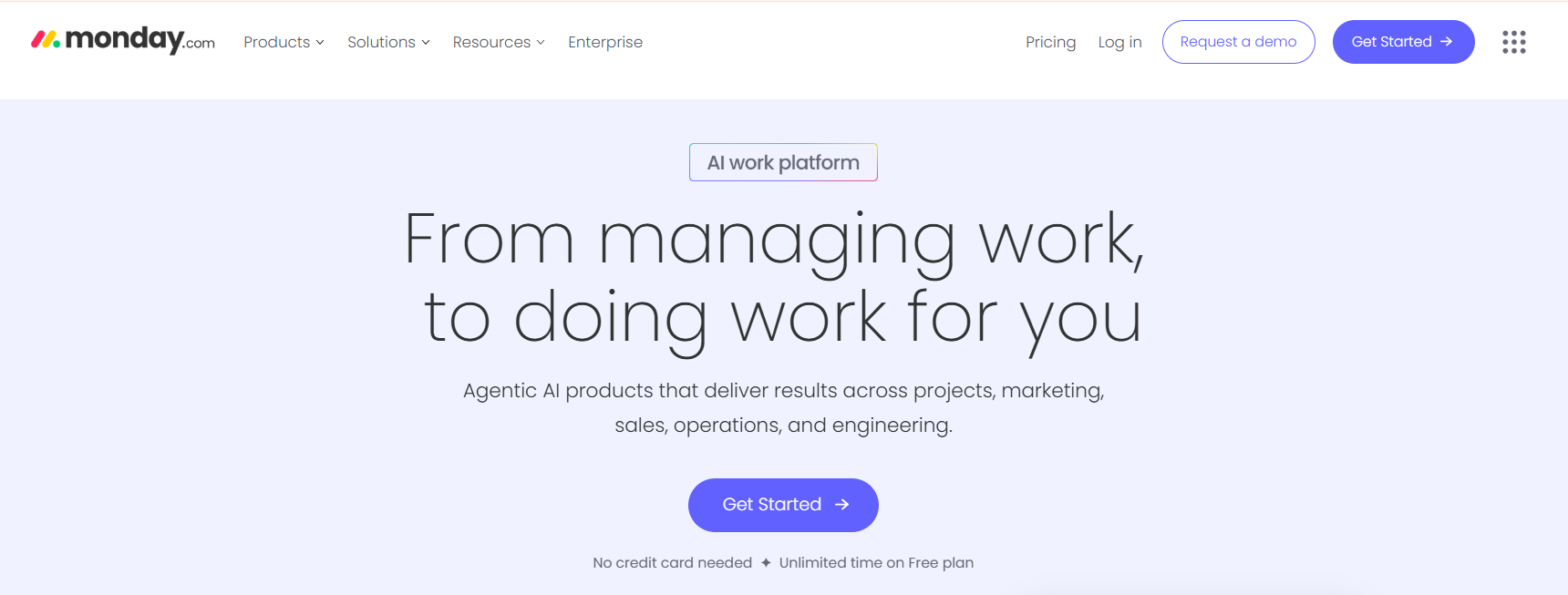
- Custom Workflows: Build automated workflows tailored to your business, saving time and reducing manual work.
- Modular Apps: CRM, Dev, HR, IT, Operations, and more — all customizable.
- Visual Planning Tools: Gantt charts, calendars, kanban boards, and dashboards for visual organization.
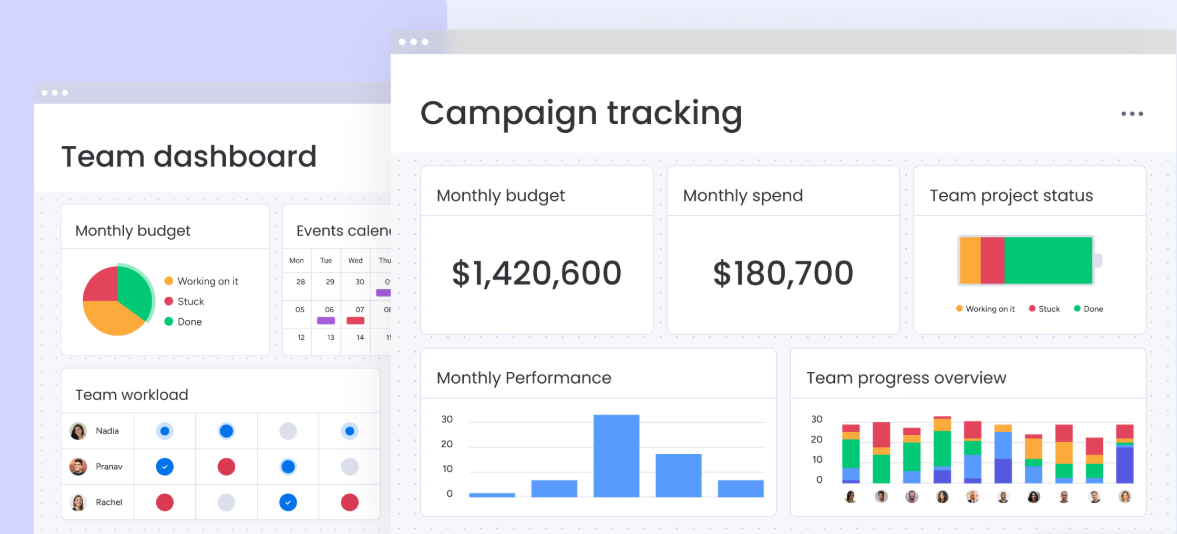
- Scalable for All Teams: Whether you’re a solo freelancer or managing a team of 100+, Monday.com adapts to your size and style.
- Mobile Friendly: Use it from your phone or tablet with native apps.
- Integration-Ready: Connect with Slack, Google Workspace, Zapier, Outlook, Zoom, and 100+ other tools.
Pricing Plans of Monday.com 💰
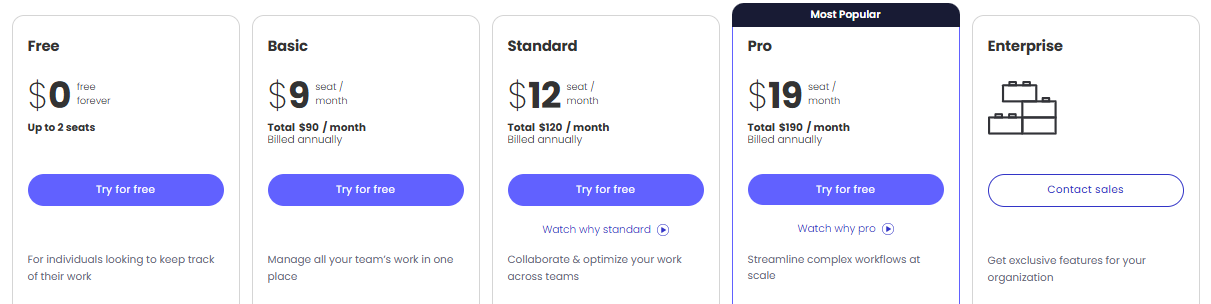
- Free Plan
Perfect for individuals or very small teams, the Free plan lets you manage basic tasks and projects with up to 2 seats. Enjoy 3 boards, 200+ templates, and mobile apps to stay organized on the go. - Basic Plan – $9 seat/month
Ideal for small teams, the Basic plan adds unlimited items, 5GB file storage, and prioritized support. It’s a step up for teams looking to manage all their work in one place efficiently. - Standard Plan – $12 seat/month
Designed for growing teams, the Standard plan includes Timeline & Gantt views, calendar, guest access, and automations. Combine up to 5 boards into dashboards to get a clear overview of your projects. - Pro Plan – $19 seat/month
Perfect for larger teams handling complex workflows, the Pro plan adds private boards, chart views, time tracking, and advanced automations. Combine up to 20 boards in a single dashboard for full visibility.
Pros/Cons of Monday.com 📈
| Pros | Cons |
|---|---|
| User-friendly interface with easy onboarding | Pricing can be high for small teams |
| Highly customizable workflows for any team | Some advanced features require higher plans |
| Robust automation and integration options | Learning curve for very complex features |
| Supports multiple views: Kanban, Gantt, Timeline, Calendar | Can feel overwhelming for very small projects |
| AI features to improve efficiency and track risks | |
| Excellent collaboration with real-time updates | |
| Scalable for small teams to large enterprises |
#2. ClickUp
ClickUp is an all-in-one project management and productivity platform designed to help teams work smarter and get more done.
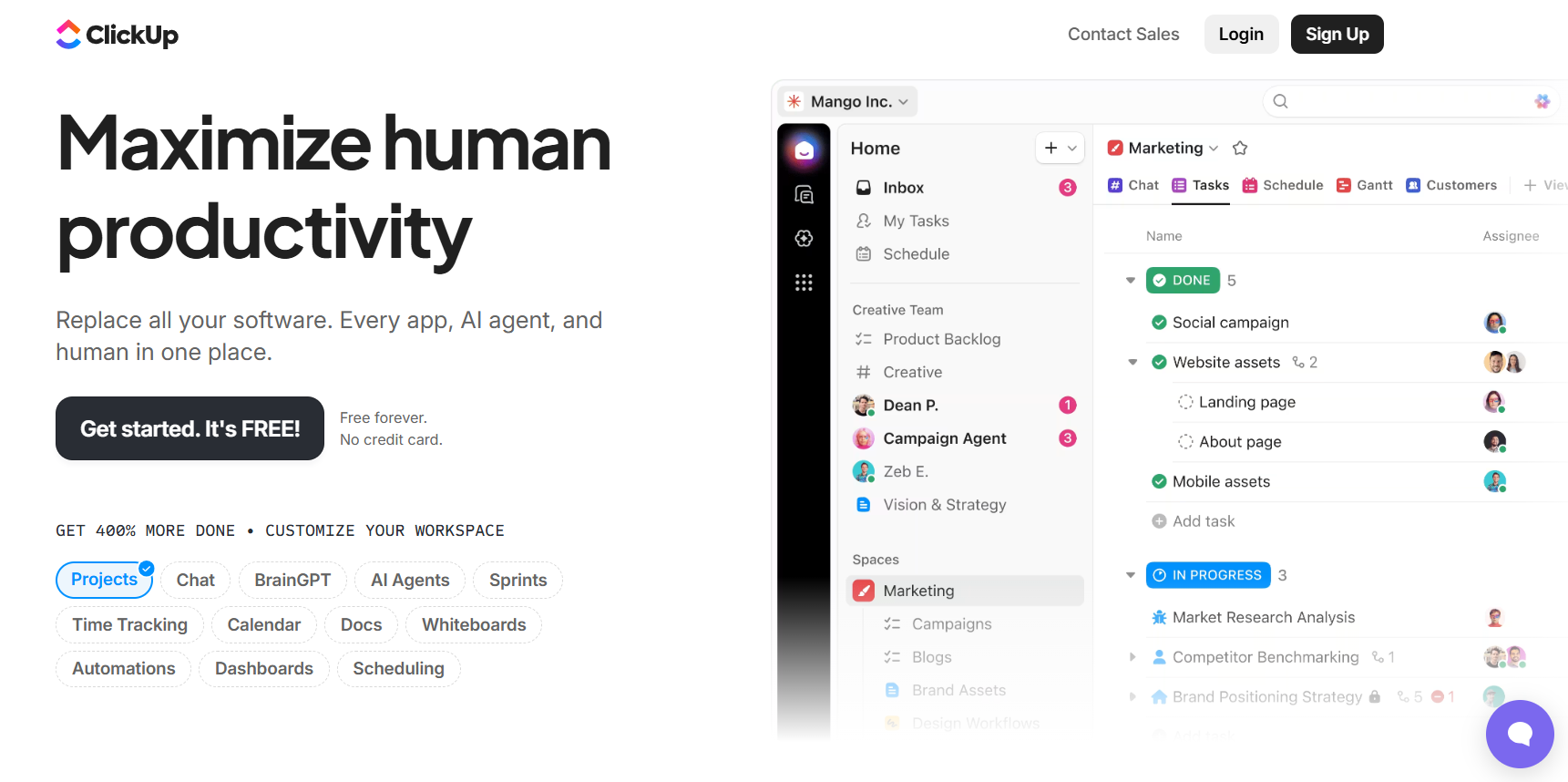
It combines tasks, docs, goals, calendars, and AI-powered features in one place, making it easier to manage projects, track progress, and collaborate efficiently.
Key Features of ClickUp 🌟
- All-in-One Workspace
ClickUp combines tasks, projects, docs, goals, calendars, and more in a single platform. This reduces the need for multiple tools, helping teams stay organized and focused. Everything you need to manage work is accessible in one place. - Customizable Workflows
With over 100 features, ClickUp lets you create workflows that fit your team’s unique needs. You can use templates, custom fields, automations, and dashboards to streamline processes and save time. Flexibility ensures your team works the way it wants.
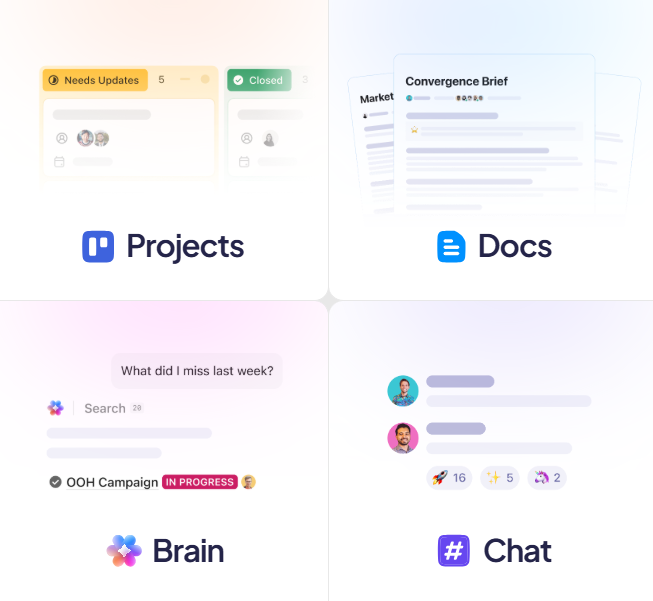
- AI-Powered Productivity
ClickUp Brain and AI agents automate repetitive tasks, answer questions, and even draft content. Teams can save hours daily, get insights faster, and focus on high-value work instead of manual processes. - Advanced Project Tracking
Track tasks, milestones, and dependencies with multiple views like Kanban, Gantt, Timeline, and Calendar. This makes it easy to monitor progress, identify bottlenecks, and ensure projects are delivered on time. - Collaboration & Communication
ClickUp allows team members to comment, assign tasks, share files, and set priorities in real-time. Notifications, reminders, and integrated chat help keep everyone aligned, boosting teamwork and reducing miscommunication.
Pricing Plans of ClickUp 💰

- Free Forever Plan
Perfect for individuals or small teams, this plan offers unlimited tasks, 60MB storage, basic boards, and collaborative docs. It’s completely free with 24/7 support to get started immediately. - Unlimited Plan ($7/user/month, billed yearly)
Unlock unlimited storage, folders, integrations, Gantt charts, and custom fields. This plan also includes native time tracking, goals, portfolios, and AI compatibility for growing teams. - Business Plan ($12/user/month, billed yearly)
Designed for teams that need advanced project tracking and reporting. Get unlimited dashboards, timelines, whiteboards, automation integrations, workload management, and private boards.
Pros & Cons of ClickUp 🎯
| Pros | Cons |
|---|---|
| All-in-one platform combining tasks, docs, calendars, and AI features. | Learning curve can be steep for new users. |
| Highly customizable workflows and templates for any team. | Mobile app can feel cluttered for smaller screens. |
| AI-powered ClickUp Brain and Super Agents save hours daily. | Some advanced features require higher-tier plans. |
| Supports multiple views: Kanban, Gantt, Timeline, Calendar, Whiteboards. | Occasional performance lag with very large projects. |
| Unlimited integrations with apps like Slack, Google Drive, Jira, and more. | |
| Advanced reporting, dashboards, and workload management for teams. | |
| Trusted by millions of users with 24/7 support and enterprise-grade security. |
#3. Notion 📈
Notion is an all-in-one workspace where teams and AI agents can capture knowledge, manage projects, and automate repetitive tasks.
It combines tools like notes, calendars, project management, and AI-powered assistants into a single platform, helping small teams feel as productive as much larger ones.
Key Features of Notion ✨
- All-in-One Workspace
Notion combines notes, tasks, databases, calendars, and wikis in a single platform. Teams no longer need multiple apps, making work simpler and more organized. Everything your team needs is accessible in one place. - AI-Powered Notion Agents
Notion’s AI agents handle repetitive tasks, draft content, and summarize information. This saves time and reduces manual work, helping teams focus on high-priority projects. It personalizes suggestions based on your workflow.

- Flexible Project Management
Create boards, timelines, and task lists to manage projects of any size. Customize workflows to fit your team’s needs and track progress in real time. Notion helps ensure deadlines are met efficiently. - Centralized Knowledge Management
Store and organize all your documents, wikis, and files in one searchable hub. Teams can quickly find information, reducing lost context and improving collaboration. It’s perfect for onboarding and cross-team knowledge sharing. - Customizable Templates & Automation
Notion offers hundreds of ready-made templates and automation tools. You can automate repetitive tasks, streamline processes, and save hours each week. It adapts to any team or project style effortlessly.
Pricing Plans of Notion 💰
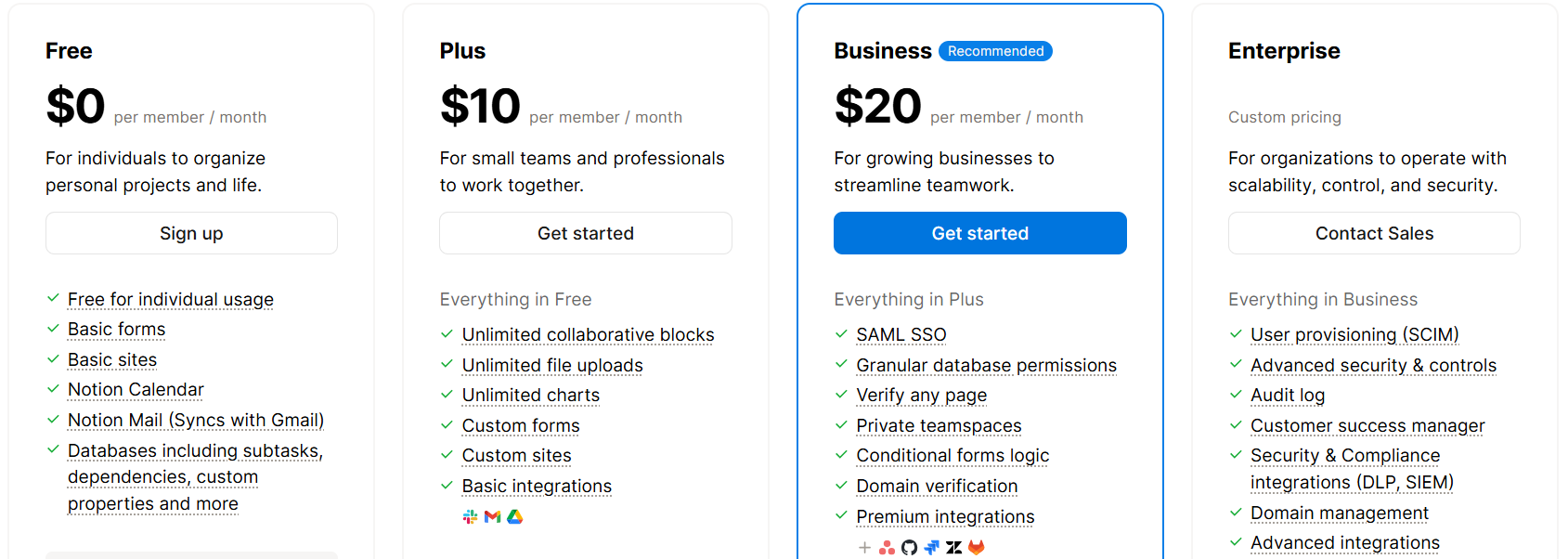
- Free Plan – $0 per user/month
- Ideal for individuals organizing personal projects and life.
- Includes basic templates, Notion Mail syncing with Gmail, and 5MB file uploads.
- Plus Plan – $10 per user/month
- Designed for small teams and professionals to work collaboratively.
- Includes unlimited file uploads, unlimited charts, and basic integrations.
- Business Plan – $20 per user/month
- Recommended for growing businesses to streamline teamwork.
- Offers advanced features like SAML SSO, granular database permissions, and premium integrations.
- Enterprise Plan – Custom Pricing
- Tailored for organizations needing scalability, control, and security.
- Provides advanced security, audit logs, and a customer success manager.
Pros & Cons of Notion 📊
| Pros | Cons |
|---|---|
| All-in-one workspace combining notes, tasks, databases, and calendars | Steeper learning curve for new users |
| AI-powered agents automate repetitive tasks and save time | Limited offline functionality |
| Flexible project management with boards, timelines, and tasks | Can feel overwhelming for small/simple projects |
| Centralized knowledge management for teams | Mobile app lacks some advanced features |
| Customizable templates and automation tools | |
| Supports team collaboration and knowledge sharing effectively | |
| Highly scalable for individuals, small teams, or enterprises |
#4. Jira 🖥️
Jira is a powerful project management and collaboration platform designed to help teams plan, track, and deliver work efficiently.
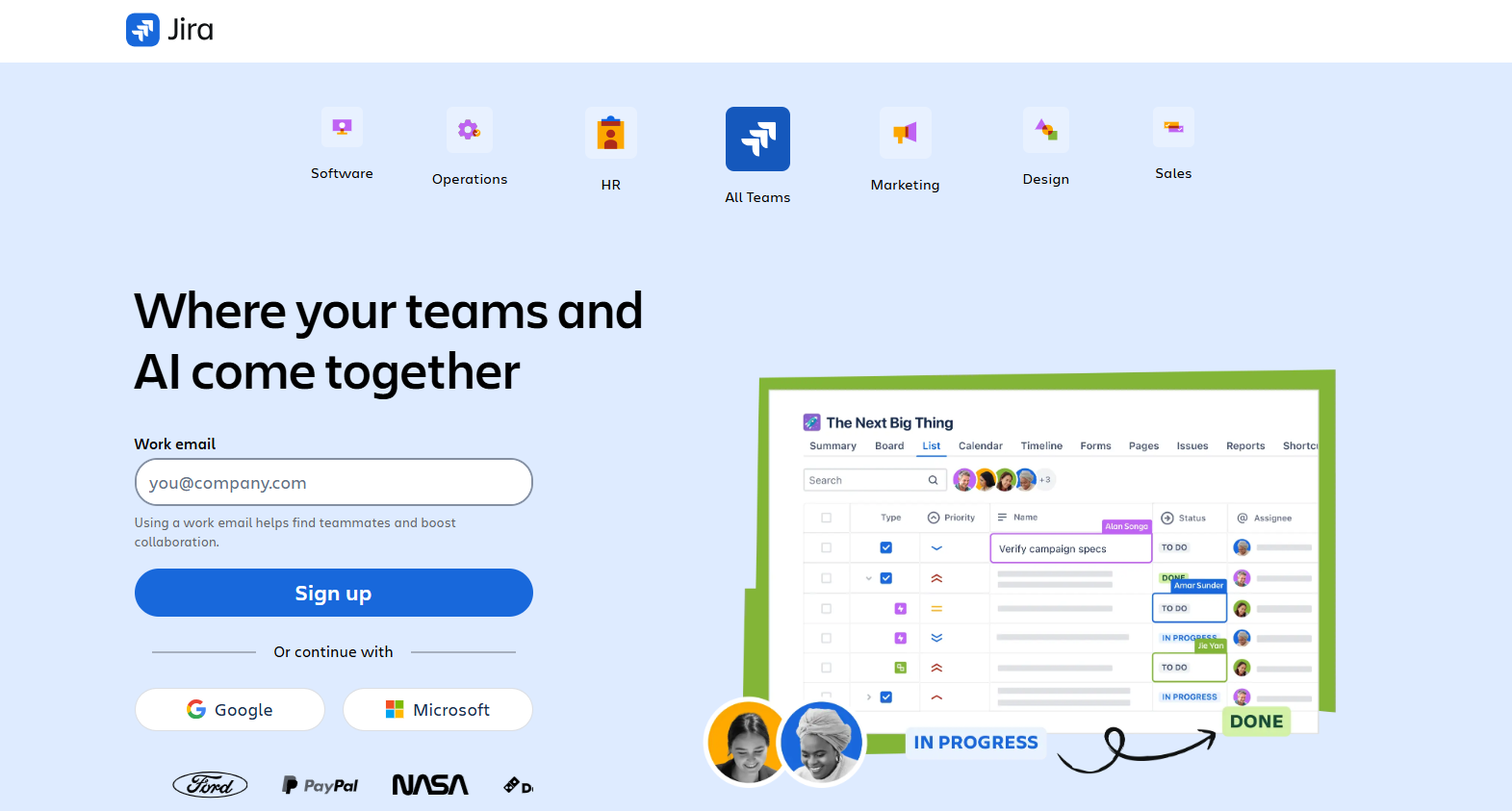
It connects team members, projects, and resources in one centralized workspace, making it easier to manage complex workflows and stay aligned with company goals.
Key Features of Jira ✨
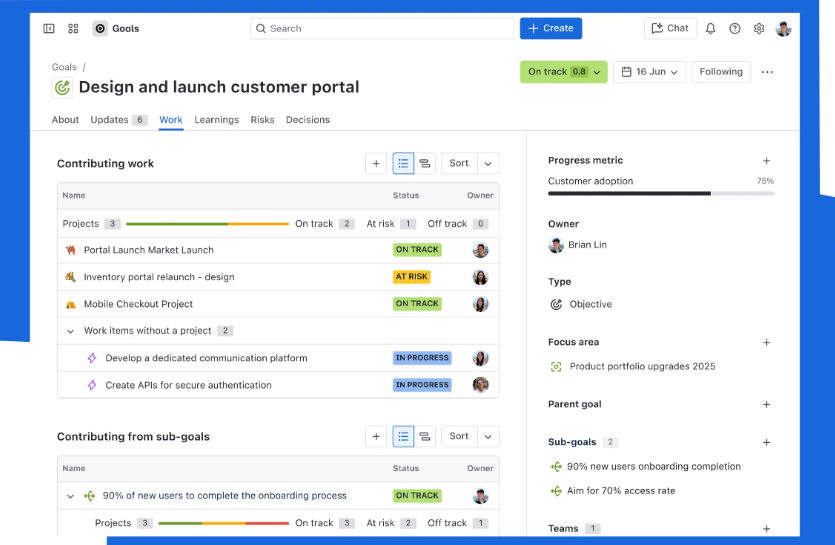
- Project Planning & Tracking
Jira allows teams to plan projects with clarity and precision. You can break large initiatives into smaller tasks, assign responsibilities automatically, and track progress in real time. This ensures teams stay aligned with business goals and deadlines.
- Customizable Workflows
Jira provides fully customizable workflows to match the unique needs of any team. Automate repetitive processes, manage task dependencies, and adapt workflows as projects evolve. This keeps work organized and reduces manual effort. - Boards & Timeline Views
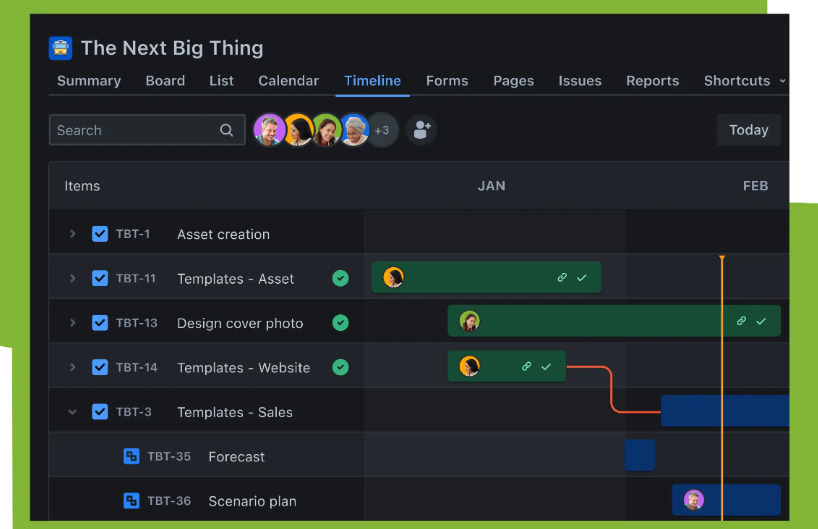
Visualize your projects using Kanban or Scrum boards, along with timeline views. These tools make it easy to monitor progress, identify bottlenecks, and communicate updates to stakeholders. Teams can quickly adapt while staying on track.
- Centralized Project Information
All project details, documents, and discussions are stored in one central location. This eliminates scattered spreadsheets and disconnected tools, ensuring your team has up-to-date information at all times. Collaboration becomes seamless and efficient. - AI-Powered Assistance
Jira integrates AI tools like Rovo to suggest task assignments, provide relevant resources, and analyze project data. This helps teams make informed decisions, reduce manual work, and focus on delivering high-impact outcomes faster.
Pricing Plans of Jira 💰

- Free Plan – $0
Perfect for small teams of up to 10 users, offering unlimited projects, tasks, and basic automation. Includes essential views, 2 GB storage, and community support for seamless collaboration. - Standard Plan – $7.91/user/month
Ideal for growing teams, this plan adds AI-powered Rovo features, user roles, external collaboration, and 250 GB storage. Supports up to 100,000 users per site with regional 9/5 support. - Premium Plan – $14.54/user/month
Designed for cross-team alignment with advanced planning, dependency management, and unlimited storage. Includes 24/7 critical support, per-user automation, and 99.9% uptime SLA. - Enterprise Plan – Contact Sales
Built for large-scale organizations needing maximum security, analytics, and automation. Features include advanced admin controls, multiple sites, unlimited automation, and 24/7 enterprise support.
Pros & Cons of Jira 📊
| Pros | Cons |
|---|---|
| Highly customizable workflows to fit any project | Steeper learning curve for new users |
| Strong integration with other Atlassian products | Can become expensive as user count grows |
| Powerful project tracking with timeline and boards | Complex setup for advanced features |
| Robust automation capabilities for workflows | Performance can slow down with very large projects |
| Advanced reporting and analytics tools | |
| Excellent security and compliance features | |
| Scales well for large enterprises and teams |
#5. Trello 💼
Trello is a simple yet powerful tool designed to help you organize your tasks and projects with ease. Whether it’s a big team project or your personal to-do list, Trello keeps everything in one place so you never miss a deadline or important detail.
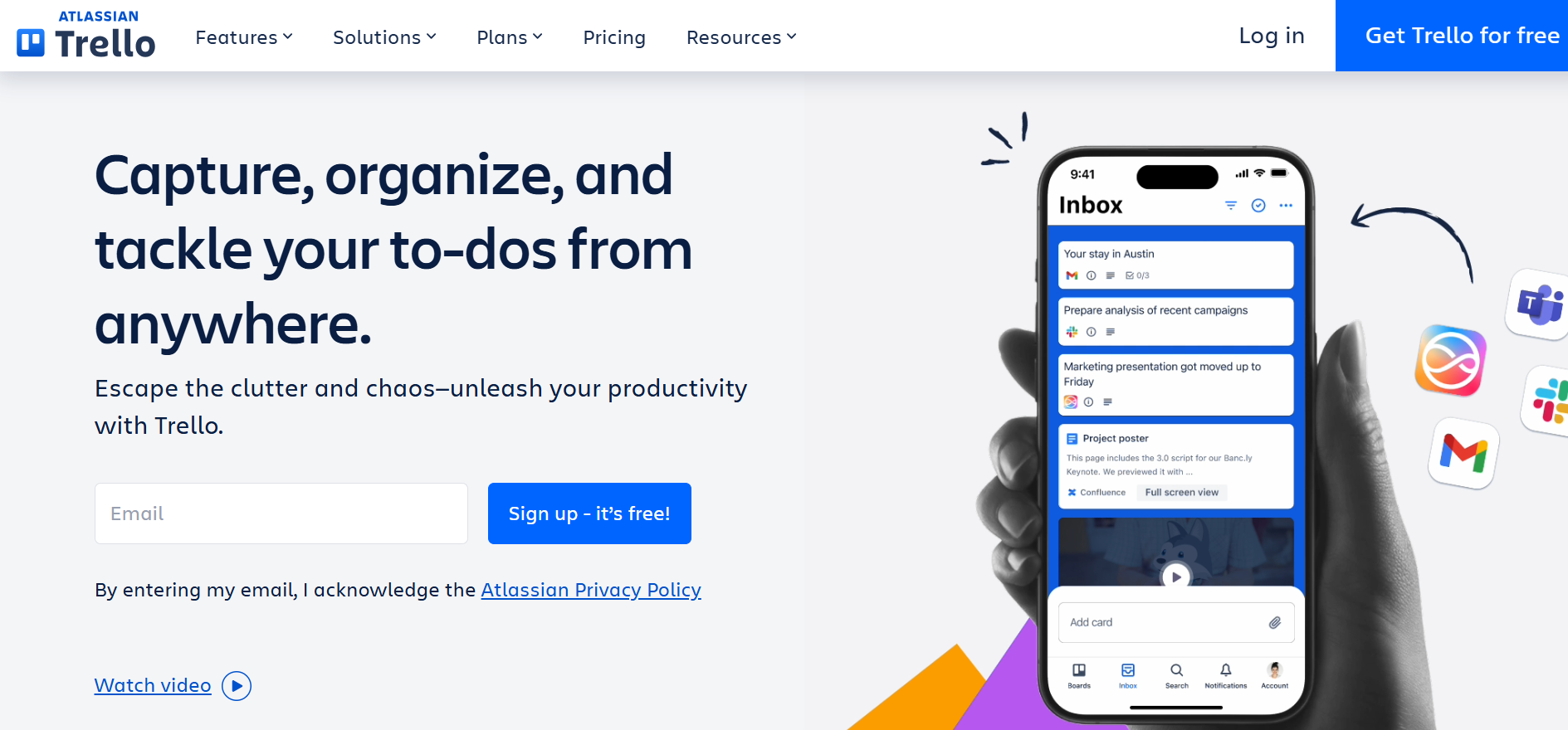
With features like Inbox, Boards, and Planner, it helps you capture ideas, track progress, and manage your work efficiently from anywhere.
Key Features of Trello ✨
- Inbox for Task Capture
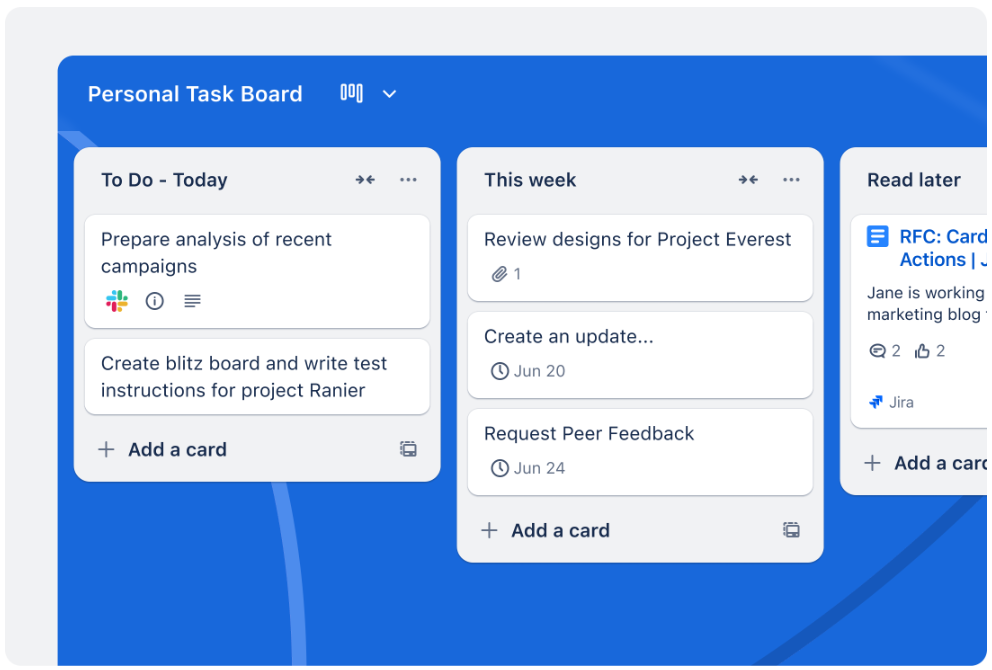
Quickly capture all your to-dos and ideas in one place, so nothing slips through the cracks. Stay organized no matter where you are. - Boards for Visual Project Management
Organize your tasks with customizable boards that let you track progress from start to finish. Perfect for teams and personal projects alike.
- Planner with Calendar Integration
Drag and drop tasks into your calendar to schedule work efficiently and make time for what matters most. - Seamless App Integrations
Connect Trello with your favorite apps like Slack, Microsoft Teams, and email to streamline your workflow and boost productivity. - Built-in Automation
Automate repetitive tasks with no-code tools, saving you time so you can focus on more important work.
Pricing Plans of Trello 💰
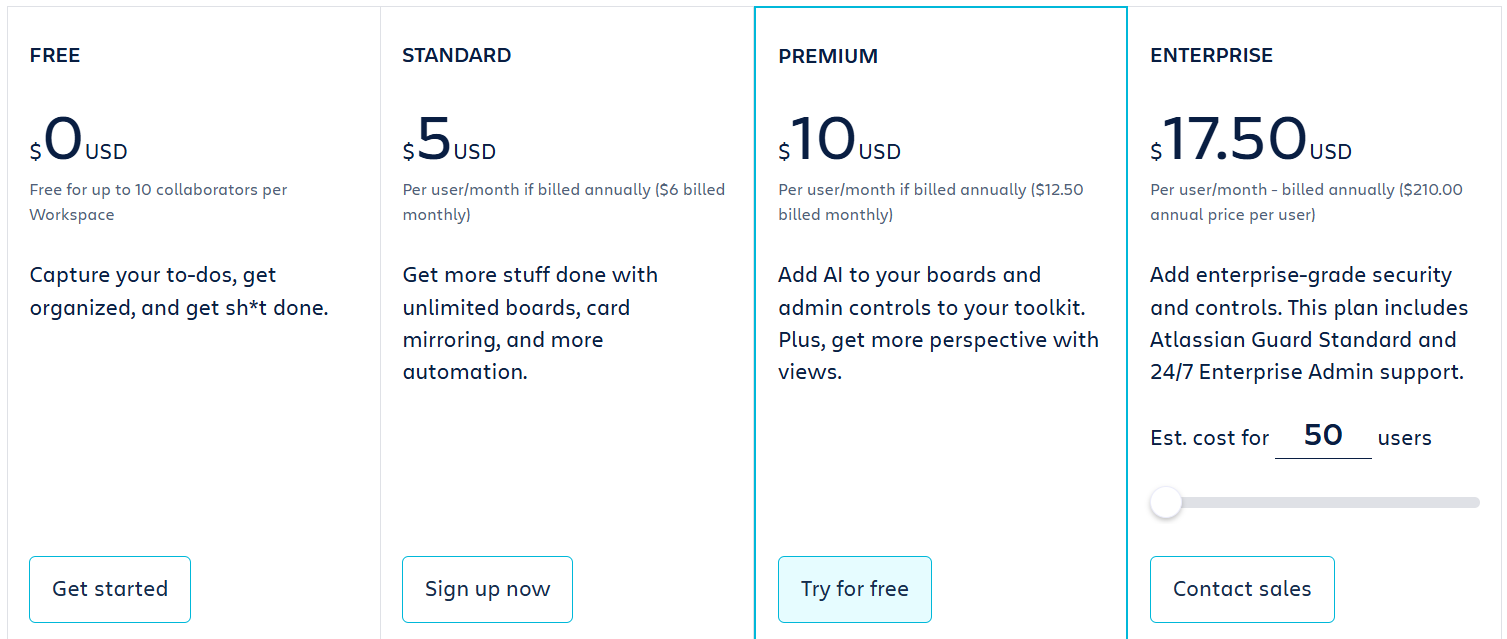
- Free Plan ($0 USD)
Ideal for small teams, this plan offers up to 10 collaborators per workspace with unlimited cards and basic features to get started. - Standard Plan ($5 USD per user/month, billed annually)
Unlock unlimited boards, advanced checklists, and AI-powered quick capture to boost team productivity and organization. - Premium Plan ($10 USD per user/month, billed annually)
Get AI enhancements, multiple workspace views, admin controls, and advanced security features for growing teams. - Enterprise Plan ($17.50 USD per user/month, billed annually)
Designed for large organizations, this plan includes enterprise-grade security, unlimited workspaces, and 24/7 admin support.
Pros & Cons of Trello 📊
| Pros ✅ | Cons ❌ |
|---|---|
| User-friendly drag-and-drop interface for boards and cards. | Limited features in the free plan for larger teams. |
| AI-powered task capture and automation boosts productivity. | No native time tracking, requires integrations for advanced tracking. |
| Seamless integrations with over 200 apps like Slack and Google Drive. | Can get cluttered with too many boards or tasks. |
| Multiple board views including Calendar, Timeline, Table, and Dashboard. | Advanced reporting features are limited without Premium or Enterprise plans. |
| Supports mobile and desktop apps for on-the-go productivity. | |
| Built-in no-code automation for repetitive tasks. | |
| Card mirroring allows tracking tasks across multiple boards efficiently. |
#6. Airtable 📈
Airtable is a powerful no-code platform that lets teams organize, manage, and automate their work in one central workspace.
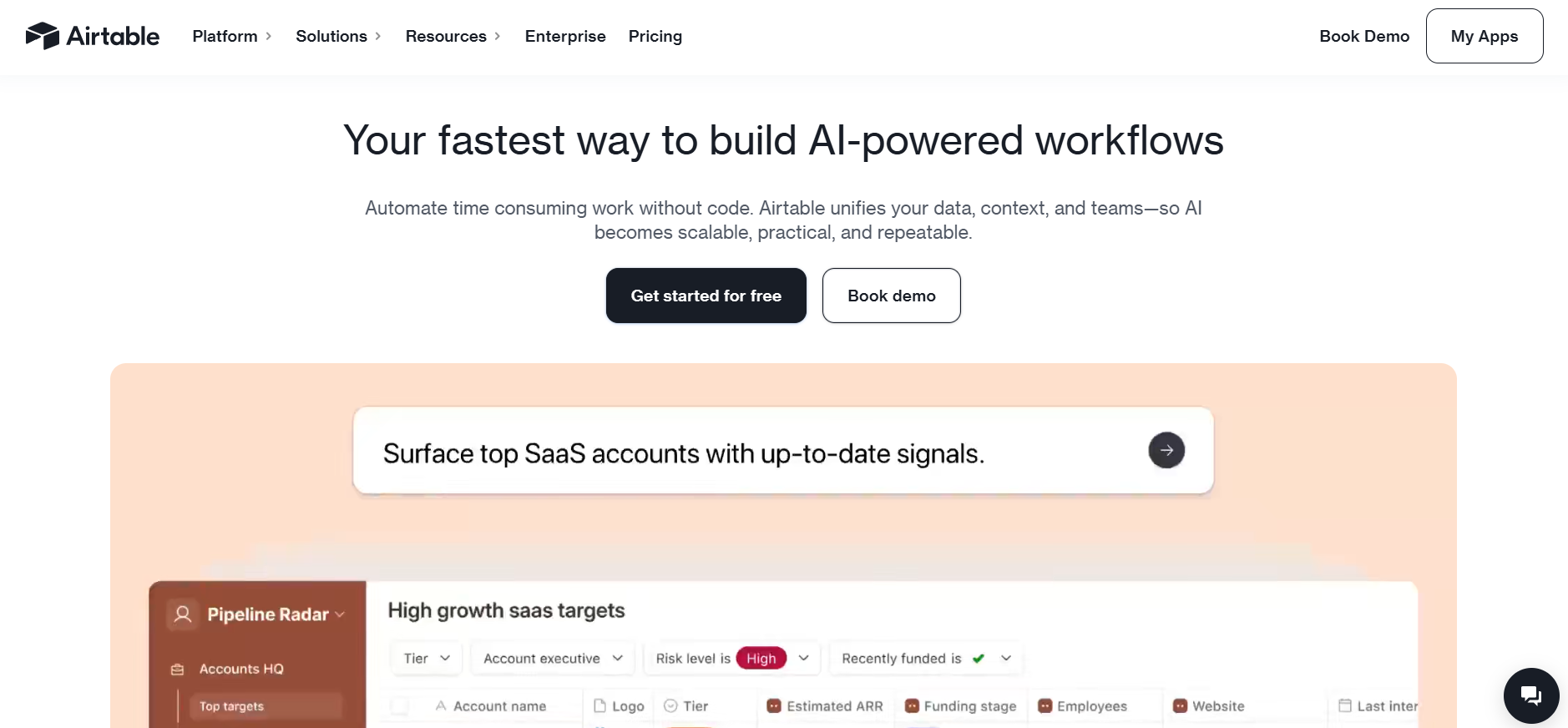
It combines the simplicity of a spreadsheet with the power of a database, allowing users to structure data, track projects, and collaborate seamlessly.
Key Features of Airtable 🌟
1. Spreadsheet-Like Database
Airtable looks like a spreadsheet but works as a powerful database. It supports linked records, rich field types, and structured data management.
2. Multiple Views & Interfaces
View the same data as grids, Kanban boards, calendars, Gantt charts, or dashboards. This makes it easy to track work from different perspectives.
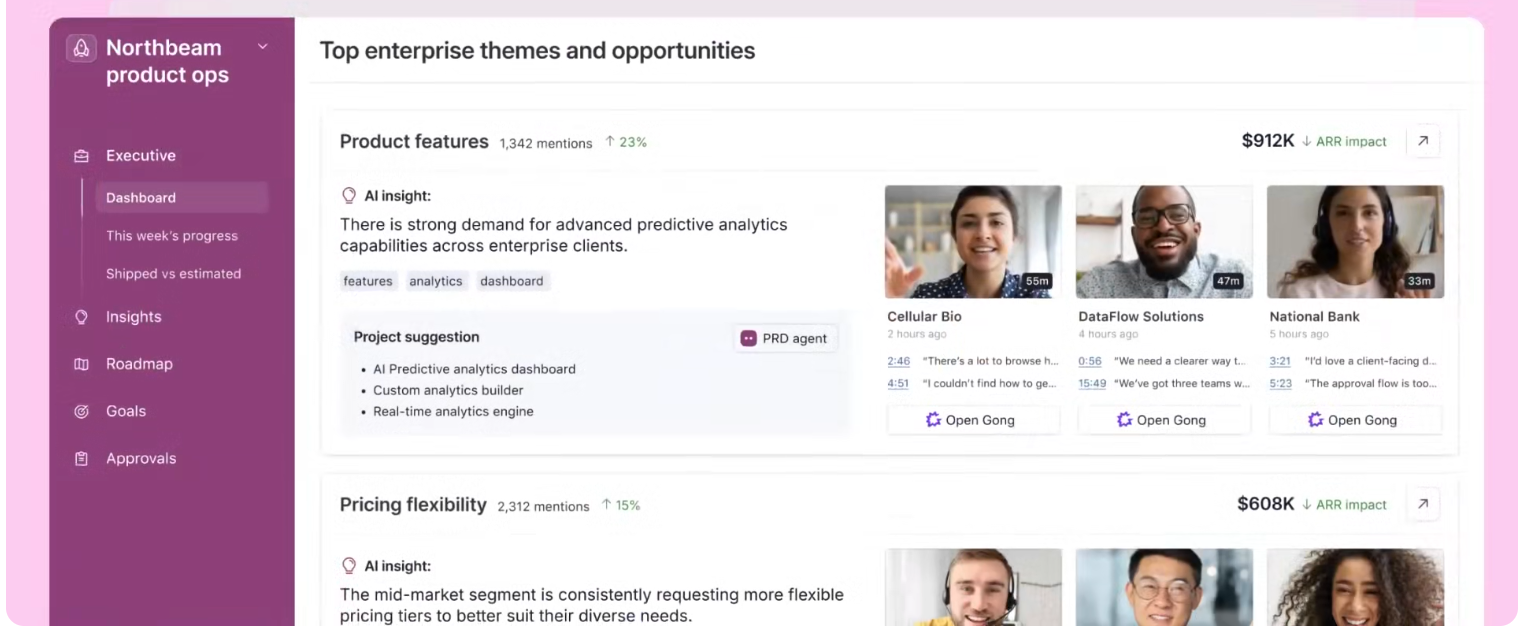
3. Automations & Integrations
Airtable automates repetitive tasks like notifications, updates, and approvals. It integrates with popular tools such as Slack, Google Drive, and Jira.
4. No-Code App Builder
Users can build custom apps and internal tools without coding. Interface Designer helps teams create user-friendly layouts for specific workflows.

5. AI-Powered Capabilities
Airtable includes AI features for data generation, analysis, and automation. AI credits help teams work faster and make smarter decisions.
Pricing Plans of Airtable 💰
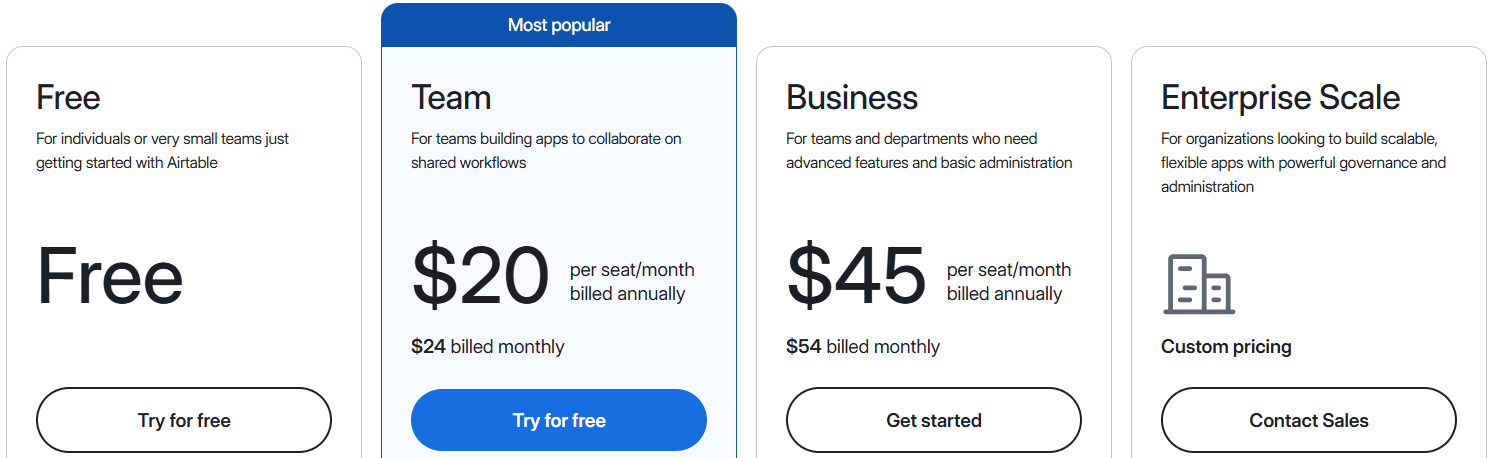
- Free – $0/month
Perfect for individuals or very small teams just getting started with Airtable. Includes 500 AI credits per editor, unlimited bases, 1,000 records per base, 100 automation runs, and basic attachments. - Team – $20/seat/month (billed annually)
Designed for teams building apps to collaborate on shared workflows. Offers 15,000 AI credits per user, 50,000 records per base, 25,000 automation runs, Gantt & timeline views, and standard sync integrations. - Business – $45/seat/month (billed annually)
Ideal for departments needing advanced features and admin controls. Provides 20,000 AI credits per user, 125,000 records per base, 100,000 automation runs, verified data sync, premium integrations, and admin panel access. - Enterprise Scale – Custom Pricing
For organizations looking to build scalable apps with enterprise-grade governance. Includes 25,000 AI credits per user, 500,000 records per base, 500,000 automation runs, advanced security, HyperDB, App Library, and extensive admin & compliance controls.
Pros & Cons of Airtable 📊
| Pros of Airtable ✅ | Cons of Airtable ❌ |
|---|---|
| No-code platform allows easy app creation without technical skills. | Free plan is limited in records and automation runs. |
| Supports advanced AI agents for workflow automation. | Steep learning curve for beginners with advanced features. |
| Highly customizable with views like Grid, Kanban, Calendar, Gantt. | Premium plans can get expensive for large teams. |
| Strong collaboration features with real-time commenting and shared workspaces. | Can be overwhelming for small/simple projects. |
| Integrates with multiple apps and third-party services. | |
| Powerful automation and scripting capabilities to save time. | |
| Enterprise-grade security, compliance, and admin controls. |
Which Is Best Asana Alternative? 👌
If you’re exploring project management tools beyond Asana, there are plenty of options out there, like Trello, Jira, Airtable, and ClickUp.

Each comes with its own strengths—Trello is simple and visual, Jira excels in software project tracking, and Airtable is fantastic for database-driven workflows.
However, when it comes to all-in-one versatility, team collaboration, and customization, Monday.com takes the lead.
Its intuitive interface makes planning, tracking, and automating work simple, while robust templates, dashboards, and integrations ensure teams stay aligned no matter the project type.
Why Monday.com Wins? 🏆
- Highly visual boards and timelines that make progress tracking effortless.
- Powerful automation and integrations with 100+ tools.
- Flexible templates to fit any team or project type.
- Centralized collaboration with real-time updates, comments, and dashboards.
For teams looking for a tool that’s easy to adopt yet powerful enough to scale, Monday.com is the Asana alternative that delivers efficiency without compromise.
Conclusion 🔥
Choosing the right project management tool can make or break your team’s productivity. While tools like Asana, Trello, Jira, and Airtable each have unique strengths, not every solution fits every team’s workflow.
When comparing features, flexibility, and ease of use, Monday.com clearly comes out on top. Its visual dashboards, robust automation, and seamless integrations allow teams to manage projects efficiently while keeping everyone aligned.

In short, for teams seeking a perfect balance of power, simplicity, and customization, Monday.com is the ultimate Asana alternative and the clear winner. Investing in it means less busywork, smarter collaboration, and more time to focus on what really matters delivering results.
Must Read:
FAQs 📢
Yes, most platforms like Monday.com, Trello, and Jira provide import tools to move tasks and projects easily.
Absolutely! Trello, Jira, Monday.com, and Airtable all have mobile apps for iOS and Android.
Yes, tools like Monday.com, Airtable, and Trello offer no-code automation to streamline workflows and reduce manual effort.
Yes, Jira, Monday.com, and Airtable scale to thousands of users with advanced permissions and enterprise-grade security.
Yes! Most tools, including Trello, Monday.com, and Airtable, support integrations with apps like Slack, Google Workspace, Zoom, and more.
