
5+ Best AI-Powered Customer Conversation Platforms in 2026
Want to turn every customer conversation into a faster, smarter, and more personalized experience? 🤖
The best AI-powered customer conversation platforms can automate support, handle calls and messages, qualify leads, and help your team deliver better experiences at scale. 💬
But with so many AI tools available, which one actually deserves your investment?
We compared the 6 best AI-powered customer conversation platforms for 2026, including their features, pricing, pros, cons, and ideal use cases.
👉 Keep reading to find the right AI conversation platform for your business. 🚀
📊 6 Best AI-Powered Customer Conversation Platforms: Quick Comparison
AI-powered customer conversation platforms can now do much more than answer basic questions. The best tools combine AI voice agents, messaging, conversation intelligence, automation, real-time coaching, and CRM integrations to help businesses deliver faster customer experiences.
Here’s a quick look at our top six picks for 2026:
| Platform | Best For | Key Strength |
|---|---|---|
| 🥇 Aircall | Best Overall | AI voice, messaging & conversation intelligence |
| 🥈 RingCentral | High-volume customer calls | Agentic AI & contact center automation |
| 🥉 Dialpad | Real-time AI assistance | Live transcription & AI coaching |
| Yellow.ai | Multilingual businesses | Omnichannel conversational AI |
| Genesys Cloud CX | Large enterprises | Enterprise AI experience orchestration |
| Insider One | Conversational commerce | Cross-channel customer engagement |
Our #1 pick is Aircall because it brings human calling, AI Voice Agents, AI Messaging Agents, conversation intelligence, automation, and a large integration ecosystem into one customer communication platform. Aircall currently lists 250+ integrations and includes AI Voice Agent access across its main plans.
🥇 1. Aircall — Best Overall AI-Powered Customer Conversation Platform
Aircall is our top overall pick for 2026, particularly for sales and customer support teams that want AI without replacing their existing human agents.
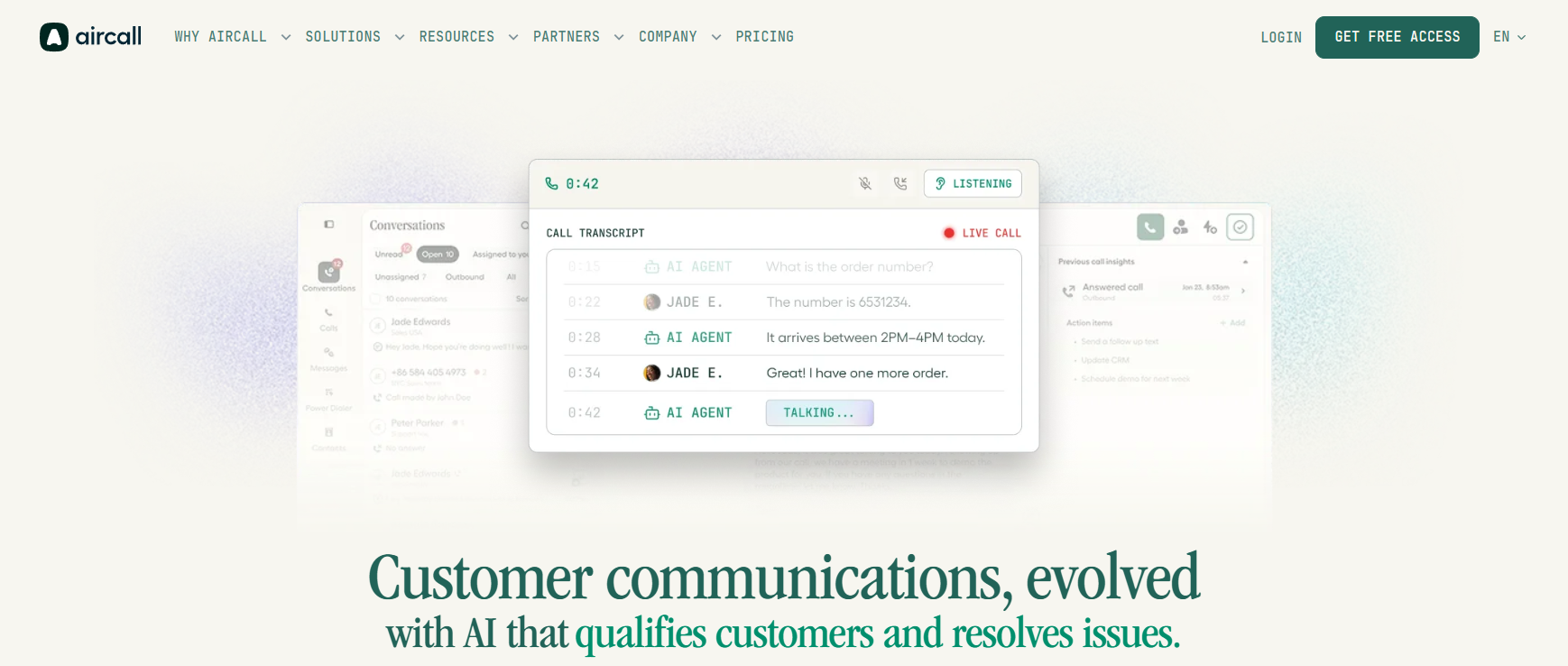
Aircall combines its cloud phone system with AI-powered voice agents, messaging agents, conversation intelligence, live coaching, analytics, and CRM integrations. This makes it useful for both automating routine customer interactions and helping human agents perform better during important conversations.
🤖 Key Aircall Features
AI Voice Agent:
Aircall’s AI Voice Agent can independently handle common customer questions, schedule appointments and transfer conversations to human agents with context when required. Calls can also be automatically logged into connected CRM systems.
AI Messaging Agents:
Businesses can automate customer conversations over SMS and WhatsApp. The AI can use company knowledge to answer common questions, qualify leads and escalate conversations to human representatives with context.
AI-Powered Call Summaries:
Instead of agents manually writing notes after every call, Aircall can generate summaries and identify relevant action items.
Real-Time AI Coaching:
AI Assist Pro adds live transcription, prompts and sales playbooks that can guide representatives while a conversation is happening. Aircall currently supports methodologies such as BANT, SPICED and MEDDIC.
Automated Call Scoring:
Managers can create custom criteria and use Aircall to automatically score calls, helping teams review more conversations instead of manually listening to a small sample.
Conversation Intelligence:
Aircall can analyze information such as sentiment, talk-to-listen ratios, recurring topics and conversation trends.
CRM Integrations:
Aircall supports integrations with platforms including Salesforce, HubSpot, Zendesk, Intercom, Pipedrive and Microsoft Dynamics, alongside hundreds of other integrations.
Advanced Calling Tools:
Alongside AI, Aircall includes traditional business-phone features such as:
- 📞 IVR and smart call routing
- 🎙️ Call recording
- ⚡ Power Dialer
- 📲 Click-to-dial
- 🔄 Queue callbacks
- 👀 Live call monitoring
- 💬 SMS and MMS
- 📊 Call analytics and reporting
Its Professional plan adds capabilities such as advanced analytics, smart routing, Power Dialer and Voicemail Drop.
💰 Aircall Pricing
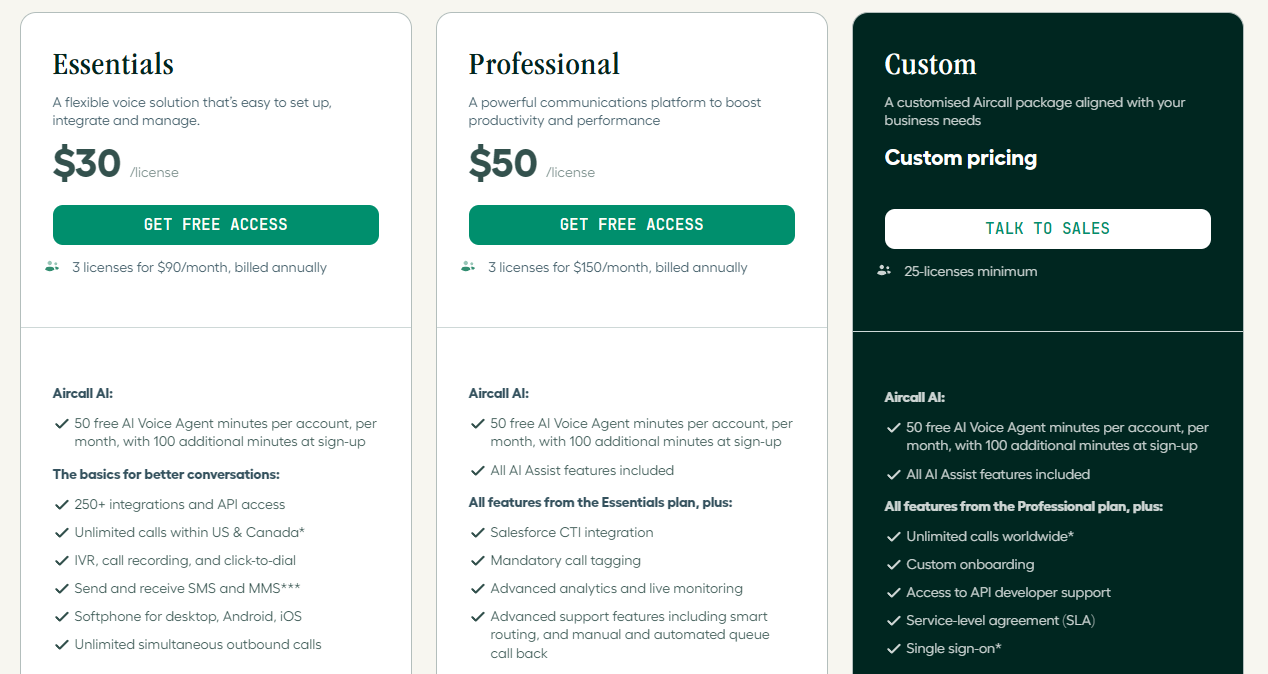
Aircall uses a combination of per-user phone-system pricing and additional AI usage or add-on pricing.
Its Essentials and Professional plans require a minimum of three users, while its Custom plan has a 25-license minimum.
Aircall also currently includes 50 free AI Voice Agent minutes per account each month, plus additional introductory minutes for new accounts. AI Voice Agent pricing then varies depending on usage or prepaid minute bundles.
For teams wanting more advanced real-time AI assistance, AI Assist Pro costs $49 per user/month when billed annually and can be added to an Aircall plan.
Aircall PROS and CONS
✅ Aircall Pros
- Powerful AI Voice Agent
- AI automation for SMS and WhatsApp
- Real-time AI coaching
- Automatic call summaries and scoring
- Strong CRM integrations
- 250+ integrations
- Advanced sales and support calling tools
- Useful conversation analytics
- Human handoff with conversation context
❌ Aircall Cons
- Minimum three-user requirement on its main plans
- Advanced AI can increase the overall monthly cost
- AI Assist Pro is a separate paid add-on
- May offer more functionality than very small businesses need
🎯 Who Is Aircall Best For?
Aircall is best for sales teams, customer support departments, call centers, growing SMBs and distributed teams that handle a significant number of customer conversations.
It is especially attractive if you want AI to work alongside your human representatives automating repetitive conversations while helping agents with summaries, coaching, scoring and CRM updates.
👉 Best for: Businesses looking for an all-in-one combination of AI-powered customer conversations + cloud calling + sales/support productivity tools.
💬 Why Aircall Earns the #1 Spot
What separates Aircall from the rest of this list isn’t a single killer feature — it’s how tightly the AI layer is woven into an already-excellent phone system. 🧵 Most competitors either bolt AI onto a legacy UCaaS platform or build a chatbot-first tool that treats voice as an afterthought. Aircall does the opposite: it started as a best-in-class cloud phone system and layered genuinely useful conversation intelligence on top, without sacrificing the simplicity that made it popular in the first place. 🎯
Real users on G2 consistently highlight how accurate the sentiment analysis is for prioritizing which calls need a manager’s attention, and how the one-click call recording across devices removes friction that competitors still struggle with. 📱 Combined with a 200+ app marketplace that covers virtually every major CRM and helpdesk tool, Aircall gives growing teams enterprise-level intelligence without an enterprise-level implementation headache. ✅
🥈 2. RingCentral — Best for Agentic AI & High-Volume Customer Calls
RingCentral is a powerful AI communication platform for businesses that handle large volumes of customer calls and interactions. 📞
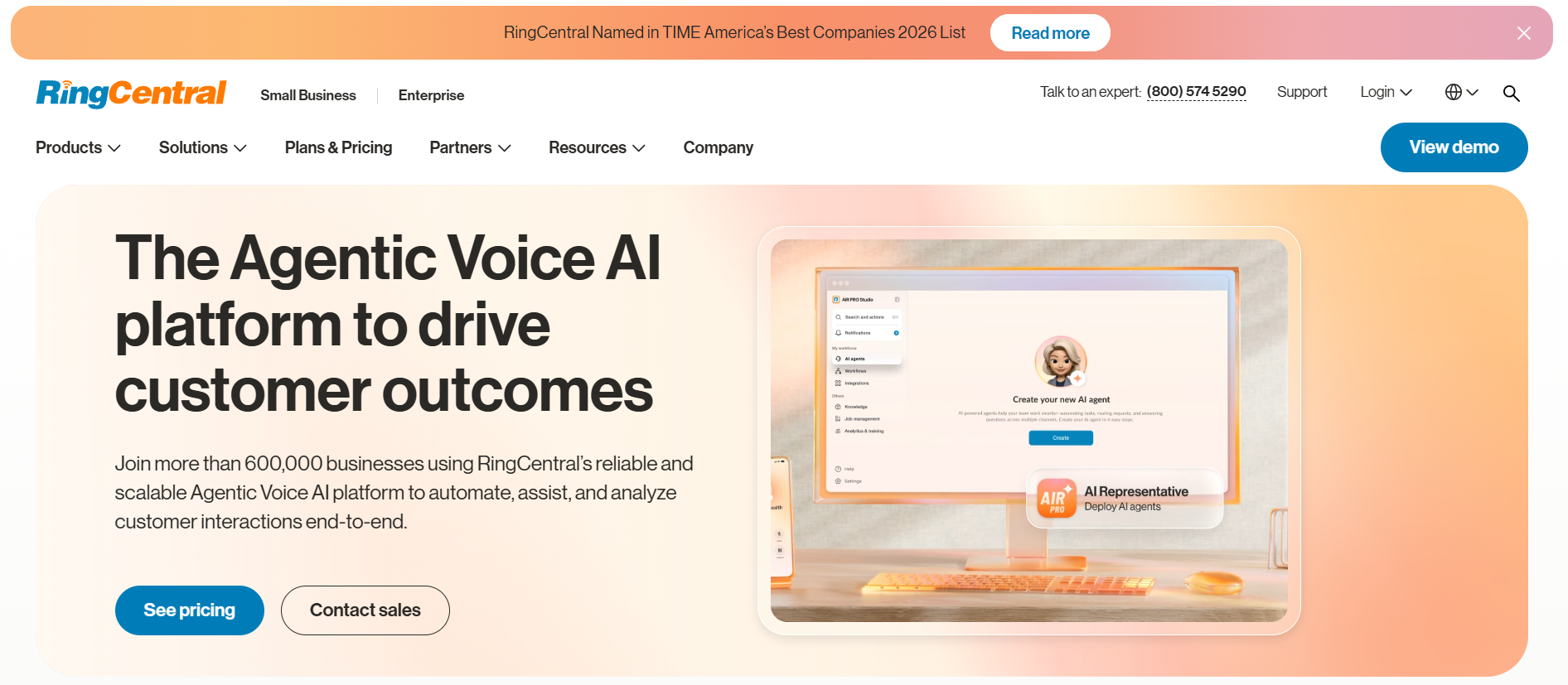
Its AI ecosystem combines automated receptionists, virtual assistants, conversation intelligence, and agentic AI to help businesses answer customers faster, automate repetitive tasks, and support human agents.
🤖 Key RingCentral Features
📞 AI Receptionist (AIR):
RingCentral’s AI Receptionist can answer incoming calls 24/7 using natural conversations. It can respond to FAQs, capture lead information, schedule appointments, and route customers to the right person—reducing the need for traditional “press 1, press 2” IVR experiences.
🧠 Intelligent Call Routing:
Instead of forcing callers through complicated menus, RingCentral can understand what a customer is asking for and direct the conversation accordingly. This can make the calling experience faster and more natural.
💬 AI Virtual Assistant:
RingCentral’s AI Virtual Assistant supports human agents during customer interactions. It can help with note-taking, translations, summaries, and workflow tasks, allowing agents to spend more time talking to customers instead of doing manual admin work.
📊 Conversation Intelligence:
RingCentral ACE can analyze conversations to uncover important topics, customer needs, objections, and agent performance. Managers can use these insights for coaching, quality assurance, and improving customer experiences.
📝 AI Call Summaries:
After conversations, AI can generate concise summaries and capture important details. This reduces the time agents spend manually writing post-call notes.
📅 Appointment & Lead Automation:
The AI Receptionist can capture prospect details and help schedule appointments, making it particularly useful for businesses where incoming calls frequently turn into leads or bookings.
🔗 CRM & Business Integrations:
RingCentral connects with popular business applications, allowing conversation data to become part of existing sales and customer-service workflows.
💰 RingCentral Pricing
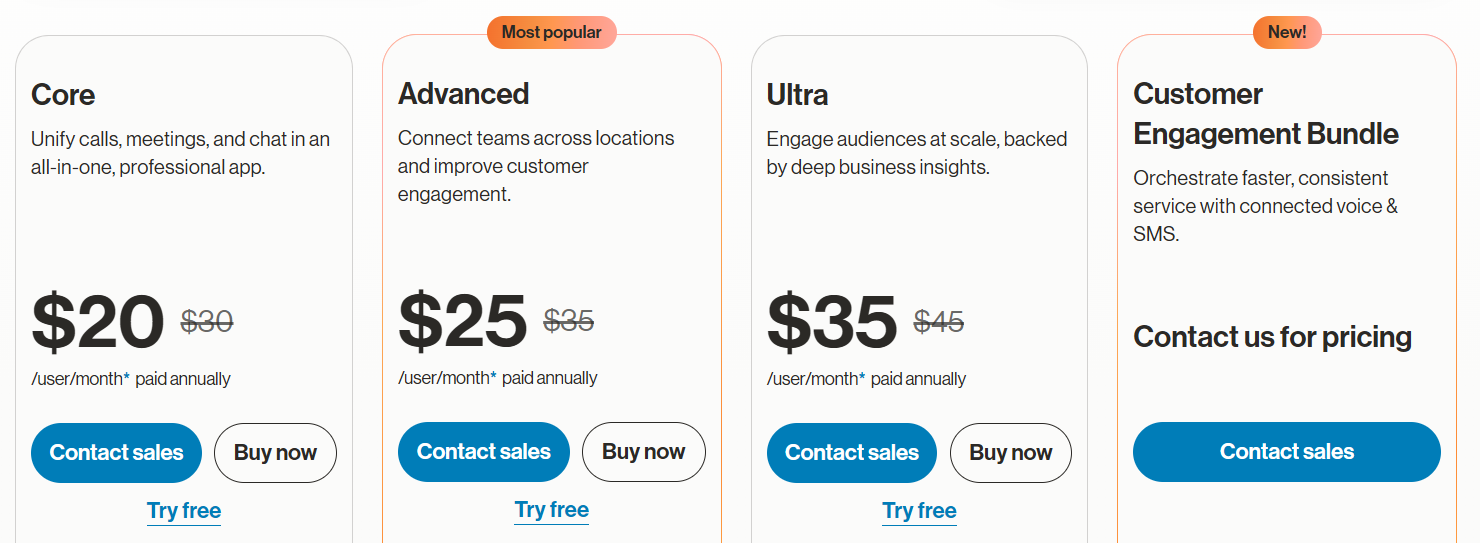
RingCentral’s AI Receptionist starts at $39/month, which includes 100 minutes. Additional usage is charged separately.
RingCentral’s wider business communications and contact-center products use separate pricing, so the final cost depends heavily on the features and AI products your team needs.
RingCentral PROS and CONS
✅ RingCentral Pros
- 🤖 Powerful agentic AI capabilities
- 📞 24/7 AI call answering
- 🧠 Natural-language call routing
- 📝 Automatic notes and summaries
- 📅 Lead capture and appointment scheduling
- 📊 Strong conversation intelligence
- 🔗 Broad business integration ecosystem
- 🏢 Suitable for larger organizations
❌ RingCentral Cons
- 💰 Advanced products can increase overall costs
- 🧩 Large product ecosystem can feel complicated
- 📞 Smaller teams may not need all its capabilities
🎯 Who Is RingCentral Best For?
RingCentral is best for contact centers, growing businesses, and enterprises handling significant customer call volumes.
It’s particularly compelling if you want AI to handle routine customer conversations automatically while giving human agents better tools for more complicated interactions.
👉 Best for: High-volume businesses looking for agentic voice AI and advanced customer communication automation.
🥉 3. Dialpad — Best for Real-Time AI Customer Conversations
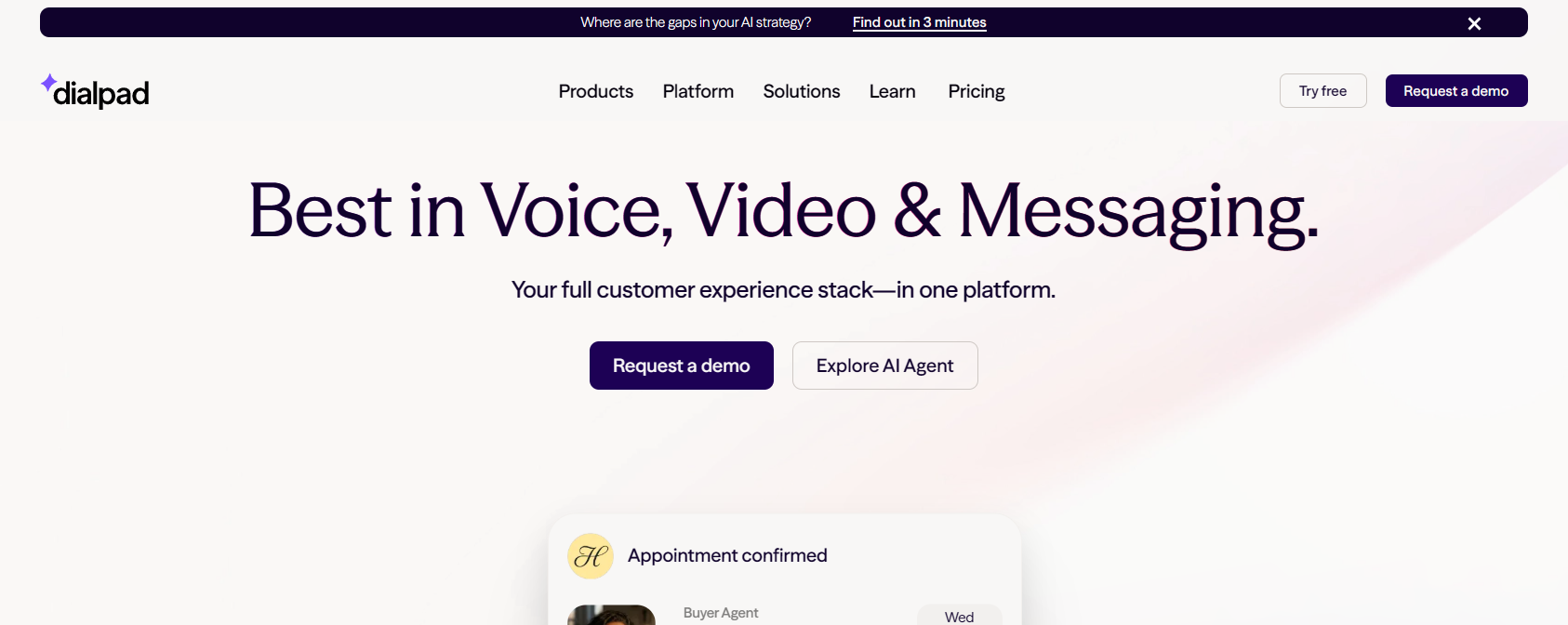
Dialpad takes a slightly different approach by putting AI directly into the customer conversation. 🤖💬
Along with autonomous AI Agents, Dialpad provides live transcription, real-time coaching, sentiment analysis, AI summaries, and automated quality management.
This makes it particularly useful for teams that want AI assistance before, during, and after customer conversations.
🤖 Key Dialpad Features
🤖 Autonomous AI Agents:
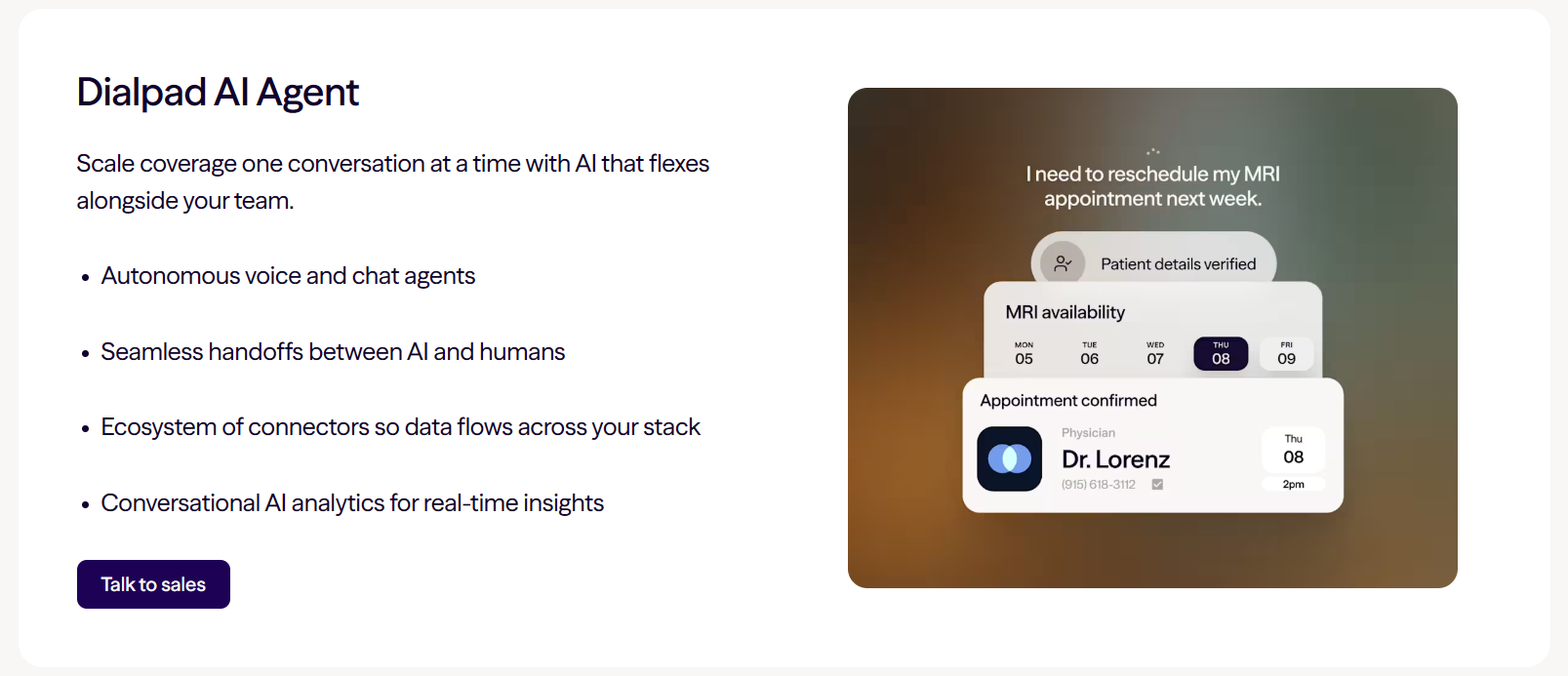
Dialpad’s AI Agents can handle customer conversations across voice and digital channels. They can answer common questions and perform actual tasks, such as checking an order, scheduling an appointment, managing account requests, or finding information from a knowledge base.
This allows businesses to automate repetitive interactions without requiring a human agent for every request.
🎙️ Real-Time Transcription:
Dialpad automatically converts spoken conversations into text while calls are happening.
Agents and managers can follow the transcript in real time, making it easier to review important details without repeatedly listening to recordings.
🧠 AI Live Coach:
One of Dialpad’s standout features is real-time coaching.
When certain topics or questions appear during a conversation, AI can provide agents with relevant guidance and information. This can be particularly helpful for new sales representatives and customer-support agents.
😊 Customer Sentiment Analysis:
Dialpad analyzes conversations for customer sentiment.
Managers can identify interactions that may be going poorly and review the live transcript to understand what is happening. This gives supervisors an opportunity to intervene before a customer experience gets worse.
📝 AI Recaps & Action Items:
After a conversation ends, Dialpad can automatically create a recap containing important moments, notes, action items, and a transcript.
Agents therefore spend less time manually documenting each interaction.
📊 AI Scorecards:
Supervisors traditionally have to listen to calls individually to evaluate agent performance.
Dialpad’s AI-powered scorecards can automate parts of this process, helping managers evaluate more conversations and identify patterns that require additional coaching.
🔄 Smart Human Handoffs:
AI isn’t appropriate for every customer problem.
When an AI Agent cannot resolve an issue, Dialpad can transfer the customer to a human agent while preserving relevant conversation context. This reduces the frustration of customers having to explain everything again.
🔗 CRM Integrations:
Dialpad can integrate communication data with business applications and CRM systems, helping sales and support teams keep customer records updated.
💰 Dialpad Pricing
💵 Dialpad Connect starts at $15 per user/month when billed annually.
Its more advanced sales, contact-center, and AI products use different pricing structures.
Dialpad AI Agents use conversation-based pricing, and businesses generally need to contact Dialpad for specific AI Agent costs.
Dialpad PROS and CONS
✅ Dialpad Pros
- 🤖 Autonomous voice and digital AI agents
- 🎙️ Excellent real-time transcription
- 🧠 Live AI agent coaching
- 😊 Customer sentiment detection
- 📝 Automatic summaries and action items
- 📊 AI-powered quality scorecards
- 🔄 Context-aware human handoffs
- 🔗 Useful CRM integrations
❌ Dialpad Cons
- 💰 AI Agent pricing isn’t completely transparent
- 🏢 Advanced contact-center functionality can cost more
- 🧩 May be overpowered for businesses needing basic calling
🎯 Who Is Dialpad Best For?
Dialpad is an excellent option for sales and customer-support teams that want AI actively assisting conversations in real time. 🎧
Its combination of automation and live coaching can be especially valuable for businesses that want to improve both agent productivity and customer experience.
👉 Best for: Businesses looking for real-time AI coaching, transcription, sentiment analysis, and autonomous customer-service agents.
🌍 4. Yellow.ai — Best for Multilingual & Omnichannel AI Conversations
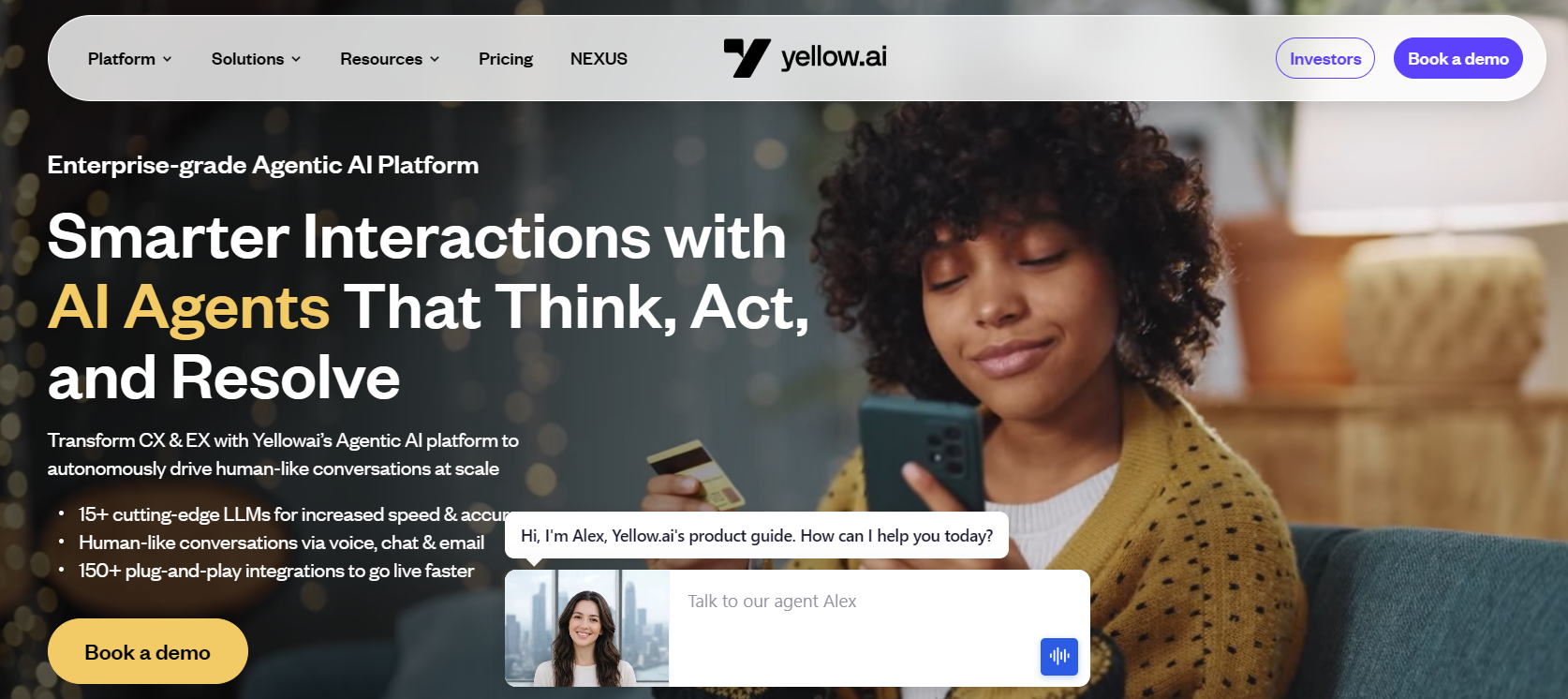
Yellow.ai is an enterprise-focused conversational AI platform built for businesses that want to automate customer interactions across multiple channels and languages. 🤖🌎
Unlike tools focused mainly on phone calls, Yellow.ai takes an omnichannel approach. Its AI agents can interact through voice, chat, email, SMS, and other digital channels while maintaining more consistent customer experiences.
The platform currently supports customer engagement across 35+ channels and 135+ languages, making it particularly attractive for global organizations.
🤖 Key Yellow.ai Features
💬 Omnichannel AI Agents:
Yellow.ai lets businesses build AI agents that communicate with customers across chat, voice, email, SMS, and other channels. This is useful when customers regularly switch between different communication methods.
🎙️ VoiceX – Voice AI:
VoiceX provides natural voice conversations for businesses that want AI to handle customer calls. It can be used to automate common queries and reduce the number of routine conversations reaching human representatives.
🌎 Multilingual Conversations:
One of Yellow.ai’s biggest strengths is global customer engagement. Support for 135+ languages can help international businesses automate conversations without building completely separate customer-service systems for every market.
📧 Intelligent Email Agents:
AI isn’t limited to live chat. Yellow.ai can also automate email conversations, helping businesses classify requests and respond to repetitive customer questions faster.
🧠 Agentic Omnichannel Builder:
Businesses can create AI agents and workflows capable of handling multi-step customer interactions rather than simply returning predefined chatbot answers.
😊 Sentiment & Topic Analysis:
Yellow.ai provides LLM analytics, sentiment analysis, and topic tracking. Managers can use these insights to understand what customers are discussing and how they feel about interactions.
📢 Proactive Customer Engagement:
Instead of waiting for customers to contact the business, teams can create proactive campaigns and notifications to engage customers at relevant moments.
🔗 150+ Integrations:
The Enterprise plan advertises 150+ out-of-the-box integrations, along with support for custom API integrations. This makes it easier to connect AI agents with existing customer-service and business systems.
👨💼 Human Agent Handoff:
Complex conversations can be transferred from AI to human agents, helping businesses automate repetitive requests without forcing AI to handle situations that need human judgment.
💰 Yellow.ai Pricing
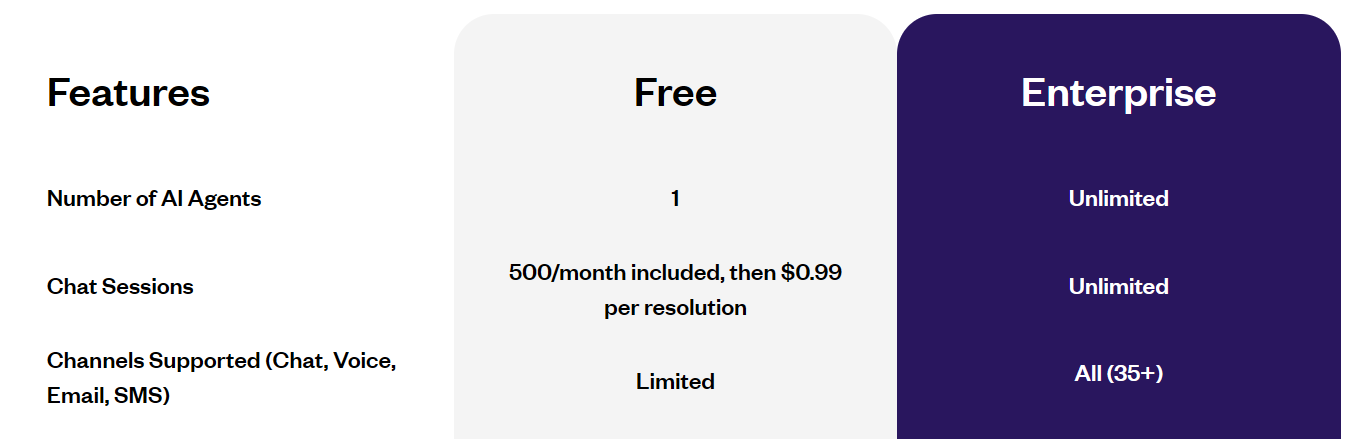
Yellow.ai currently offers a Free plan that includes one AI agent and 500 sessions per month, with additional resolutions priced at $0.99 each according to its pricing page.
🏢 Its Enterprise plan uses custom pricing and unlocks unlimited AI agents, 35+ channels, 150+ integrations, advanced analytics, proactive campaigns, VoiceX, and additional enterprise functionality.
Yellow.ai PROS and CONS
✅ Yellow.ai Pros
- 🌎 Supports 135+ languages
- 💬 Customer engagement across 35+ channels
- 🤖 Voice, chat and email AI agents
- 🧠 Agentic automation capabilities
- 😊 Sentiment and topic analysis
- 📢 Proactive customer campaigns
- 🔗 150+ enterprise integrations
- 🆓 Free plan available
- 🏢 Built for large-scale automation
❌ Yellow.ai Cons
- 💰 Enterprise pricing isn’t publicly listed
- 🧩 Advanced capabilities can require more setup
- 🏢 Primarily designed for larger automation use cases
- 📞 Businesses needing only a simple phone system may find it excessive
🎯 Who Is Yellow.ai Best For?
Yellow.ai is best for global businesses and enterprises that communicate with customers across multiple languages and channels. 🌍
It’s particularly useful when you want customers to interact with AI through more than just phone calls—such as WhatsApp, web chat, SMS, email, and voice.
👉 Best for: Global companies looking for multilingual, omnichannel AI customer-service automation.
🏢 5. Genesys Cloud CX — Best for Enterprise Customer Experience
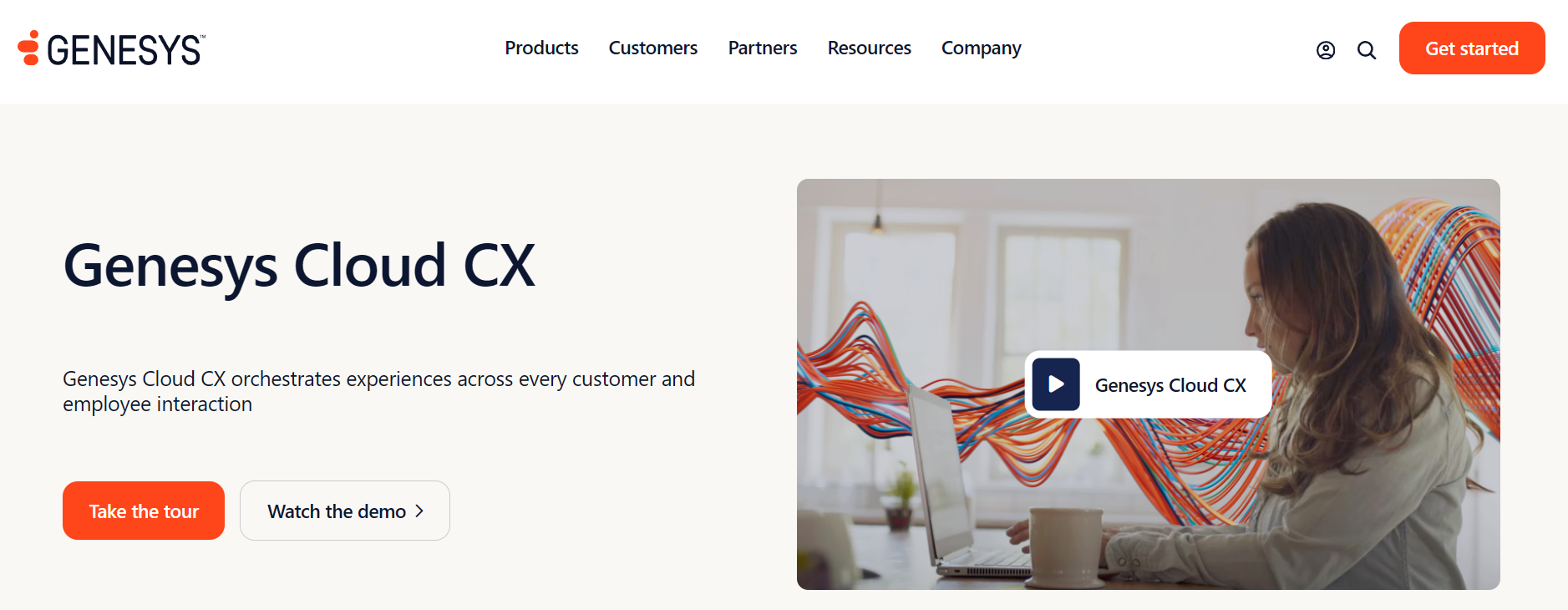
Genesys Cloud CX is a comprehensive AI-powered contact center and experience orchestration platform built primarily for organizations with complex customer-service operations. 🏢🤖
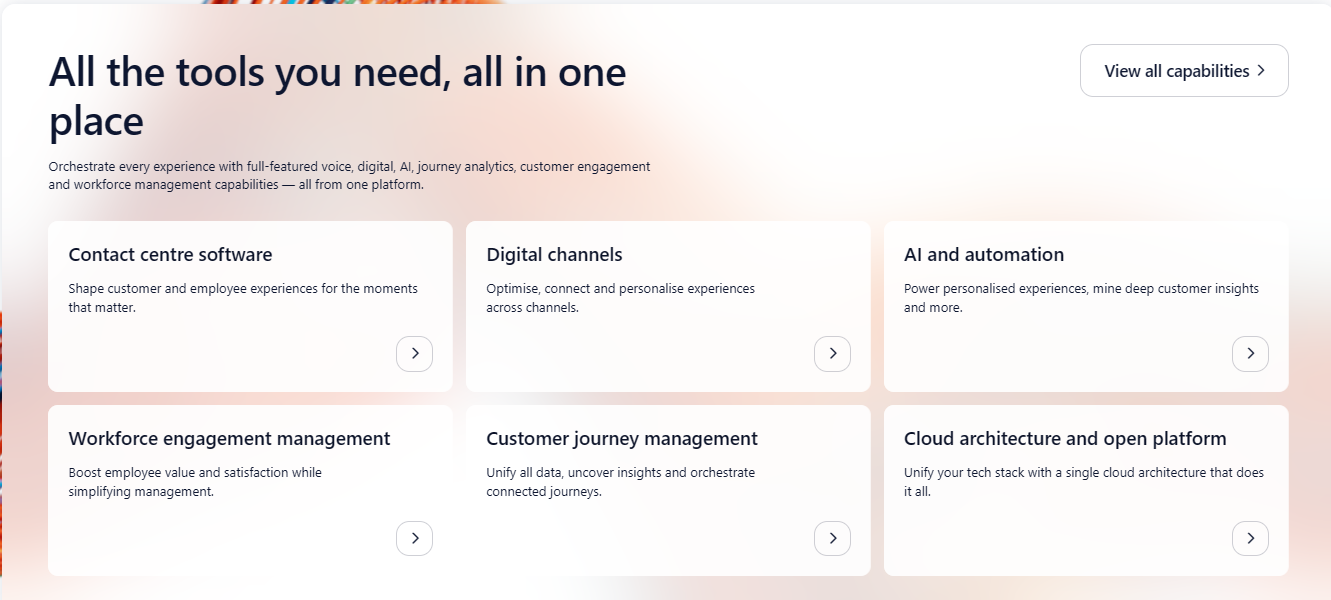
Rather than offering just an AI chatbot or voice bot, Genesys combines virtual agents, Agent Copilot, predictive routing, conversational intelligence, workforce tools, analytics, and omnichannel engagement within one enterprise CX ecosystem.
🤖 Key Genesys Cloud CX Features
🤖 Agentic Virtual Agents:
Genesys has introduced agentic virtual agents designed to move beyond simply answering questions. They can understand a customer’s goal, determine appropriate next steps, and execute actions across connected business systems.
This makes the technology useful for businesses that want AI to resolve customer requests, rather than only deflect basic FAQs.
👨💼 Agent Copilot:
Genesys Agent Copilot assists human representatives during customer conversations.
It can surface relevant knowledge, provide AI-guided scripts, highlight answers, and create enhanced post-interaction summaries—reducing the amount of information agents need to search for manually.
🔀 Predictive Routing:
Instead of routing every interaction using simple predefined rules, Genesys can use AI-powered predictive routing to help connect customers with appropriate resources or agents.
For large contact centers, smarter routing can potentially improve both customer experience and operational efficiency.
💬 Omnichannel Customer Engagement:
Genesys can bring voice, web messaging, email, SMS, in-app messaging, WhatsApp, and other digital interactions into a connected environment.
Agents therefore have a more unified view instead of switching constantly between disconnected communication tools.
🧠 Conversational Intelligence:
Genesys analyzes speech and text interactions to help organizations uncover customer topics, conversation patterns, and performance insights.
This gives managers more information for quality management, coaching, and customer-experience decisions.
📚 AI Knowledge Management:
Its knowledge tools help organize company information and surface relevant answers during customer conversations.
Combined with Agent Copilot, this can help representatives answer complicated questions without manually searching through multiple systems.
📊 Supervisor Copilot & Virtual Supervisor:
Genesys also applies AI to management workflows. Supervisor-focused AI capabilities can help leaders identify performance issues and gain insights from large volumes of customer interactions.
📈 Predictive Engagement:
Genesys can use customer behavior and journey information to determine when proactive engagement may be appropriate rather than waiting for customers to ask for help.
📣 Outbound AI & Campaign Tools:
Businesses can manage outbound interactions across channels including voice, SMS, WhatsApp, and email, depending on the selected plan and configuration.
💰 Genesys Cloud CX Pricing
Genesys uses tiered per-user pricing with additional usage considerations for certain AI capabilities.
Current U.S. annual pricing starts at:
- 💵 Genesys Cloud CX 1: $75/user/month
- 💵 Genesys Cloud CX 2: $115/user/month
- 💵 Genesys Cloud CX 3: $155/user/month
- 💵 Genesys Cloud CX 4: $240/user/month
Cloud CX 4 is particularly AI-focused and includes 30 AI Experience tokens per named agent, while Genesys notes that certain AI capabilities across its plans consume AI Experience tokens.
This makes it important for enterprises to calculate both license and expected AI usage costs before choosing a plan.
Genesys Cloud CX – PROS and CONS
✅ Cloud CX Pros
- 🤖 Advanced agentic virtual agents
- 👨💼 AI-powered Agent Copilot
- 🔀 Predictive routing and engagement
- 💬 Strong omnichannel communication
- 🧠 Speech and text analytics
- 📊 Advanced enterprise reporting
- 👀 AI tools for supervisors
- 📚 Intelligent knowledge management
- 📈 Extensive contact-center capabilities
❌ Cloud CX Cons
- 💰 More expensive than simpler AI platforms
- 🧩 Can be complex to configure
- 🎓 Teams may face a steeper learning curve
- 🏢 Overkill for many small businesses
- 🤖 Some AI functionality involves usage-based tokens
🎯 Who Is Genesys Cloud CX Best For?
Genesys Cloud CX is best suited to large businesses, enterprises, and sophisticated contact centers that manage customer conversations at significant scale. 🏢
Its biggest advantage is depth. Businesses can combine AI automation, human-agent assistance, predictive routing, analytics, workforce management, and omnichannel communication instead of assembling multiple disconnected products.
👉 Best for: Enterprises that need a scalable AI-powered contact center with advanced automation, orchestration, analytics, and agent-assistance capabilities.
💬 6. Insider One — Best for Conversational Commerce & Omnichannel CX
Insider One is an AI-powered customer experience and engagement platform designed to help brands create personalized conversations across multiple digital channels. 🤖💬
Compared with voice-first platforms such as Aircall, Insider One focuses more heavily on cross-channel customer journeys, conversational commerce, marketing automation, and personalized engagement.
This makes it particularly attractive for eCommerce, retail, and consumer brands looking to turn customer conversations into engagement and conversions.
🤖 Key Insider One Features
💬 Conversational AI:
Insider’s conversational tools help businesses automate customer interactions while providing personalized responses based on customer data and intent.
AI can answer common questions, guide customers toward products, and help move conversations toward a purchase or resolution.
🛍️ Conversational Commerce:
This is one of Insider’s biggest strengths. Businesses can use conversational channels to recommend products, answer buying questions, recover abandoned carts, and encourage purchases.
For eCommerce brands, this turns messaging from a basic support channel into another potential revenue source.
🌐 Omnichannel Customer Journeys:
Insider allows businesses to coordinate engagement across channels such as web, app, email, SMS, WhatsApp, and other messaging experiences.
Instead of treating each channel separately, brands can build more connected customer journeys.
🎯 AI-Powered Personalization:
Insider uses customer behavior and data to personalize experiences, recommendations, messages, and offers.
For example, two customers visiting the same online store could receive different recommendations based on their interests, previous activity, and likelihood to purchase.
🧠 Predictive AI:
Insider’s AI capabilities can help businesses predict customer behaviors and use those insights for targeting and personalization.
This can help brands focus campaigns on customers who are more likely to buy, engage, churn, or respond to a particular offer.
📱 WhatsApp Engagement:
Businesses can use WhatsApp for customer conversations and commerce experiences, including personalized messages, product discovery, support, and purchase-related journeys.
🛒 Product Recommendations:
AI-powered recommendations can surface products that are more relevant to individual customers, helping eCommerce businesses improve product discovery and potentially increase conversions.
📊 Customer Data & Analytics:
Insider brings customer data and behavioral insights together to help businesses understand how people interact across different touchpoints.
Teams can then use those insights to improve segmentation, personalization, and customer journeys.
⚡ Journey Automation:
Marketers can create automated journeys triggered by customer actions.
For example:
Customer views product → leaves website → receives personalized message → returns to store → completes purchase. 🛍️
This makes Insider particularly useful for brands that want AI conversations connected directly with their marketing and revenue workflows.
💰 Insider One Pricing
Insider One does not publish standard package prices publicly.
Pricing is customized based on the products, channels, customer volume, and capabilities a business requires.
💡 Businesses therefore need to request a demo or contact Insider’s sales team for an individual quote.
✅ Insider One – Pros and Cons
✅ Insider One Pros
- 💬 Strong conversational engagement tools
- 🛍️ Excellent conversational commerce capabilities
- 🎯 Advanced AI personalization
- 🌐 Omnichannel customer journeys
- 📱 Strong messaging and WhatsApp use cases
- 🧠 Predictive customer insights
- 🛒 AI-powered product recommendations
- ⚡ Powerful marketing automation
- 🏢 Suitable for large consumer brands
❌ Insider One Cons
- 💰 No transparent public pricing
- 🧩 Broad platform can take time to implement
- 🏢 Better suited to established brands than tiny businesses
- 📞 Not as voice-focused as Aircall or RingCentral
🎯 Who Is Insider One Best For?
Insider One is best for eCommerce companies, retailers, and consumer brands that want AI-powered conversations connected with personalization and marketing automation. 🛍️
It’s especially compelling when the goal isn’t simply to answer customer questions, but to use conversations to recommend products, personalize journeys, recover potential sales, and increase engagement.
👉 Best for: Brands looking for AI-powered conversational commerce, personalization, and omnichannel customer engagement.
📊 Comparison Table: All 6 Platforms Side-by-Side
Here’s a quick, scannable snapshot of how all six platforms stack up before you dive into a deeper evaluation. Use this to shortlist 2–3 candidates worth demoing, rather than trying to compare everything feature-by-feature from scratch. 🔍
| Platform | Best For | Starting Price | Free Trial | Standout Feature |
|---|---|---|---|---|
| 🥇 Aircall | Voice-first sales & support teams | $30/user/mo | ✅ 7 days | Call summaries + AI Voice Agent |
| RingCentral (AIR Pro) | Enterprise agentic routing | ~$20/user/mo (base) | ✅ Demo available | 99.999% uptime SLA |
| Dialpad AI Voice | Real-time coaching | ~$15/user/mo | ✅ Available | Live sentiment + coaching cards |
| Nextiva (XBert) | All-in-one omnichannel | ~$15+/user/mo | ✅ Available | Full-conversation AI employee |
| Genesys Cloud | Large, complex enterprises | Custom quote | ❌ Demo only | LAM-powered agentic reasoning |
| LivePerson | Enterprise messaging at scale | Custom quote | ❌ None | Omnichannel Conversational Cloud |
🧭 How to Choose the Right Platform for Your Team
Before you commit, run through these quick checks: 📝
📞 Voice-first or omnichannel? If calls are your primary channel, Aircall or Dialpad fit better. If you need chat + social + voice unified, look at Nextiva or LivePerson.
🏢 Team size and complexity. Small-to-mid teams should prioritize fast deployment (Aircall, Dialpad). Large enterprises with complex workflows may need Genesys or RingCentral AIR Pro.
🔌 CRM integration depth. Confirm whether integrations are bidirectional (real-time sync both ways) or just one-way connectors — this affects data accuracy significantly.
⏱️ Deployment timeline. Lightweight platforms deploy in days; enterprise platforms like Genesys can take 3–6 months. Budget your timeline accordingly.
🔒 Compliance needs. Regulated industries (healthcare, finance) should verify SOC 2, HIPAA, and PCI-DSS certifications directly with the vendor — don’t rely on marketing pages alone.💰 Real total cost. Many platforms gate key AI features behind add-ons — always calculate your realistic monthly cost, not just the advertised sticker price.
🧑💼 Quick Guidance by Team Type
Startups & mid-market teams with limited IT resources 🚀 — Prioritize platforms with fast deployment, no-code configuration, and transparent pricing. Time-to-value matters more than raw feature depth at this stage. Aircall and Dialpad are strong fits here.
Teams with complex, multi-step customer journeys across channels 🔀 — Look for an agentic platform with deep system integration and the ability to execute actions end-to-end, like Nextiva XBert or RingCentral AIR Pro.
Regulated industries (healthcare, finance, retail) 🏥 — Prioritize platforms with current, verifiable compliance certifications (SOC 2 Type II, HIPAA, PCI-DSS, GDPR) and audit-ready interaction logs. Don’t take a sales deck’s word for it — verify directly through the vendor’s trust portal.
Enterprises with existing UCaaS or contact center infrastructure 🏢 — Consolidating voice, messaging, and AI on a single platform reduces integration risk and vendor sprawl compared to bolting a standalone AI tool onto a fragmented stack.
Whatever category you fall into, always run a scoped pilot with clear success metrics before signing a long-term contract. Validate how the platform performs under your actual call volume, with your actual systems not just in a polished demo environment. 🧪
🏁 Final Verdict: Which One Should You Pick?
If you want the best all-around balance of ease of use, voice-first AI depth, and integration breadth, Aircall is our top pick for 2026. 🥇 It nails the fundamentals fast setup, accurate AI call summaries, real sentiment analysis, and 200+ integrations — without demanding an enterprise IT team to deploy. For growing sales and support teams, it’s simply the most practical choice on this list. ✅
That said, the “best” platform genuinely depends on your situation:
- 🏢 Need enterprise-grade routing + video conferencing? → RingCentral AIR Pro
- 🎯 Want real-time coaching for your reps? → Dialpad AI Voice
- 🔄 Want one AI employee handling everything end-to-end? → Nextiva XBert
- 🏗️ Running a large, complex enterprise with months to implement? → Genesys Cloud
- 🌍 Managing massive messaging volume across regions? → LivePerson
Whichever you choose, run a real pilot with your actual call volumes and your actual CRM before signing a long-term contract. The feature list on a pricing page rarely tells the full story — hands-on testing does. 🧪
At the end of the day, the AI customer conversation space has moved well past simple deflection bots. The platforms delivering real ROI in 2026 are the ones that either make your human agents dramatically faster (Aircall, Dialpad) or genuinely resolve issues autonomously at scale (Genesys, RingCentral AIR Pro, Nextiva XBert). Match that capability to your actual call complexity and team size, not to whichever platform has the flashiest demo and you’ll end up with a tool your team actually uses every single day. 💪
Related Article :- Aircall Review: Is It the Best Cloud Phone for Teams?
❓ FAQs
Conversational AI manages customer interactions, while generative AI creates responses, summaries, and other content. 🤖
Yes. ⏰ AI agents can handle supported customer conversations around the clock without requiring human availability.
Yes. 🎯 They can ask questions, collect lead details, identify intent, and route qualified prospects to sales teams.
It varies. ⚡ Simple setups can be quick, while complex enterprise integrations and workflows usually require more time.
Generally, yes. 🔐 However, always check each provider’s encryption, privacy controls, compliance certifications, and data-handling policies.
